Scareware

What Is Scareware?

Scareware is a type of malicious software that uses fear as its main weapon. It aims to deceive users with false alerts that claim devices are compromised by serious threats, such as viruses, system failures, or intrusions. This type of malware tries to persuade victims to purchase fake security programs or download tools that are actually useless or even harmful.

Try Panda Dome for:Windows | Android | Mac | iOS

How Does Scareware Operate?

Scareware usually appears to be legitimate software. It sometimes masquerades as antivirus programs, with an appearance similar to that of well-known brands. Users receive alarming messages such as ‘Your system is infected!’ or ‘Critical risk detected!’ in order to prompt immediate action, such as clicking a button, downloading a file, or paying for a supposed system cleanup. In reality, these actions can further compromise the device's security.


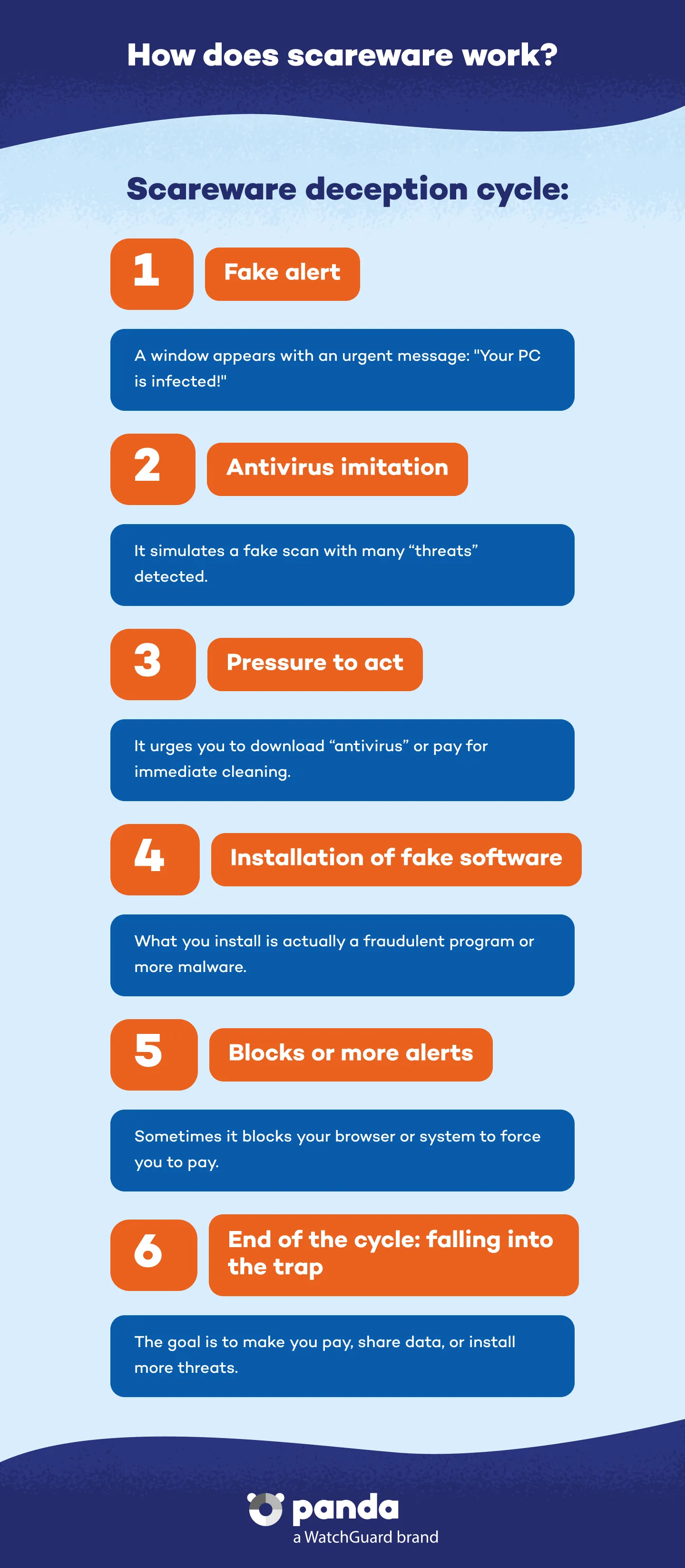
Scareware follows a well-defined pattern: First, it launches one or more pop-up windows with urgent warnings, usually appearing to be genuine messages from the operating systems or antivirus programs. It then invites the user to install a tool to resolve the problem, which actually triggers the downloading of fraudulent software or opens the way for further infections.


In some cases, it even blocks normal access to the device or browser, displaying screens with legal threats (such as fake warnings from the FBI or police) to intensify the psychological pressure on the user, who, feeling vulnerable, often falls into the trap.

How does scareware work - Panda Security

Common Types of Scareware

Although scareware can take many forms, the most common are:


  • Fake antivirus programs: These mimic well-known security tools, displaying the results of fake scans and lists of non-existent threats.
  • Blocking alerts: These interfere with Internet use or the operating system by displaying full-screen alert messages that prevent normal use of the device.
  • Malicious extensions or pop-ups: These are installed in the browser and constantly generate fake notifications, even when a system is clean.
  • Messages on infected routers: Some attacks can tamper with home routers to display warning messages on all web pages visited.

Why Is Scareware a Real Threat?

Although it does not always directly damage system files, scareware poses a significant threat to digital security. This is because it uses fear and misinformation to manipulate users. The real danger lies in the fact that:


  • It causes anxiety and confusion, causing victims to act impulsively.
  • It can disable or replace a device's legitimate antivirus software.
  • It often includes or enables the installation of other more dangerous types of malware, such as spyware or Trojans
  • It can lead to financial fraud by demanding payment for fake products or non-existent services.

How to Protect Yourself from Scareware with Panda

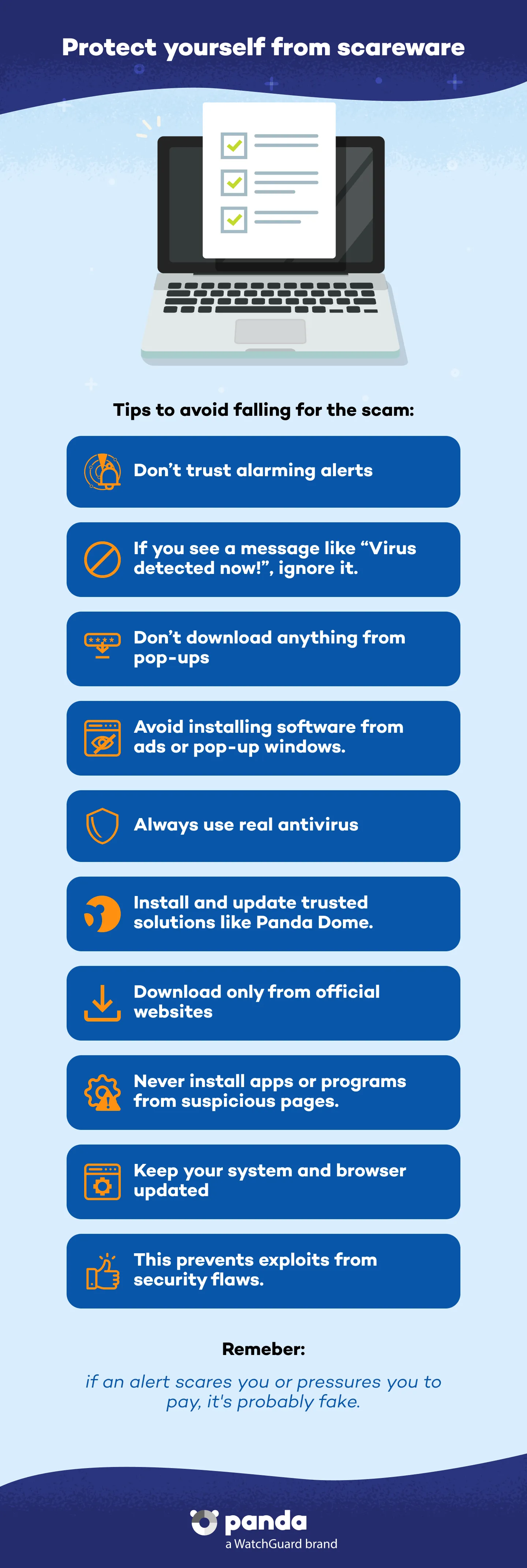
Prevention is the best defense from scareware. To do this, it is crucial not to trust any alerts that are not from your trusted antivirus software. If a message appears unexpectedly, with a strange design, or promises an immediate solution through download or payment, it is highly likely to be a scam.


It is also advisable to:


  • Avoid clicking suspicious ads or pop-ups.
  • Download software only from official sources.
  • Keep your operating system and other programs up to date.
  • Check your router settings if you see strange messages on several pages.
  • Have a robust security solution such as Panda Dome, which provides real-time protection, cloud-based threat analysis, a firewall and VPN to safeguard your privacy.
Protect yourself from scareware - Panda Security

What to Do If You Have Already Become a Victim

If you have inadvertently installed scareware or provided personal or banking details, act quickly:


1. Disconnect your computer from the Internet to prevent further malware from being downloaded.


2. Run a full scan of your system with a reliable antivirus program. You can use safe mode and specific tools.


3. Remove all traces of the fraudulent software and restore any modified settings.


4. Contact your bank if you have already made any payments.


5. Change your passwords and check for suspicious access to devices and accounts.

How Does Panda Dome Help?

Panda Dome is a comprehensive cybersecurity solution that provides:


You can also access our Support Center for personalized help.

Scareware FAQs
How Can I Recognize a Fake Alert?
Fake alerts are usually invasive, visually alarming, and use urgent language. They do not match the style of your genuine antivirus and they often lock your screen or automatically take you to other pages.
What Is the Difference Between Scareware and Ransomware?
Although both use coercive techniques, ransomware actually locks your device or encrypts your files until you pay a ransom. Scareware, on the other hand, only simulates a problem to rush you into making decisions.
Does Scareware Also Affect Smartphones?
Yes. There are versions of scareware for Android that arrive through malicious apps and banners, or unverified APK files. Some even subscribe users to paid services without consent.

Need help?

Call us 24 hours a day, 7 days a week, and get a free diagnosis.

Additional resources

Digital security is everyone's responsibility. With the right information and tools, you can reduce risks and use the Internet with peace of mind. Explore our guides and protect your online privacy.