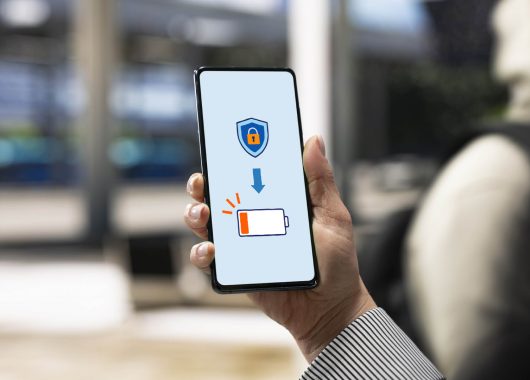
- A VPN encrypts all your internet traffic and hides your IP address, keeping your online activity private while maintaining good speed and access.
- Tor routes your data through multiple encrypted nodes, making it nearly impossible to trace but much slower and limited in site access.
- For most households, a VPN is the more practical everyday choice.
- Tor is best for situations where anonymity matters more than speed.
81% of Americans are worried about how companies collect and use their data.
To protect themselves, many turn to tools like proxy sites, private browsers or VPNs. The choice can be tough, so we created this Tor vs. VPN guide comparing the pros and cons of two of the most popular privacy tools.
The biggest difference between Tor and a VPN is anonymity vs. privacy. Tor keeps you anonymous by bouncing your traffic through several volunteer-run servers. A VPN keeps your online activity hidden by sending your traffic through an encrypted tunnel. Below, you’ll learn how each tool works and which fits your household best, plus whether it’s worth using both.
What Is Tor?

Tor, short for “The Onion Router,” is free software from the Tor Project, a nonprofit organization that researches and develops online privacy tools. The Tor Browser is a tool that anyone can download for Linux, Mac, Windows and mobile devices. The technology behind it was first developed in the mid-1990s at the U.S. Naval Research Laboratory.
According to Tor Metrics, about 3 million people connect to the Tor network on an average day, and roughly 9,500 volunteer-run relays carry their traffic.
The Tor Browser is primarily used to protect your identity online, making it difficult for anyone to trace where your data is coming from or identify you.
Websites and services can’t track your IP address or location through Tor, so advertisers and data brokers have a harder time following what you do online.
In September 2025, Tor released a beta version of a VPN app, aimed at improving mobile privacy and bypassing censorship. As of fall 2026, the app is still in beta on Android.
Advantages of Tor
Advantages of using Tor include:
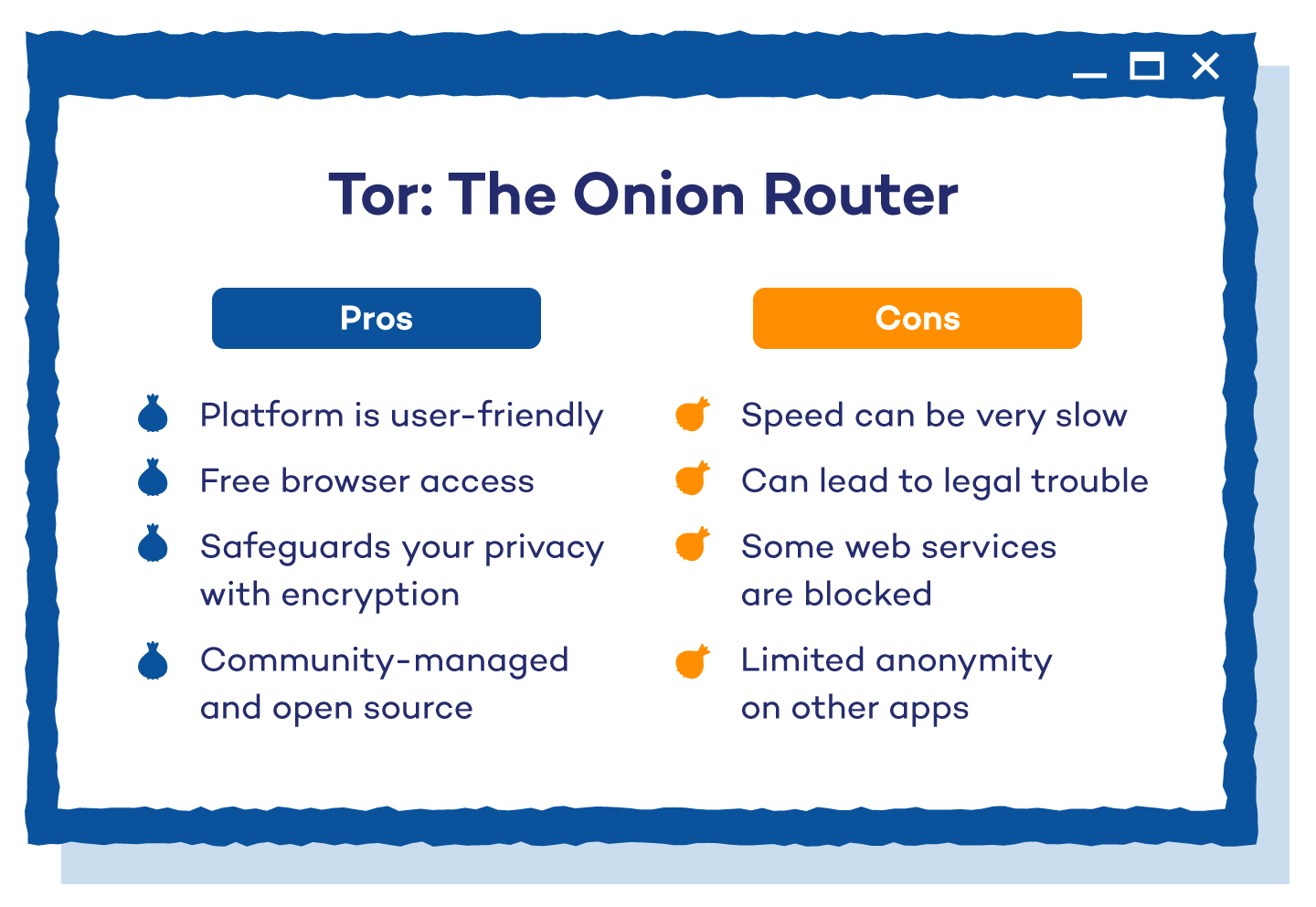
- User-friendly interface. The Tor Browser looks and works like the browsers you already use, so there’s little new to learn.
- Free to use. Tor is completely free to download and use. More advanced users can download the open-source project and make changes to the code as they’d like.
- Safeguard your privacy. Tor protects your privacy by not revealing your IP address to the websites you visit. Journalists, activists and everyday users rely on it to keep their information away from governments and companies that track online activity.
- Community and open source. Volunteers run the servers, and anyone can access the code. This transparency allows peer review, keeps the network secure and makes Tor easy to customize and inspect.
- Anonymous. With your traffic passing through three relays, you’ll be very hard to track or acquire information from. The layer of encryption Tor adds keeps its users anonymous online.
Disadvantages of Tor
Tor has clear privacy benefits, but it also has some shortcomings:
- Slow speed. Your internet traffic makes several stops before reaching a website, so pages, photos and videos can take longer to load, especially when fewer people are helping run the network.
- Web services blocked. Many larger web services block access to Tor. When visited, these sites return an error message like a 404. Others allow access but include a maze of CAPTCHAs that are needed to enter the site.
- Legal trouble. If you volunteer to run an exit relay, illegal activity that passes through it could be traced back to you. Governments monitor Tor users closely, so just using it at all can attract extra scrutiny.
- Limited anonymity with non-Tor traffic. Tor protects only traffic routed through it. Apps or browsers not configured for Tor aren’t anonymized, which can leak information. Setting up other apps to use Tor takes some technical know-how, so most people stick to the Tor Browser.
- Exit node risks. The last server in the chain can see any traffic that isn’t encrypted with HTTPS, so stick to secure websites.
Configuring certain applications to work with Tor means your online activity on that app will benefit from the same anonymity and privacy. Applications that aren’t configured to work with Tor don’t benefit from its privacy features.
How Tor Works
Tor disguises your identity online by routing your traffic through multiple servers and encrypting it along the way. Its layers of privacy are like an onion — the more users and servers in the network, the harder it is to trace your activity.
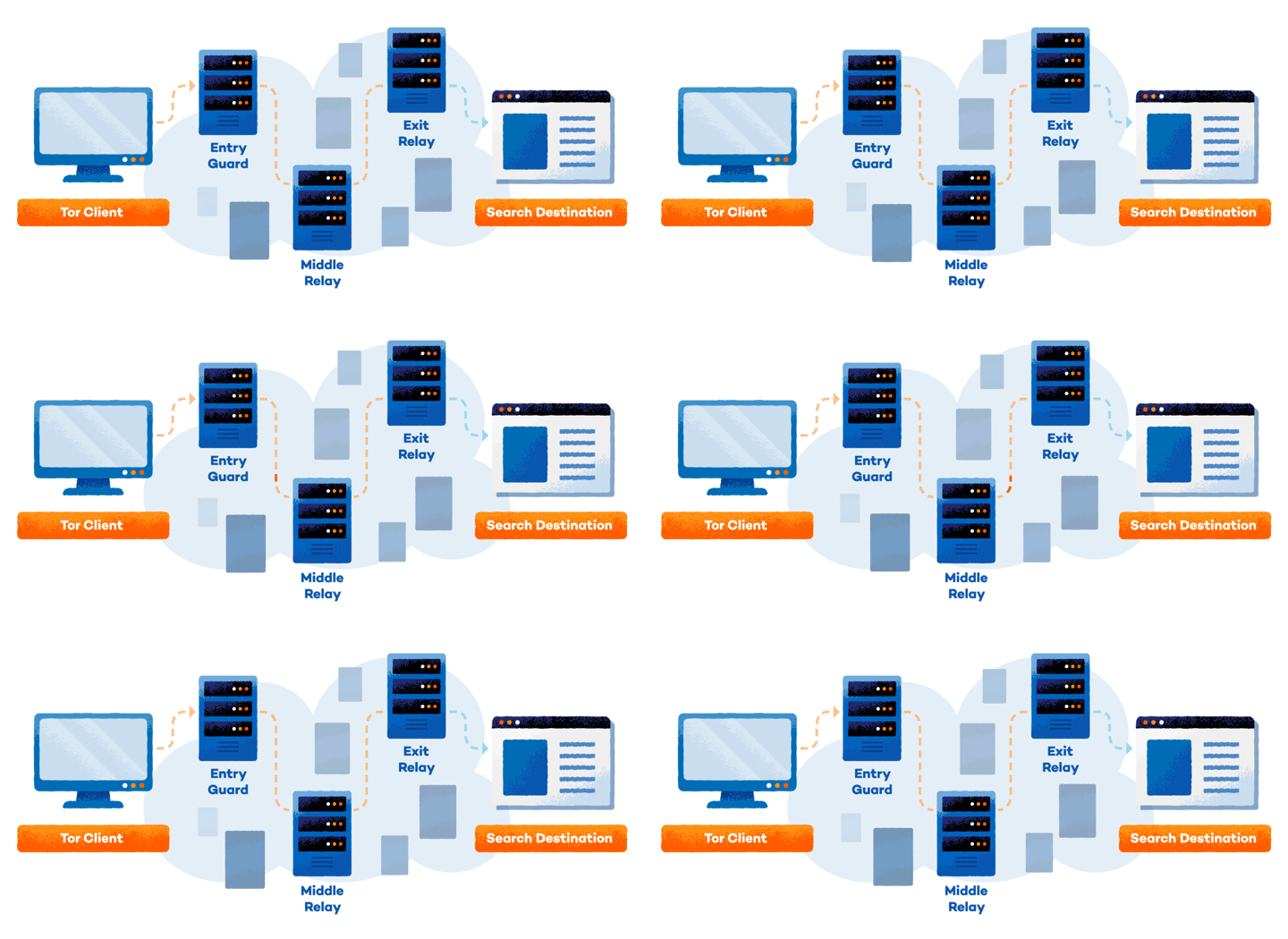
Behind the scenes, your traffic passes through three types of servers:
- Guard (entry) nodes. Your connection reaches this server first. It sees your real IP address but not the website you’re visiting.
- Middle nodes/relays. Anyone can volunteer to host one of these routers from home, and each one passes your traffic along the network.
- Exit nodes/relays. The final servers in the chain determine the IP address your connection appears to come from. Hosts of exit servers can be targeted if illegal activity occurs.
- Bridges. Unlisted Tor servers bypass IP blocks and help users access Tor in countries that restrict it.
Each node only knows the previous step, so your original IP is hidden. Tor is the main way to access onion sites on the dark web that regular browsers can’t open. That’s also why Tor comes up so often in dark web statistics.
What Is a VPN?
A VPN, short for Virtual Private Network, is software that is able to change your IP address and encrypt your Internet traffic. As of 2026, Security.org reports that 42% of U.S. adults use a VPN, up from 32% in 2025. But 36% of people surveyed wrongly believed a VPN alone can protect them from viruses and malware.
Originally, most VPNs were used by corporations, allowing all employees on the business network to privately access sensitive information. It has now evolved to keep an individual’s online activity private from hackers, government censorship and other online threats.
Advantages of a VPN
VPNs offer several benefits for everyday online security, including:
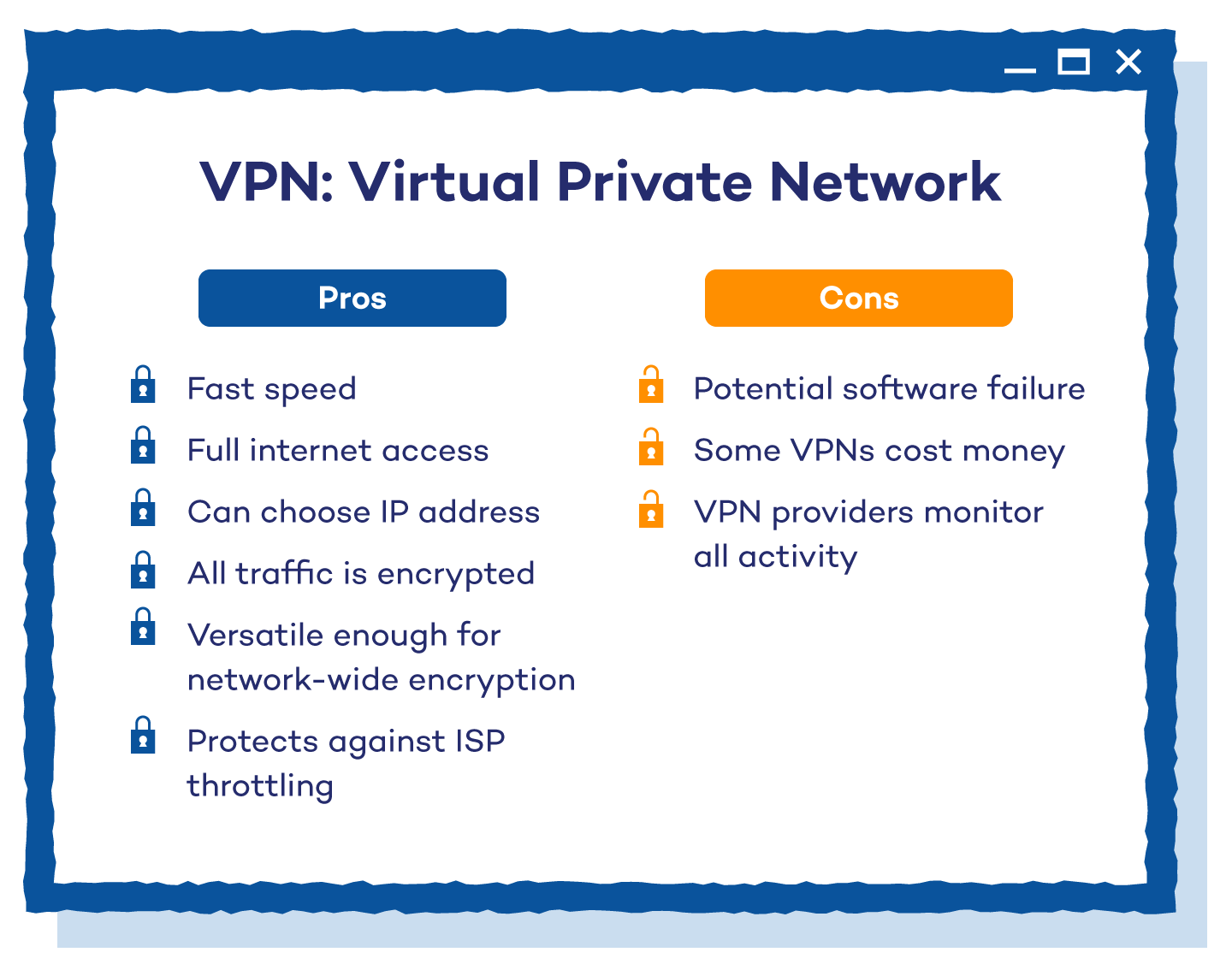
- Speed. Since you’re only connecting to one server, most people notice only a small slowdown, so photos and videos still load quickly.
- Accessibility. No matter your geographical location, you have complete access to the internet. Even if a site or service is blocked or changed in your country, you can connect to the version that others see in foreign countries.
- Control of IP address. A VPN protects how you’re seen online. Devices are identified with an Internet Protocol (IP) address that tells their device type, location and online activity. When you control your IP address, it’s harder for people to identify you.
- Encryption. Unlike Tor, which only encrypts requests while using the browser, VPNs are able to encrypt all the traffic coming from your computer. Some top VPNs are also adding newer encryption designed to withstand future, more powerful computers.
- Protection against ISP throttling. Some ISPs (internet service providers) throttle or limit internet speeds and bandwidth for specific online activities like streaming. A VPN can bypass those limitations and improve your online experience.
- Versatility. VPNs work on almost any device, from computers and smartphones to tablets and even your home router. Some VPNs provide browser extensions and dedicated platform apps for more customization.
Top-tier VPNs include a kill switch, which stops all internet traffic if the VPN connection drops, and multi-hop (or double VPN) connections, which route traffic through multiple servers for extra anonymity.
 Disadvantages of a VPN
VPNs have a few drawbacks of their own:
- Software failures. For a VPN to work, it needs to run properly. If you don’t set up and test the software correctly, your VPN can leak data.
- Costs money. While some VPNs have free options, the more secure versions cost money. There is usually a monthly fee to keep your activity secure. Free VPNs are growing more popular, with 43% of VPN users relying on one in 2026, according to Security.org. But some free VPNs log or sell your browsing data.
- VPN provider can see your activity. Some VPN companies log your history while using their service. Look for a statement on your VPN’s website to ensure they aren’t collecting, storing or sharing any permanent identifiers of you. Even with a no-logs policy, it’s smart to understand whether you can be tracked with a VPN.
How a VPN Works
Here’s how a VPN protects your privacy and helps you access restricted content:
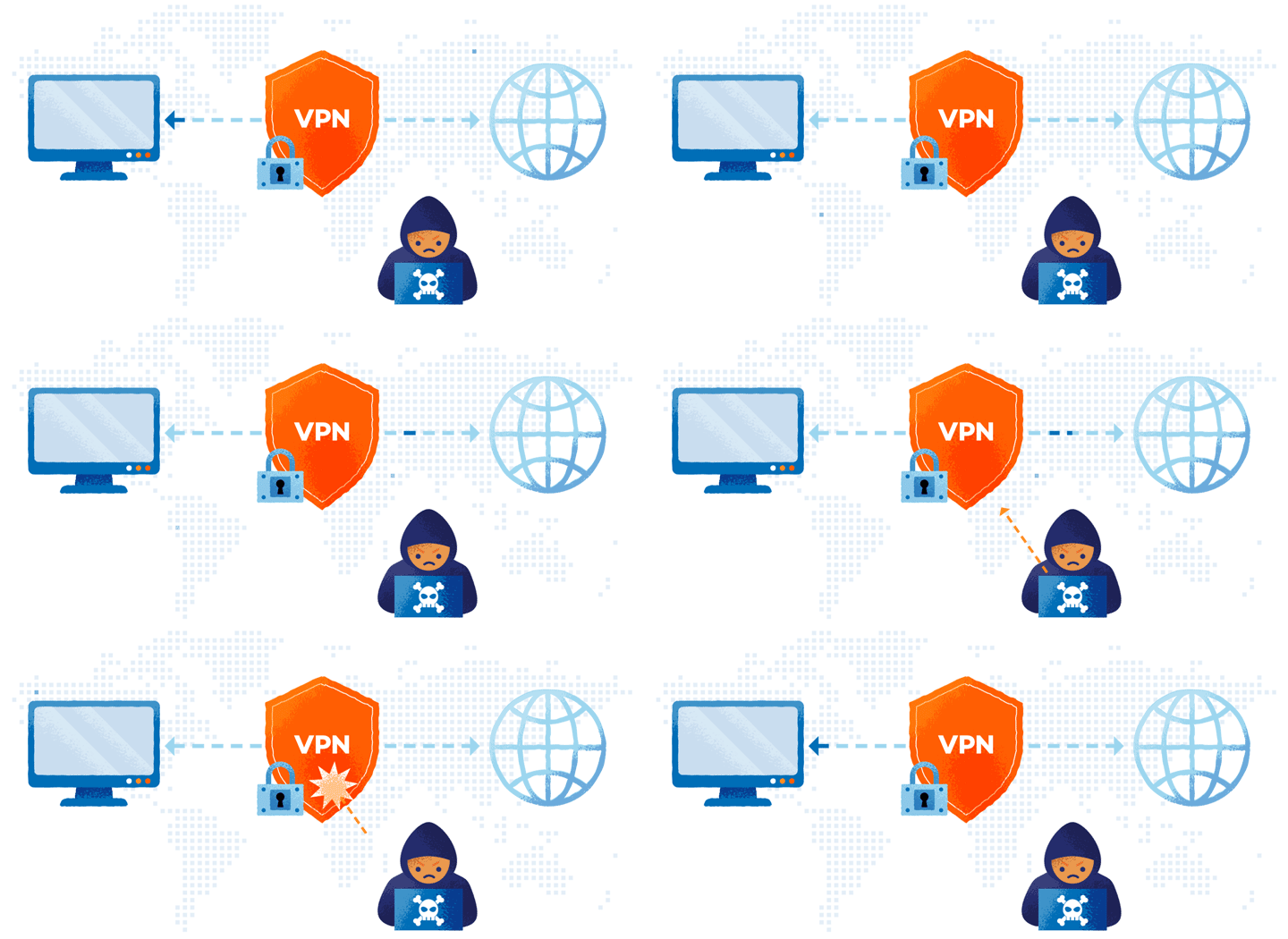
- Connect to a VPN server. Your internet traffic travels through a secure server run by the VPN provider. Your internet provider can see that you’re connected, but not the sites you visit.
- Change your IP address. This process masks your real IP address, making it appear as though you’re browsing from a different location. A VPN is one of the simplest ways to change your IP address.
- Access restricted content. When you connect to a server in a country where certain websites or services are available, you can access content that might be restricted in your actual location.
Tor vs. VPN: Head-to-Head Comparison
Home users can compare the Tor Browser vs. a VPN side by side below:
| Tor | VPN | |
|---|---|---|
| Main goal | Anonymity to hide who you are | Privacy that hides what you do from your ISP and network |
| How it works | Three volunteer-run relays | One encrypted tunnel to a provider’s server |
| Speed | Much slower | Small slowdown for most users |
| What it protects | Browser traffic by default | All traffic on your device |
| Who you trust | No single company | Your VPN provider |
| Dark web access | Opens .onion sites | Can’t open .onion sites on its own |
| Streaming and torrenting | Poor fit; often blocked | Well suited |
| Cost | Free | Free and paid options |
Which Should You Use? Tor or a VPN?
Both Tor and VPNs protect your online identity, but they do it in different ways. For most people, VPNs are the more practical choice because they’re faster and encrypt all your traffic.
Tor, on the other hand, is free and highly anonymous, but slower, limited in site access and can attract unwanted attention from authorities. Your choice depends on whether you need speed or complete online anonymity.
Use a VPN If You:
- Use public Wi-Fi. They encrypt your entire internet traffic, keeping hackers from snooping on you in cafes, airports or hotels.
- Want an easy setup. Most VPNs come with user-friendly apps for phones, laptops and routers.
- Value all-around security. Premium VPNs add features like a kill switch and multi-hop connections for stronger protection.
Use Tor If You:
- Need maximum anonymity. No single relay knows both who you are and where you’re going, so you’re very hard to trace.
- Are in a high-censorship region. Tor bridges help bypass internet blocks even in countries that restrict VPNs.
- Are tech-savvy. Setup takes more work than a VPN and can trip up beginners.
If you’re weighing Tor vs. VPN, choose Tor if you need maximum anonymity and don’t mind slower speeds. Choose a VPN if you want speed, full-site access and strong everyday protection.
Can You Use Tor and a VPN Together?
Yes. You can combine them in two ways: Tor over VPN (connect to your VPN first, then use Tor) or VPN over Tor (connect to Tor first, then your VPN). The combination boosts privacy but will slow your connection because your data makes even more stops before reaching its destination.
Tor over VPN is the simpler option and hides your Tor use from your internet provider, which can help in countries that block Tor. VPN over Tor is much harder to set up and can weaken Tor’s anonymity. For most home users, using one tool at a time is enough.
Protect Your Data With Panda Security
When choosing a VPN, look for one that’s fast and clear about how it handles your data. Panda Dome VPN delivers both. It uses strong encryption to protect your online activity and keeps no logs of your browsing, and Panda Dome Premium pairs unlimited VPN with the real-time antivirus protection a VPN can’t provide on its own. On Windows, Panda Dome VPN also includes a kill switch that cuts your connection if the VPN drops, so your real IP address isn’t exposed. You can use dark web monitoring tools to get alerts if your email address shows up in a data breach.
Keep your browsing private at home and on public Wi-Fi with Panda’s VPN.
FAQ: Tor vs. VPN
Neither Tor nor a VPN provides complete privacy and all security features. Each excels in different areas, so choosing the right solution depends on your goals.
Is Tor Better Than VPN?
Tor is better than a VPN in terms of online privacy and anonymity. The two tools offer a measure of security but excel in different areas. Tor is better for users who are after the highest level of online anonymity, who don’t use it for data-intensive applications and who are willing to trade speed for privacy.
Is Tor a VPN?
No. Tor is a free network and browser that routes your traffic through three separate relays, while a VPN sends all of your device’s traffic through one encrypted server run by a company. The Tor Project has released a beta VPN app, but the Tor Browser itself isn’t a VPN.
Is VPN Faster Than Tor?
Yes. When comparing VPN vs. Tor speeds, VPNs come out ahead because Tor routes your connection through three relays, whereas VPNs offer a single-hop connection to the server. This means VPNs usually provide faster internet connections and are more effective at bypassing ISP throttling.
Is Tor Anonymous?
While Tor isn’t guaranteed to be completely anonymous, it’s designed to offer the highest level of security and anonymity while browsing the web. It’s extremely difficult to track Tor user data and traffic, making it a strong option for anonymity. Many apps and browsers still need to be configured for Tor before they’re secure.
Is Tor Illegal to Use?
No. Tor is legal in most countries, including the U.S. and most of Europe. Some governments, like China and Russia, block or restrict access to it. Buying illegal goods or downloading pirated content is still against the law, even on Tor.
Is a Free VPN Safe to Use?
Often, no. A VPN network is expensive to run, so many free VPNs make money by logging or selling your browsing data or capping how much data you can use. If privacy is your goal, choose a paid provider with a clear, independently audited no-logs policy.