What is Clickjacking?
A type of attack where a cybercriminal tricks someone into clicking an invisible link on a legitimate website, leading them to dangerous pages or downloadable malware. Hackers hide these links over buttons, images, or other links on legitimate pages, waiting for users to click them.
Think of clickjacking like a high-stakes game of online hide-and-seek. If you find the hidden link, your prize is avoiding danger. But if you don’t, the cybercriminal wins access to your device, files, and your personal information.
Cybercriminals can do this by “clickjacking” web applications that store your information, such as where you store your passwords.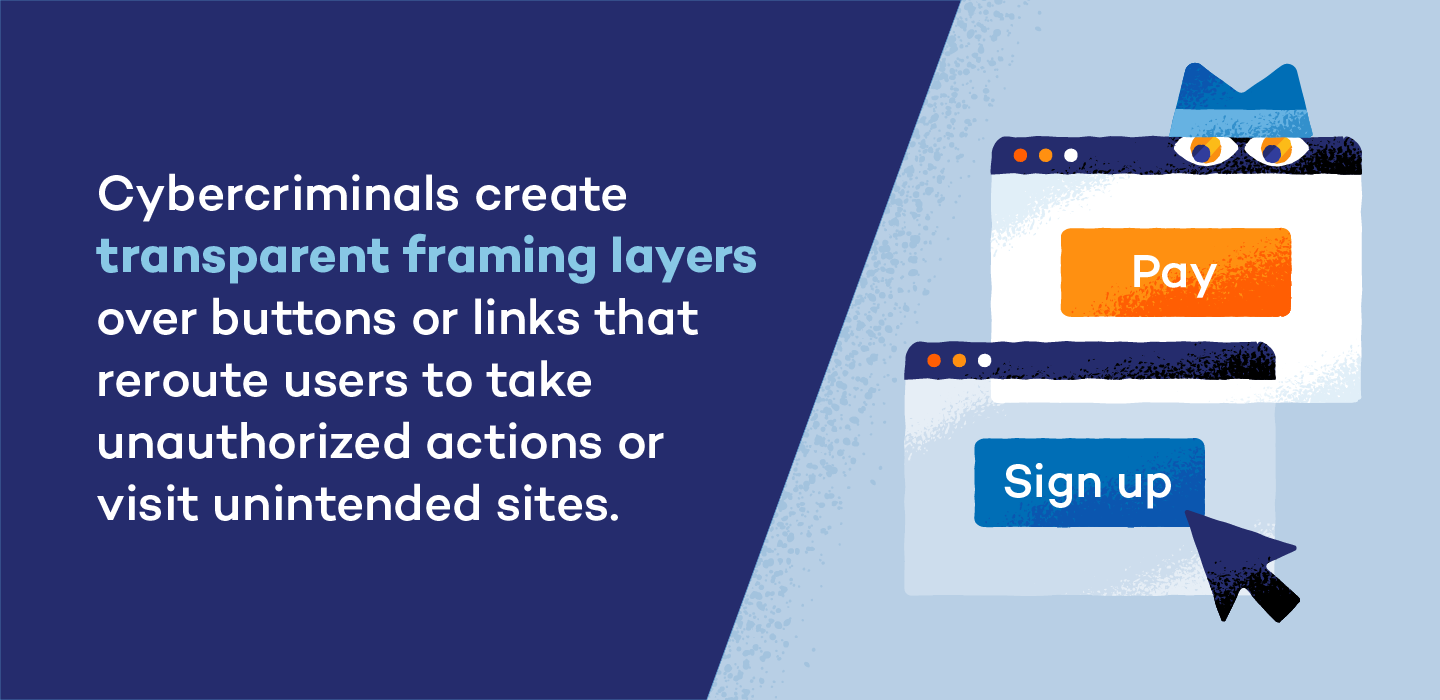
In 2025, six password managers were vulnerable to unpatched clickjacking flaws. When users clicked what they believed to be harmless links, they triggered a password manager’s autofill instructions, giving them access to account credentials, 2FA codes, and credit card numbers.
To protect yourself and your devices from cybercriminals, it’s important to know when and where clickjacking is at play. Read on to learn how it works, how to spot it, and how to stay safe.
How Clickjacking Works
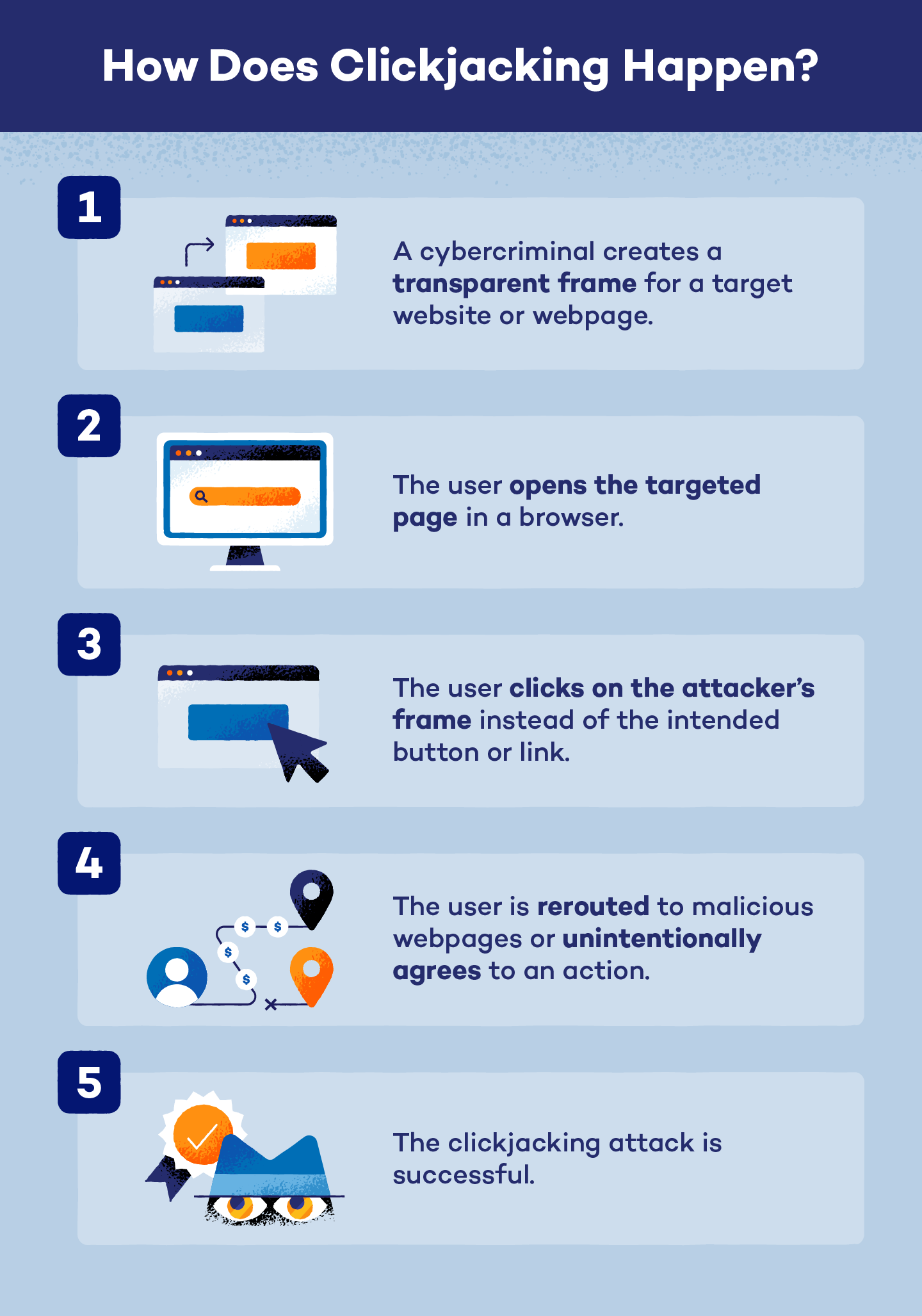 Clickjacking works when a cybercriminal tweaks a website’s code (such as HTML or CSS) to change how it behaves. It causes users to unintentionally click on malicious links instead of the ones they intended to click. Cybercriminals can overlay entire websites, hide legitimate parts of websites or suddenly replace links through these techniques:
- Cropping: Cuts out parts of a website so you can only see part of it, and places misleading text or fake buttons with malicious links.
- Rapid content replacement: Like pop-ups, the cybercriminals quickly add an opaque layer to cover a legitimate link.
- Click event dropping: Makes a legitimate link unclickable via CSS and hides a malicious link behind it.
- Scrolling attacks: Targets scroll down until the attacker replaces a legitimate part of a website with a cybercriminal’s malicious alternative.
- Drag-and-drop: Tricks a user into dragging an object on a webpage that’s actually linked to dragging sensitive data, a technique often used in cookiejacking.
- Repositioning: Attackers quickly move a trusted link on a website to reveal a malicious one as the target is clicking.
Different types of Clickjacking attacks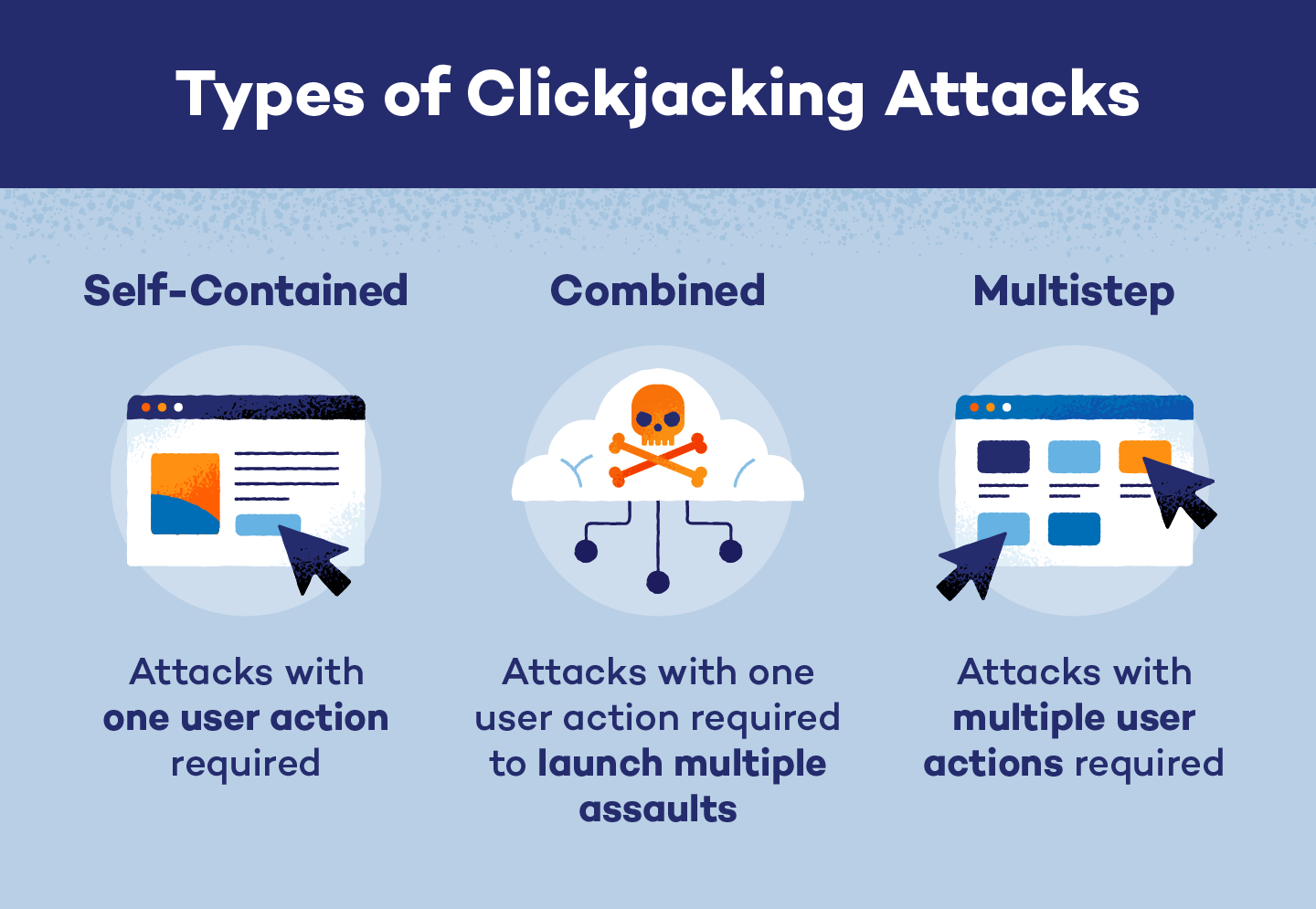
Clickjacking attacks start by hiding website links, but come in one of three forms:
- Self-contained: Attacks that rely on one action, like clicking a fake link that downloads malware.
- Multistep: Requires the target to click multiple fake links, like when cybercriminals create fake, multi-step payment portals that steal your credit card information.
- Combined: Starts with one attack that’s followed up with additional attacks. For example, a cybercriminal could lead a target to a fake landing page that asks for their name, address, and Social Security number, eventually leading to identity theft.
Clickjacking uses these approaches:
Likejacking
Approach: Self-contained
Techniques used: Rapid content replacement, click event dropping, and repositioning
Lifejacking is a social media attack that tricks users into unintentionally “liking” pages, posts, or videos. Cybercriminals do this to boost the visibility of advertisements, spread misinformation, or link to fake pages.
Cursorjacking
Approach: Self-contained, multistep, or combined
Techniques used: Cropping, rapid content replacement, click event dropping, scrolling, and repositioning
Cybercriminals mask the location of a user’s cursor, so it appears to be on a different part of a page than it actually is. The real invisible cursor is actually hovering over a malicious link that sends them to a fake website or downloads malware. This multi-faceted attack can be self-contained, multistep, or combined.
Cookiejacking
Approach: Combined
Techniques used: All
Also known as session hijacking, this attack allows cybercriminals to steal a target’s cookies by redirecting the target to compromised websites. By stealing the session ID stored in these cookies, hackers can take over your account. For example, they could log into your password manager and steal your credentials, making it behave like a malicious web extension.
Filejacking
Approach: Multistep or combined
Techniques used: All
Filejackers trick victims into giving them access to their files by clicking a modified “browse” or “upload” button. Attackers can even access a target’s entire file system through this, installing malicious software or stealing sensitive files.
How to protect yourself from clickjacking
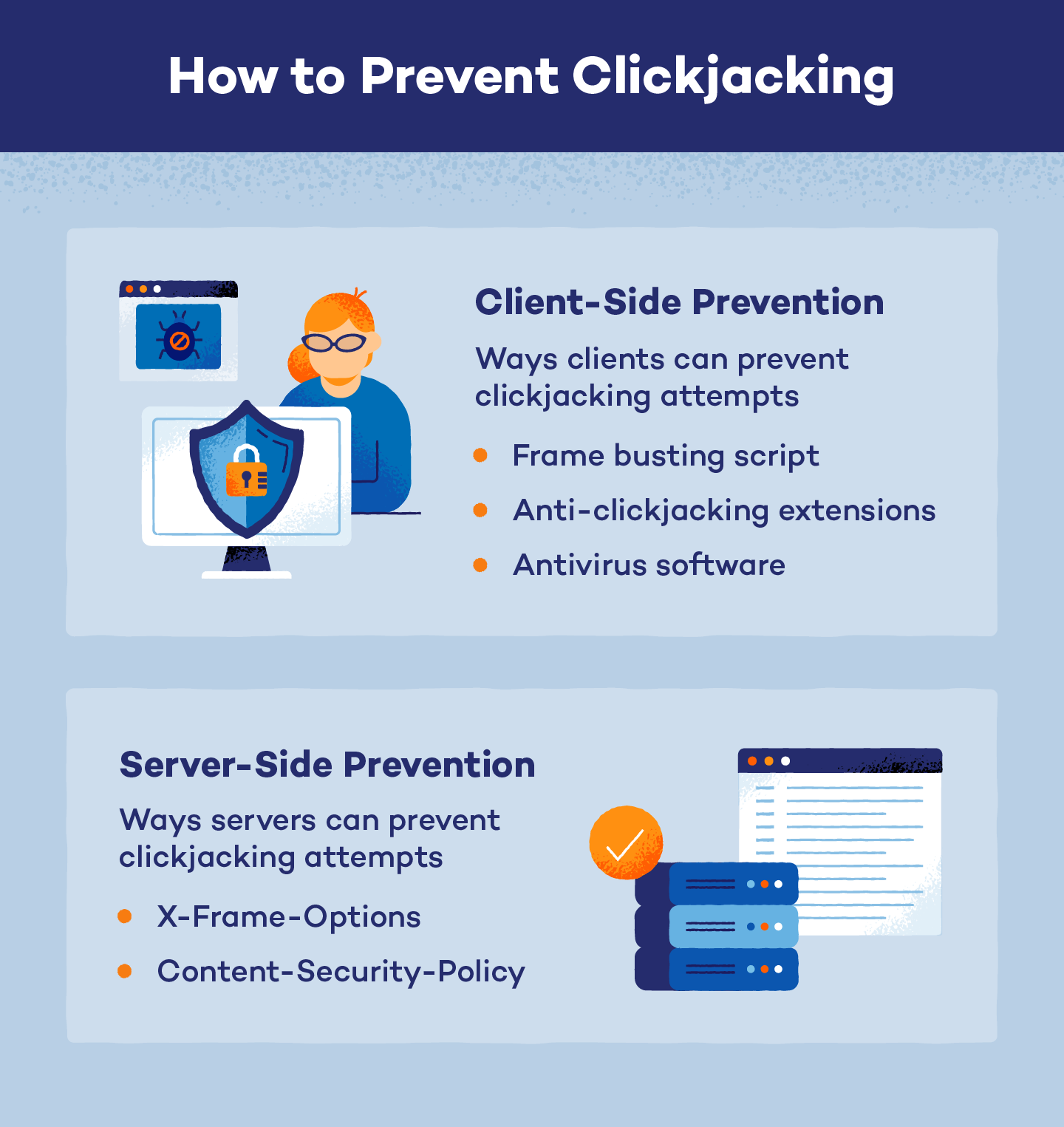
Knowing what to look for can help you spot clickjacking attempts. Here are some additional tools and tips:
- Use script-blocking extensions: Web extensions like NoScript or uBlock Origin can prevent some CSS and HTML elements that lead to clickjacking. However, you may need to turn it off if you notice some broken websites.
- Download ad blockers: These tools can stop clickjacked pop-ups before they appear. Plus, it helps make your browsing experience much more pleasant.
- Check URLs: In most browsers, you can hover your mouse over any link to view its URL before clicking it.
- Update software: Update your browser, operating system, and apps to patch vulnerabilities that clickjackers can exploit.
- Filter out unsafe sites: Use phishing site filters and safe browsing tools to stop you from reaching some malicious sites.
- Get antivirus software: Real-time protection, like Panda Dome, can help prevent malware from reaching your system. Even free antivirus software offers high-level protection.
How business owners can protect website visitors
If you’re working for a business with a website or Facebook page, consider talking to your employers about the risks of clickjacking. You can also provide them with some tips to protect website visitors:
Have a Content-Security-Policy (CSP)
CSPs use a specific list of allowed and disallowed sources, changes, and users. HTTP headers on your website contain CSPs that provide instructions for handling incoming data. CSPs are one of the most effective ways to fight clickjacking, and they include commands like:
- Content-Security-Policy: frame-ancestors ‘none’ ; stops malicious actors from changing frames.
- Content-Security-Policy: frame-ancestors ‘self’ ; keeps site framing to the original page.
- Content-Security-Policy: frame-ancestors any-site.com ; only allows specific sites to enforce framing changes.
Rely on X-Frame-Options
X-Frame-Options are HTTP response headers built into a website’s code that block pages from being displayed within frames (or iframes). This technique controls them through these commands:
- X-Frame-Options: DENY prevents use or change of frames.
- X-Frame-Options: SAMEORIGIN restricts site framing to the original page.
- X-Frame-Options: ALLOW-FROM, which only allows frames from specific websites, should be avoided in favor of CSP’s frame-ancestors restrictions. ALLOW-FROM only works in older versions of Internet Explorer and Firefox.
Add a permissions policy header
Permission policies are HTTP headers that control which website features are allowed or denied, potentially blocking clickjacking attempts. Without them, clickjacking could access your camera, listen in on your microphone, or force your browser into full-screen mode. Developers can prevent it with code like this to turn off all three features:
- Permissions-Policy: fullscreen=(), camera=(), microphone=()
Use session controls
Session controls can prevent cookiejackers from changing your account password or email. Simple controls include making login sessions shorter and requiring re-authentication for sensitive actions. Web developers can also use SameSite cookie code like these:
- Set-Cookie: session_id=abc123; SameSite=Strict; Secure
Developers can also use a Cross-Site Request Forgery (CSRF) token to verify HTTP login requests and make sure they’re legitimate.
Use a test website
Developers should test their website for clickjacking by loading it in an iframe on a test page to make sure their CSP and X-Frame-Options are working, using code like this:
- <iframe src=”https://any-site.com/sensitive-endpoint” style=”opacity:0.1; position:absolute; top:0; left:0;”></iframe>
Developers can also use Dynamic Application Security Testing (DAST) scanner tools to verify that the protective code is working.
Stay Safe While Browsing Online With Panda Security
Clickjacking can be hard to spot, especially when malicious links are invisible. Readers can find them on legitimate pages, which can lead them to fake sites or malicious software. The right antivirus software can help stop these threats.
Panda Security’s Panda Dome protection software helps spot and block unsafe websites before they infect your device. If a clickjacker sends you malicious files, its real-time protection can detect and remove them before they can affect you.