

Forgot your customer ID? Click here
Hello!
You’re about to visit our web page in English
Would you like to continue?
If this is not what you’re looking for,

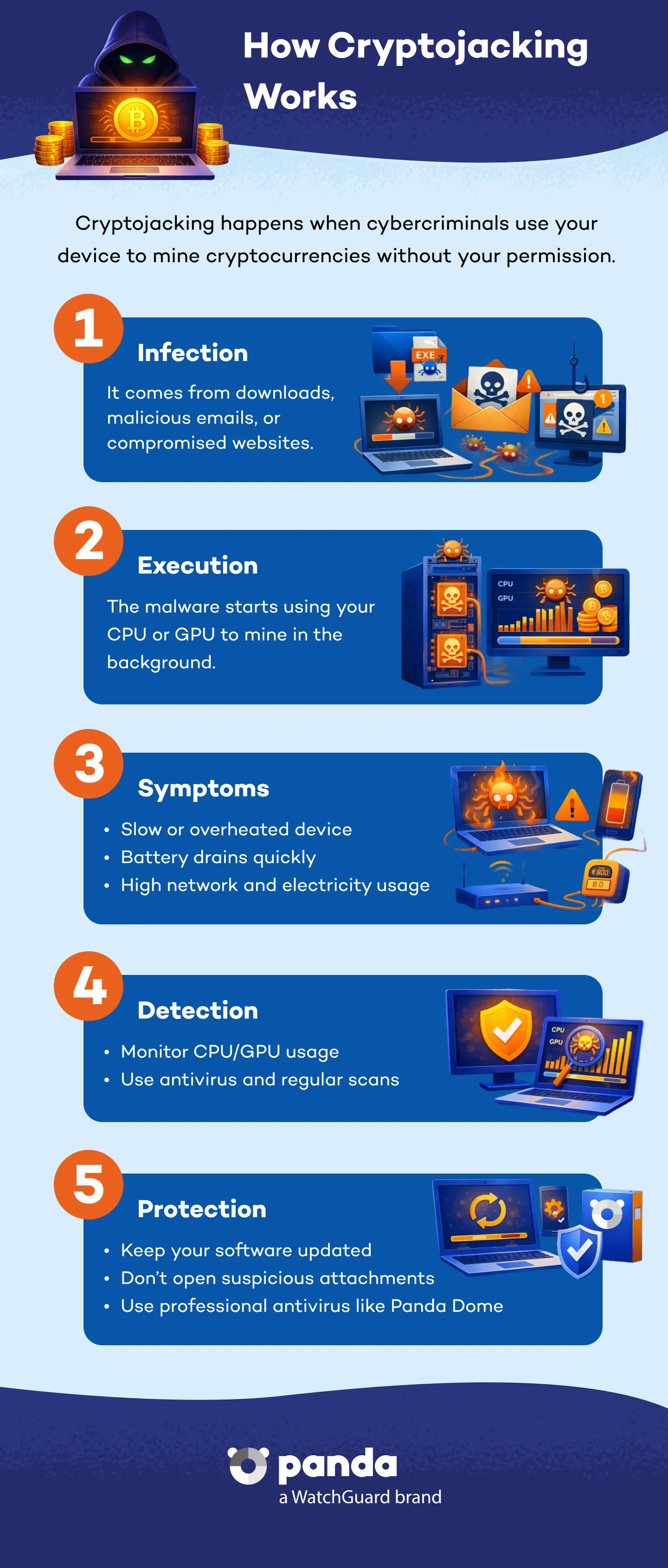
Cryptojacking is a cyber threat that involves the unauthorized use of a device -a computer, smartphone, server, or even IoT devices- in order to mine cryptocurrencies. Unlike other types of malware, it does not aim to steal data, but rather to hijack system resources for financial gain without the user's consent.
Cryptojacking normally operates silently and continuously, affecting system performance, increasing hardware temperatures, and shortening a device's lifespan. Users often don't realize they have been targeted, as it typically doesn't produce visible damage or warnings.
The mining of cryptocurrencies such as Monero (XMR) or Ethereum (ETH) requires significant processing power and consumes huge amounts of electricity. To avoid the consequent costs, cybercriminals use cryptojacking to exploit other users' computing power.
Additionally, other reasons include:
Zero cost: Attackers do not need to invest in hardware or pay electricity bills.
There are several ways a system can be targeted by cryptojacking:
Signs that your device may be infected by a cryptominer include:
As methods have evolved, today there are several different types of cryptojacking:
This uses JavaScript scripts that start cryptomining when the user visits a specific web page. It is disabled when the tab is closed, but can remain active using persistence techniques.
Cryptomining malware installs on a system and runs as a background process, even after the computer is restarted. It is often disguised as legitimate software.
This technique uses internal tools such as PowerShell to run code directly on the RAM, without leaving traces of files on disk.
Attackers access accounts on services such as AWS or Azure and run large-scale cryptomining containers. These actions consequently generate very high costs.
These attacks manipulate legitimate software as it is distributed to include hidden mining code, which runs on thousands of computers simultaneously.
Even though it doesn't directly steal data, its effects can be devastating:
Here are some best practices to follow to avoid falling victim to this threat:
It depends on the type. Browser scripts stop running when you close the tab. Malware-based scripts require tools such as Panda Dome to completely remove them.
Discover the Panda Dome plan that best fits your needs
You can take a look to every single product page (Panda Dome Essential, Panda Dome Advanced, Panda Dome Complete and Panda Dome Premium) or compare all our plans to take a decision.
Digital security is everyone's responsibility. With the right information and tools, you can reduce risks and use the Internet with peace of mind. Explore our guides and protect your online privacy.
Glossary
Easy-to-understand definitions for common cybersecurity terms and topics.
Panda Security Blog
Discover expert advice, detailed tips, and the latest cybersecurity news.

Panda Security, a WatchGuard Technologies brand, offers the most advanced protection for your family and business. Its Panda Dome range provides maximum security against viruses, ransomware and computer espionage, and is compatible with Windows, Mac, Android and iOS.