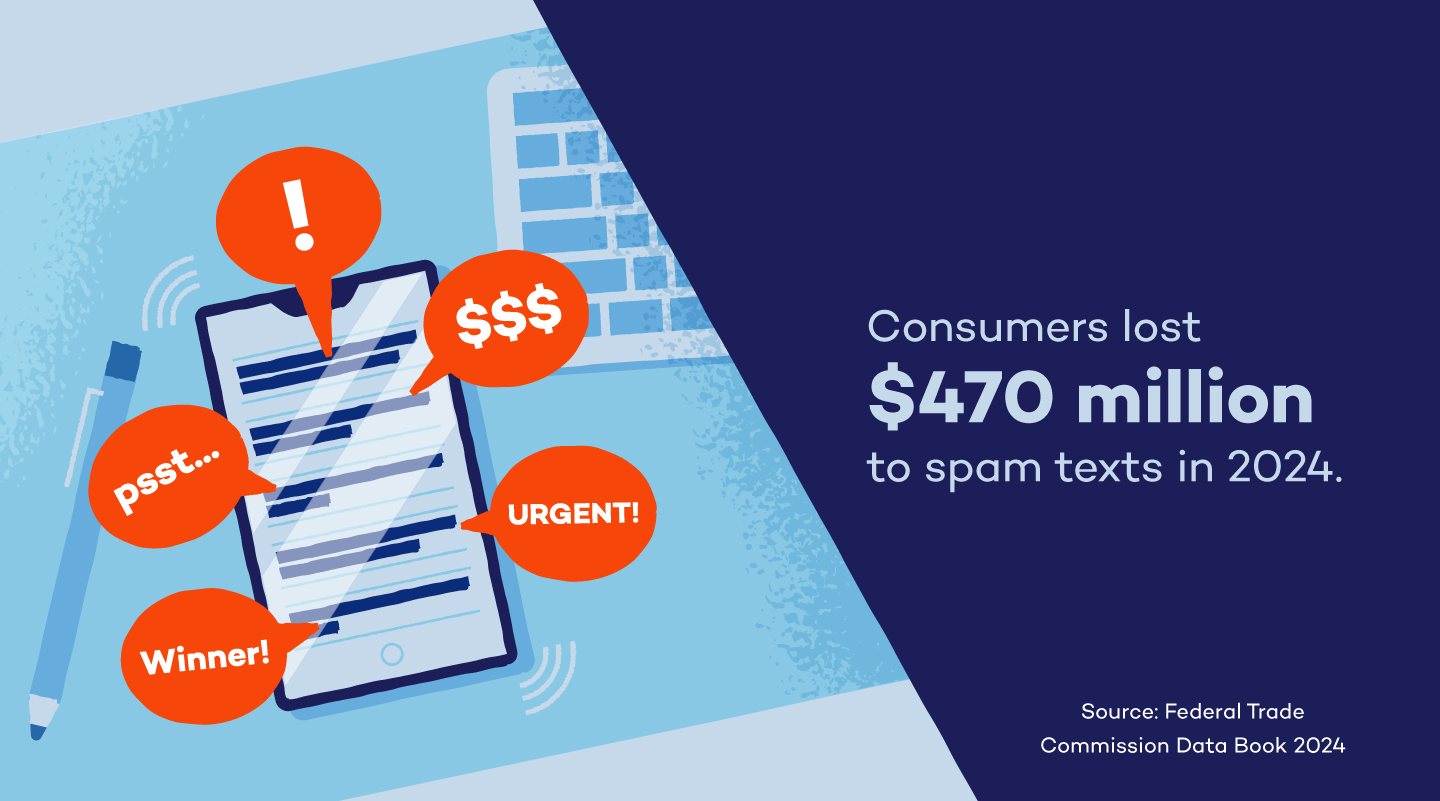
Text message scams, also known as smishing, are a growing issue. In 2024, Americans lost roughly $470 million from scam texts, a 434% increase from 2020. Many people become victims because they aren’t aware of the methods scammers use to steal their information.
Understanding different types of message scams and how to identify a fake text message can help you keep your data safe. Remember that you can also receive scam messages in apps like WhatsApp. Check out the 20 most common types with spam text message examples so you can handle them properly. We’ll also share tips on how to block spam texts and how to report text fraud.
1. Fake Delivery Problems
These scams impersonate delivery services, claiming an issue with your package to trick you into providing information or paying a fee. You may not even be expecting a package, but scammers send these texts out to numerous people in hopes that they reach someone who is expecting something. They often create a sense of urgency to trick you.
Example text: “USPS: Your package is pending delivery due to an unpaid shipping fee. Please update your information here to avoid return: [suspicious link]”
2. Unpaid Toll Fees
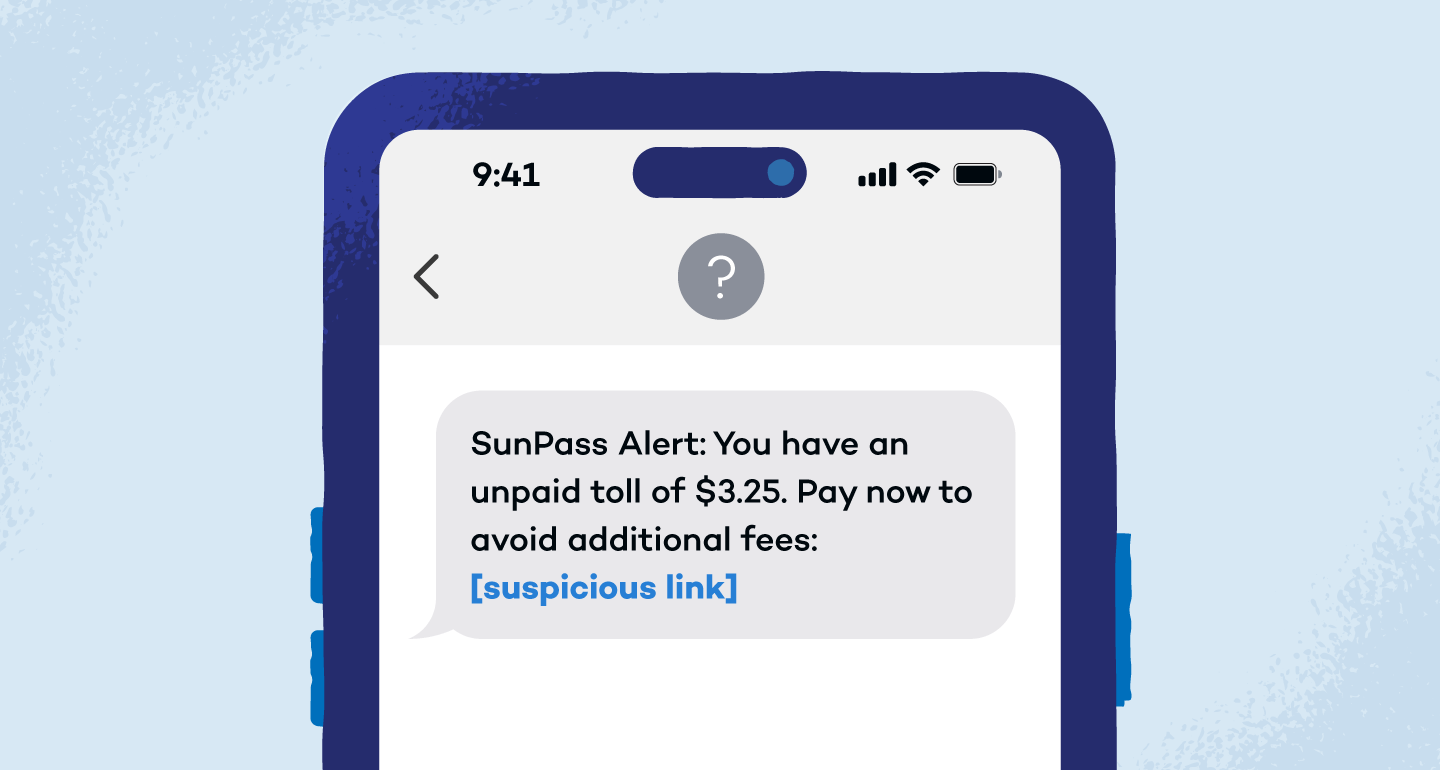
Toll road smishing scams are everywhere right now, especially the viral SunPass and E-ZPass versions. You get a text claiming you owe a small toll fee and must pay it right away to avoid late charges, penalties or even legal trouble.
The amount is usually tiny on purpose, which makes the scam messages feel believable and easy to ignore any red flags. The link leads to a fake payment page that looks real enough to steal your card details before you realize you were never on a toll road to begin with.
Example text: “SunPass Alert: You have an unpaid toll of $3.25. Pay now to avoid additional fees: [suspicious link]”
3. Wrong Number Investment Scams
These scams start slowly and are friendly, which is exactly the problem. A random “Hi, is this [Name]?” text lands on your phone, and when you reply, the sender apologizes and keeps chatting. Over time, the conversation shifts to success stories, lifestyle talk and eventually a “can’t-miss” crypto or investment tip.
The goal is to build trust before pushing you toward fake platforms or shady apps. If you know how to spot wrong number phone scams, you’ll see the pattern early and avoid engaging with scam text messages that are designed to drain your wallet, not grow it.
Example text: “Hi, is this Alex? Sorry, wrong number — but you seem nice. What do you do for work?”
4. Fake Job Recruiters and Task Scams
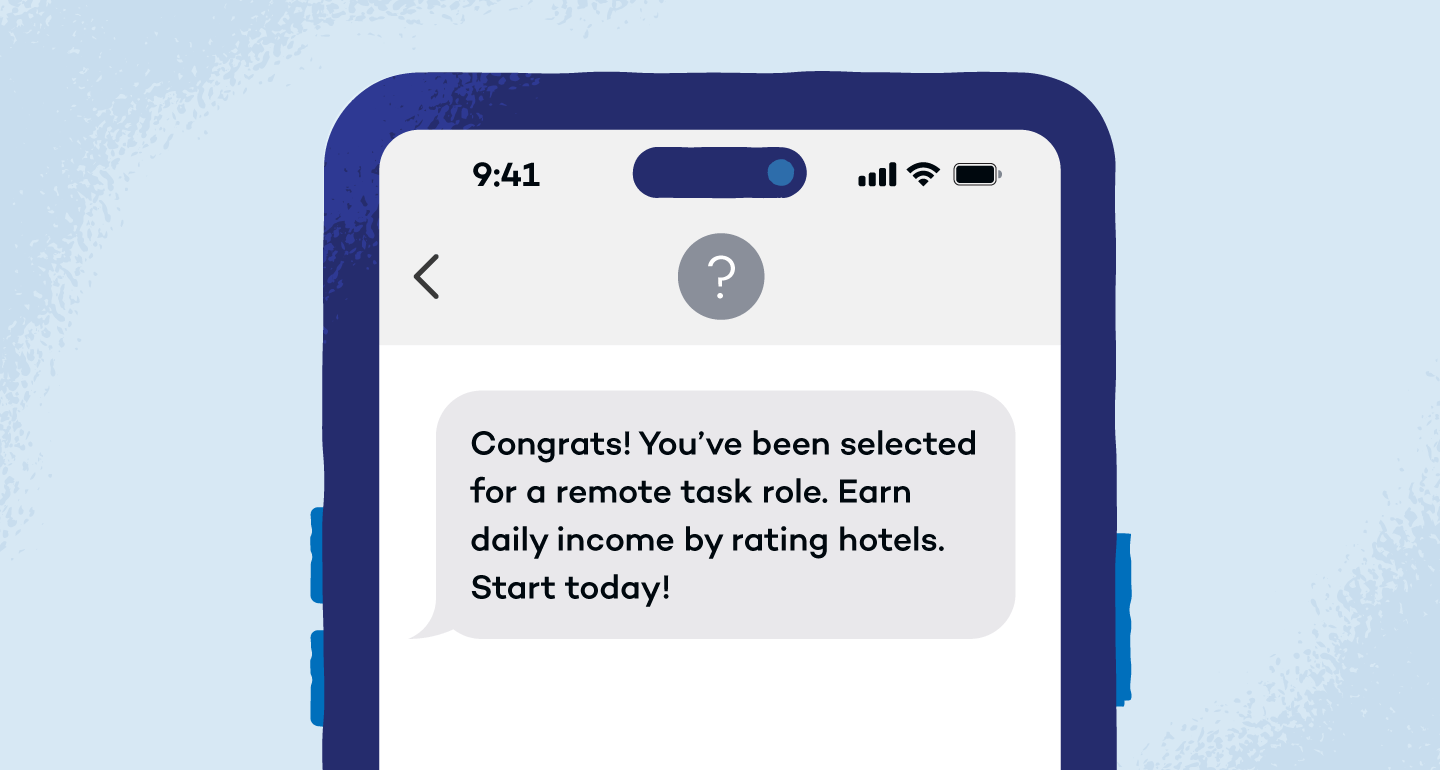
These scams pose as recruiters offering easy remote work with flexible hours and fast pay. After a short onboarding chat, victims are asked to complete simple tasks like rating apps or reviewing hotels to earn small payouts that feel legit at first. But there’s a catch.
To unlock higher earnings or withdraw money, you’re told to pay a fee, add funds or buy credits. Once you send money, the job, the earnings and the recruiter vanish. These text message scams are built to feel low effort and low risk — until they aren’t.
Example text: “Congrats! You’ve been selected for a remote task role. Earn daily income by rating hotels. Start today!”
5. Bank Fraud Alerts
These scam messages focus on urgent, scary activity on your account. The scammer claims there’s been fraud, a blocked transaction or a card lock. The whole trick is to panic you so you click fast. They usually talk about stopping something bad from happening.
Example text: “Bank Alert: Unusual activity detected. Verify your account now to prevent suspension: [suspicious link]”
6. Family Emergency Impersonations
Scammers exploit your concern for loved ones by sending urgent messages claiming a family member is in trouble and needs immediate financial assistance. These messages often lack specific details and pressure you to act quickly.
Example text: “Hi Grandma, it’s your grandson. I got into a car accident and need money for the hospital, please send $500 to this CashApp: [CashApp ID]”
7. Fake Two-Factor Authentication Codes
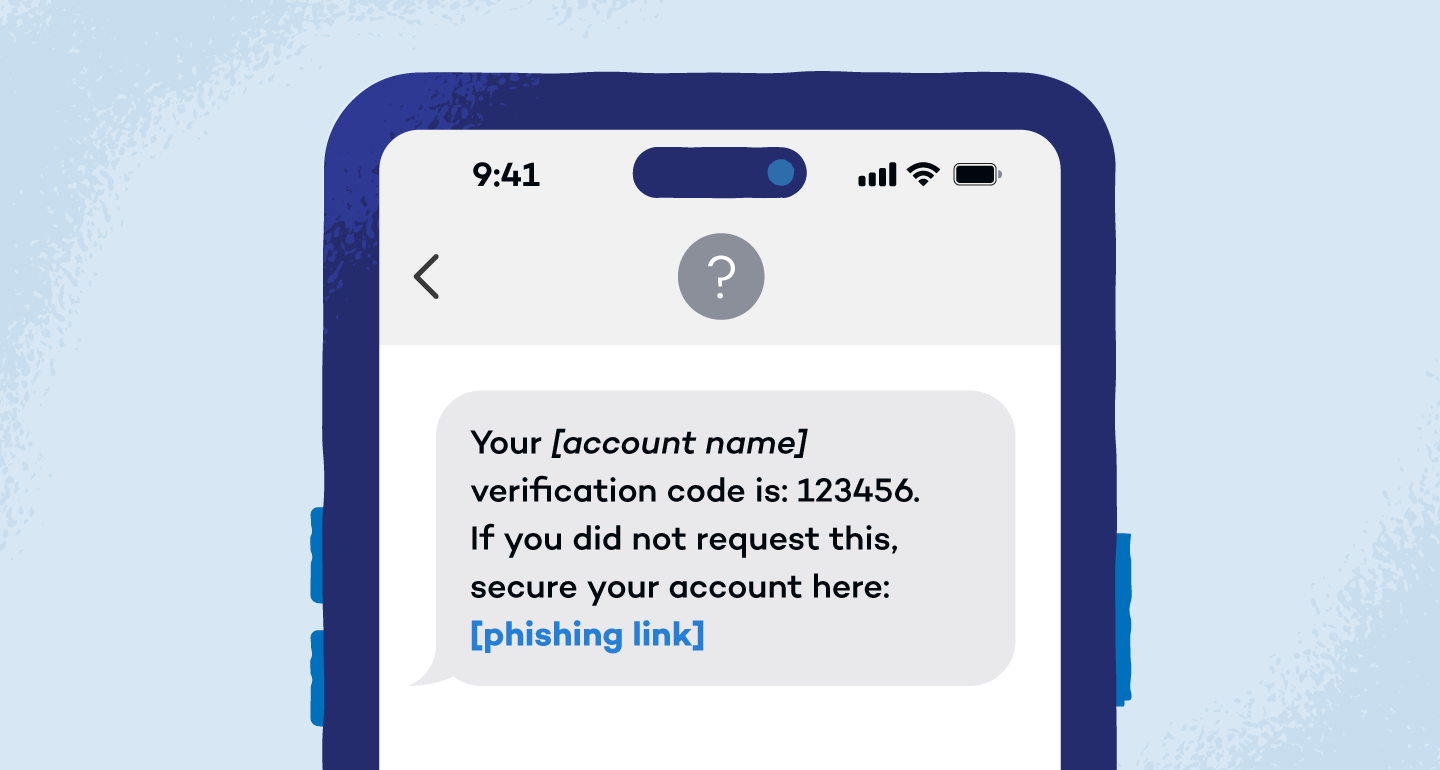
Scammers might send fake 2FA codes you didn’t request, often accompanied by a message urging you to click a link or call a number. This is a tactic to intercept your real login attempts.
Example text: “Your [account name] verification code is: 123456. If you did not request this, secure your account here: [phishing link]”
8: Issues With Payment Information
These messages create fear by suggesting a problem with your payment information for a service you supposedly use, urging you to update it immediately to avoid service disruption. The provided website link will likely lead to a fake login page that will ask you to enter your personal information.
Example text: “Your [streaming service] account payment failed. Please update your payment details here to continue watching: [fake streaming service login link]”
9: Free Gift Cards or Prizes
These enticing messages promise valuable rewards like gift cards or prizes to lure you into clicking on spoofed or malicious website links or providing personal details. Remember, legitimate giveaways rarely require you to pay a fee or provide sensitive information upfront.
Example text: “Congratulations! You’ve won a $100 Amazon gift card! Click here to claim your prize now: [phishing link]”
10. Student Loan Forgiveness Approvals
These scam messages claim your student loans have been approved for forgiveness, reduction or a special relief program. The text often references deadlines, policy updates or limited enrollment to push quick action. Links lead to fake forms that ask for Social Security numbers, FSA IDs or upfront processing fees.
Example text: “Final Notice: Your student loan forgiveness has been approved. Confirm your details before benefits expire: [suspicious link]”
11. Texts From Your Boss
Scammers may impersonate your boss or a colleague, often with an urgent request that requires you to take immediate action, such as purchasing gift cards or sending money. Always verify these requests through another communication channel.
Example text: “Hi, it’s [Boss’s Name], and I need you to purchase $500 in gift cards as soon as possible for a client and send me the codes. Let me know when done.”
12. Tax and IRS Impersonations
Impersonating government agencies like the Internal Revenue Service (IRS) or Social Security Administration (SSA), these texts often threaten legal action or promise benefits to scare you into providing personal information or money. Legitimate agencies rarely contact you via text for sensitive matters.
Example text: “IRS Notice: You have an outstanding tax issue. Immediate action is required to avoid penalties. Visit: [fake IRS website link]”
13. Subscription Renewals
These messages falsely claim that a subscription you supposedly have is about to renew at a high cost, prompting you to click a link to cancel. The link will likely lead to a phishing site.
Example text: “Your [streaming service] subscription will auto-renew for $99.99. Cancel now to avoid charges: [fake cancellation link]”
14. Overpayments and Refunds
This scam involves a message claiming you’ve overpaid or are due a refund, prompting you to click a link or provide bank details to receive the funds. In reality, they are trying to steal your information.
Example text: “You’ve overpaid $50 for a recent transaction. Click here to process your refund: [fake payment link]”
15. Fake Debt Collectors
Scammers impersonate debt collection agencies, claiming you owe a past-due debt and threatening legal action or negative credit reporting if you don’t pay immediately. They often pressure you to provide personal information or make a payment to avoid these consequences.
Example text: “URGENT: This is a final notice regarding an outstanding debt. Failure to pay will result in legal action. Contact us immediately at: [fake phone number] or visit: [suspicious link]”
16. Bank Account Verification
These messages play it cool. Instead of pretending there’s fraud, scammers say the bank needs to “update” or “confirm” your account details. No urgency, just a fake administrative request. They frame it as routine maintenance or security checks.
Example text: “This is [Bank Name]. For security reasons, please verify your account information: [phishing link]”
17. Cryptocurrency Security Alerts
With the rise of cryptocurrency, scammers send texts promising high investment returns or alerting you to issues with your crypto wallet, often including links to fake trading platforms or recovery services. The goal is to get access to your crypto wallet login information.
Example text: “Insiders say [Cryptocurrency] is about to explode in value. Buy now while the price is still low: [scam cryptocurrency link]”
18. Utility Bill Disconnection Threats
These scam texts claim there’s a problem with your utility bill, such as an overdue payment, and threaten service disconnection if you don’t pay immediately via the provided link. The link leads to a fake payment portal.
Example text: “Your electricity service will be disconnected due to non-payment. Pay now: [fake payment link]”
19. Account Reactivation Requests
These messages claim your account for a certain service has been temporarily suspended, requiring you to click a link or provide information to reactivate it. The link will likely lead to a phishing site.
Example text: “Your [social media platform] account has been temporarily locked. Reactivate it here: [fake login link]”
20. Texts From Your Own Number
A particularly alarming scam involves receiving a text message that appears to be sent from your own phone number. This tactic can be used to spread malware or trick you into believing your account has been compromised.
Example text: “This is [cell phone service provider], and we’re sending a special offer to our loyal customers. Click here for more details! [suspicious link]”
How to Identify a Scam Text Message
Text message scams can take many forms, and it can still be tricky to sniff one out, especially as hackers grow more sophisticated with their tricks.
Here are a few key tips to keep in mind that can help you spot text fraud:
- Irrelevance: The message seems completely out of the blue and isn’t connected to an activity you’ve recently undertaken. Maybe it names a bank you’ve never held an account with or warns you about a delivery you never ordered.
- Urgency: The message urges you to act quickly to avoid some type of penalty. The sense of urgency is manufactured so that you act before you think. When in doubt, double-check the information from other sources, verify whether your delivery incurs further fees or call your grandson to make sure he isn’t really under arrest in Mexico.
- Unfamiliar phone number: The message is from a phone number you don’t recognize or a phone number with five to six digits instead of 10. Scammers use a variety of phone numbers and generate new ones regularly. If the number is unfamiliar or has fewer digits than it should, it’s a clear sign that it’s likely a scam.
- Inconsistency: Scammers now use AI, so grammar alone won’t give them away. Look for subtle tells, like a wrong company name, odd formatting or wording that doesn’t match the brand. Real companies are consistent, so anything that feels off is a red flag.
- Suspicious link: The message contains a suspicious link, often shown as a “bit.ly” link (bit.ly/yourprize001). Pay close attention to the link, as many scammers make it appear legitimate at a glance, such as “AMAZ0N” (with a 0 instead of an O).
How to Report Text Scams
There are a few ways you can report text message scams. For instance, you can copy the message and forward it to 7726 (SPAM). Or you can submit a report to the Federal Trade Commission. You can also submit a report using your phone’s messaging app.
If you use an iPhone:
- Open the Messages app and open the scam text.
- At the top of the conversation, tap the sender’s contact icon.
- Tap Block Contact.
On Android:
- Open the Messages app.
- Touch and hold the conversation you want to report.
- Tap Block > Report spam > OK.
Blocking and deleting scam texts helps you, but it doesn’t stop the scam. Reporting scam messages matters because when enough people flag the same number, carriers can block it and disrupt the operation.
How to Avoid Text Message Scams
Here’s what you can do to reduce the chances of falling victim to a text message scam:
- Opt out of text marketing communications for companies and retailers you shop with.
- Download free call-blocker apps (which also block scam texts) like Nomorobo or Hiya. You can view a full list of call-blocking apps for different types of phones at ctia.org (Android, Apple and Windows).
- Never respond to unsolicited texts (not even by using “STOP” to opt out).
- Never click on links in a text from an unknown or suspicious sender.
- Never share any personal or financial information with an unknown sender.
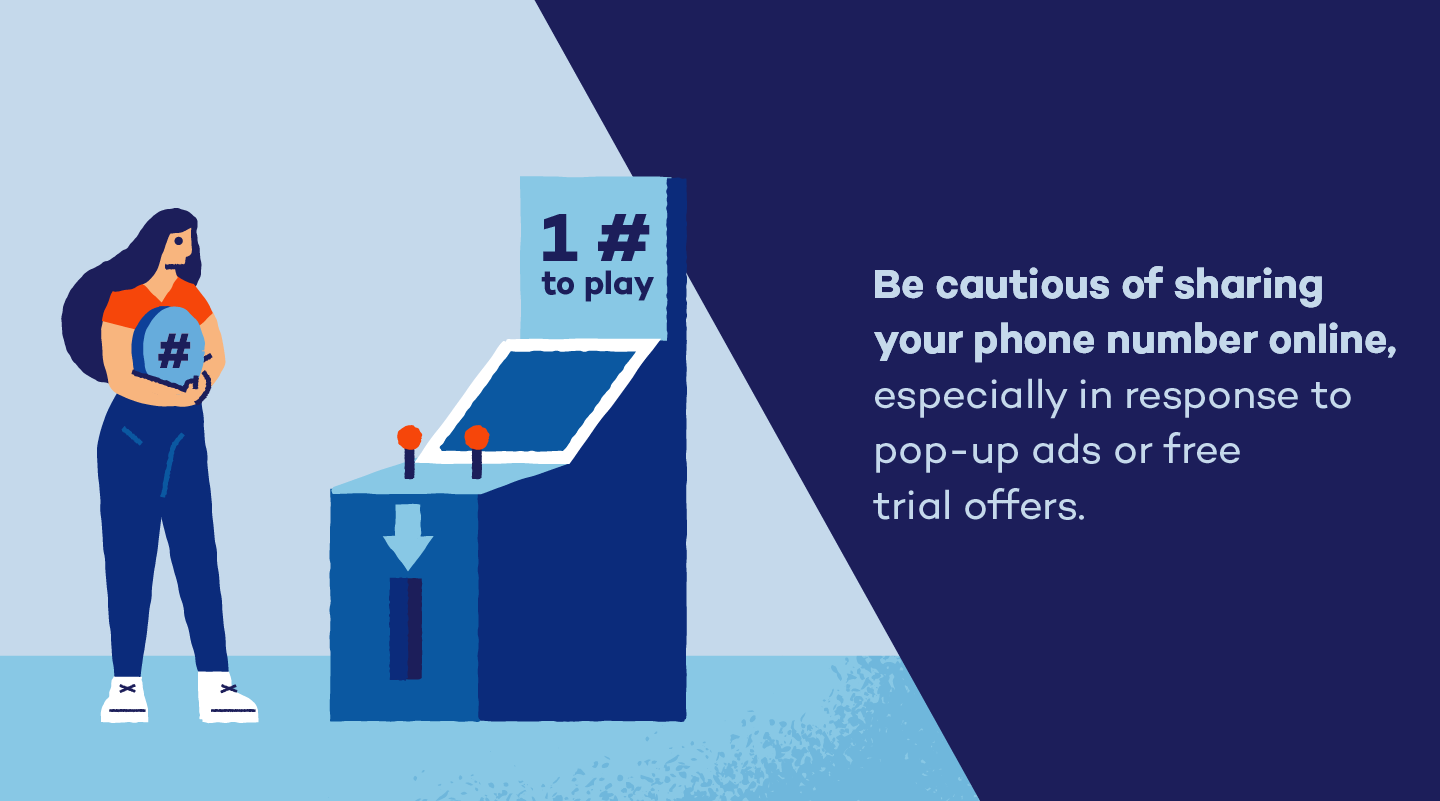
- Be cautious about where you share your cell phone number or other personal information, especially in response to pop-up ads or free trial offers.
- Regularly update your phone’s security settings when prompted.
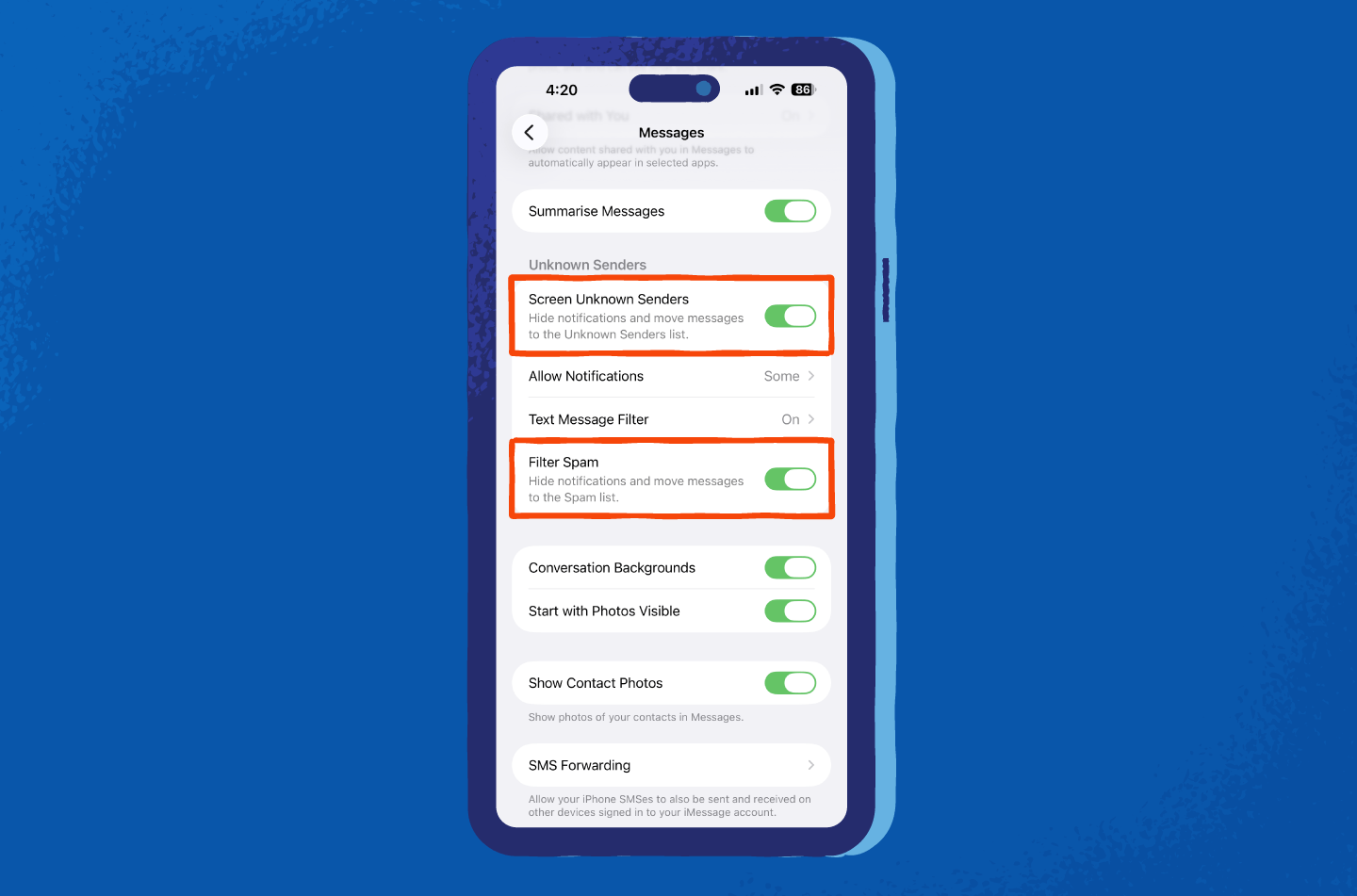
Filtering out potential scam texts from unknown senders is also a great way to avoid them.
On iPhone:
- Tap Settings > Apps > Messages.
- Scroll down to Unknown Senders.
- Toggle on Screen Unknown Senders and Filter Spam.
Follow these steps if you use Android:
- In Messages, tap the three-dot icon > Settings > Spam protection.
- Check the Enable Spam Protection toggle.
Secure Your Devices With Panda Security
Having strong mobile security makes it much harder for scammers to get through. Panda Dome antivirus protects your devices by blocking malicious links, flagging suspicious websites and stopping threats before they can steal your data. That extra layer matters when text message scams are designed to trick you into clicking fast and thinking later.
With real-time protection and easy-to-use tools, Panda Security helps you browse, tap and text with more confidence. This means you no longer have to guess which link is safe or worry about every message that lands in your inbox.
Try Panda Dome antivirus today for free and keep scam texts from turning into real problems.
Text Message Scams FAQ
Check out these answers to common questions about scam text messages.
Should You Block or Delete Scam Text Messages?
It’s beneficial to do both. Block the number to prevent future messages, then delete the text to avoid accidentally clicking the links later.
Can Scammers Hack Your Phone Through Text Messages?
Yes, scammers can hack your phone through text messages if you click on malicious links or download attachments. Simply receiving or viewing a message without interacting with it is generally safe, though.
What Happens if I Accidentally Open a Scam Text Message?
Opening a message alone is usually safe. The real danger comes from clicking links, downloading attachments or replying with personal information.