 Panda Security
To keep your accounts safer, turn on two-factor authentication (2FA) whenever it’s available. It adds an extra layer of protection, like a one-time code sent via SMS, an authenticator app or a quick approval on your phone.
This means even if someone gets your password, they still can’t access your account without the second step. You can also use tools like Panda Dome Password Manager to create and store stronger passwords that are harder to crack.
Most people want easy passwords to remember. Something quick and simple, like a pet’s name, a birthday or the classic “123456.” It works, until it doesn’t.
Weak passwords are one of the easiest ways for hackers to break into accounts. Password statistics reveal that 1 in 4 people have had at least one account compromised because of weak passwords. That’s quite a price to pay for something meant to save a few seconds.
But you don’t have to choose between secure and memorable. There are many good password ideas that are strong, simple to remember and far safer than the usual shortcuts. Explore these nine tips on creating easy-to-remember passwords that are also hard to guess.
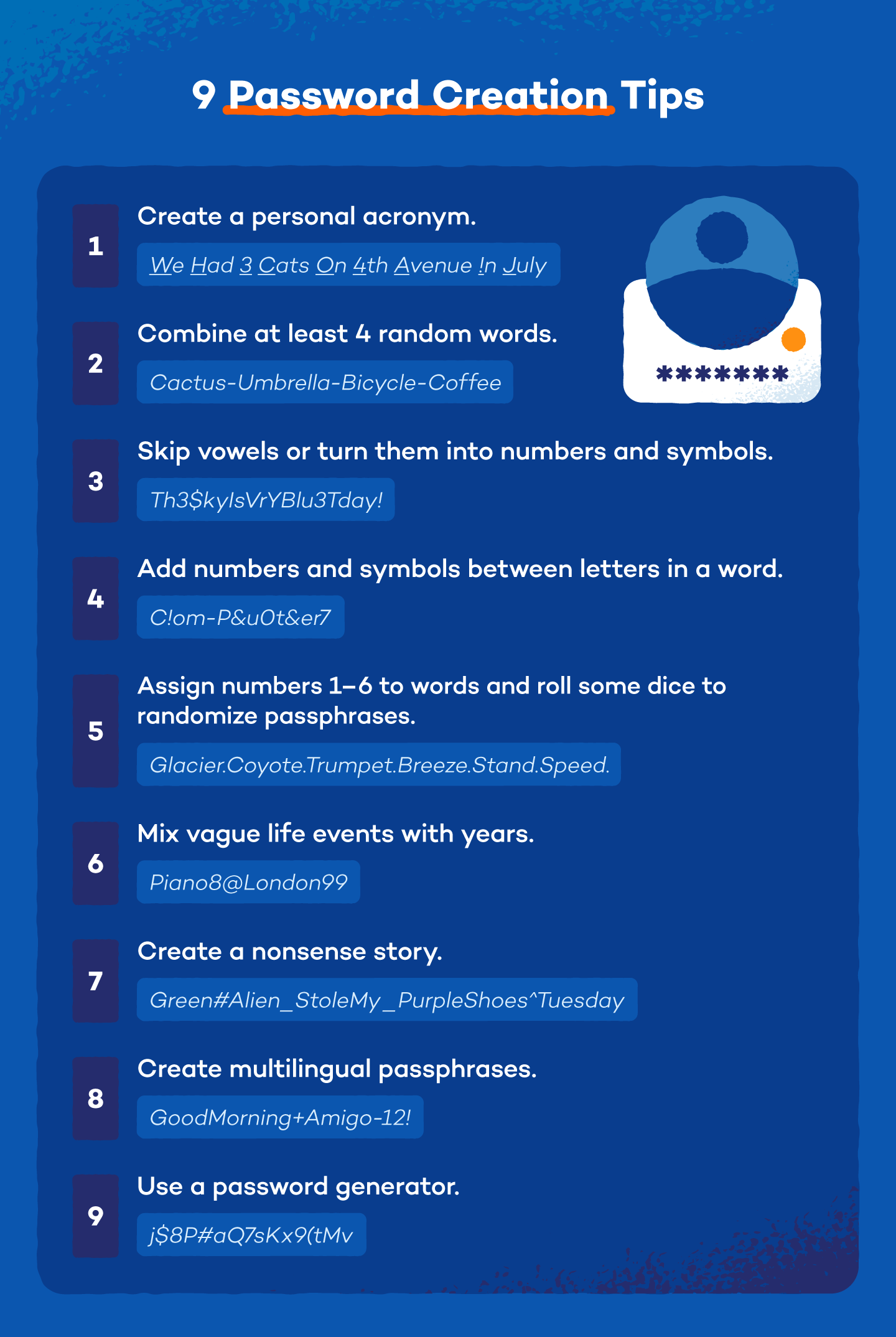
1. Create an Acronym With a Phrase You Know
A simple way of creating strong passwords is to turn a phrase you already know into an acronym. Pick a line from a favorite (maybe lesser-known) song, poem or quote. Then take the first letter of each word and mix in numbers or symbols.
For example, the lyric “Take me down to the paradise city where the grass is green and the girls are pretty” could become Tmd2tpcWtg1g&tgap.
It looks random to others, but you’ll remember it because you know the line. Tricks like this make it easier to figure out how to choose a password you can remember without making it easy to crack.
2. Combine at Least 4 Random Words
Another smart trick is to combine four or more unrelated words into one long password. Take things you can picture easily in your head. The result is one of those easy-to-remember but hard-to-guess passwords, because its length makes it stronger.
Example: CoffeeR1verB@nanaTra1n!
It’s simple for you to recall, but the unusual mix of words makes life harder for hackers trying to guess it. The more random the words feel together, the better.
3. Turn Vowels Into Numbers and Symbols (or Just Remove Them)
A simple trick for remembering your password is to start with a normal word or short phrase, then tweak the vowels. Swap them for numbers or symbols or remove them altogether. The result looks unusual, but still makes sense in your head.
For example, VacationTime could become V@c4t10nT!m3 or even VctnTm!23.
You still recognize the base phrase, which makes it easier for you to remember your password, while the extra twists make it harder for attackers to guess.
4. Sandwich Numbers and Symbols Between Letters in a Word
Another simple trick for coming up with a password that’s strong and easy to remember is to take a normal word and sandwich numbers or symbols between its letters. You still recognize the word, but the extra characters make the password much harder to crack.
For example, Sunshine could become S7u!n5s#h1n@e.
It still reads like the original word in your head, but it’s far less predictable for attackers spreading ransomware and trying to break into your accounts.
5. Create Random Passphrases With Dice
You can also create strong passphrases with something as simple as a pair of dice. Start by making a small list of six words you like and can easily picture. Then roll the dice and match each number to a word on your list. Repeat the process a few times and combine the results into one phrase.
For example, your list might include river, candle, mango, bicycle, cloud and lantern. If the dice rolls give you 2, 5, 1 and 6, your password could be C@ndleCl0udR1verLantern.
It’s random, long and still easy to recall, which makes it a smart way to learn how to make a strong password you can remember.
6. Mix Vague Life Events With Years
Another one of those good password ideas is to combine a vague life event with a year that means something to you. Keep it general enough that strangers can’t guess the story behind it, but clear enough that you’ll remember it instantly.
For example, FirstConcert2016! or OldApartment2019#.
The event helps you recall the password, while the year adds length and complexity. Small personal cues like these make remembering passwords much easier without making them obvious to others.
7. Create a Nonsense Story
A fun way to build a password is to invent a short, silly story in your head. Picture something unusual happening, then turn the main pieces of the story into one long password. Strange images tend to stick in memory.
For example, imagine a story about a purple monkey stealing pizza on a Tuesday. That could become Purp!eM0nkeyP1zz@Tue!.
The story helps you remember the password, while the unusual combination turns it into a password that’s much harder for attackers to guess.
8. Create Passphrases With Two Languages
Mixing words from two languages can help a lot when you’re figuring out how to make a good password you can remember. Choose simple words you already know and combine them into one phrase. The language switch makes the password far less predictable.
For example, you could combine English and Spanish: BlueC@saR1ver$ol!.
It still forms a mental image, which helps you remember it, while the mixed languages make it harder for attackers running phishing campaigns to guess.
9. Use a Free Password Generator
Password generators help you create completely random combinations of letters, numbers and symbols, which makes them far harder to crack than passwords based on habits or inadvertent actions, such as using easy passwords. Many also let you adjust the length or complexity, making them a practical, easy-to-remember password generator.
A few free options that can help you come up with good password ideas:
- Panda Dome Password Generator: Creates strong, customizable passwords with adjustable length and character types.
- AI tools (like ChatGPT): Can generate random passphrases or password patterns based on simple prompts
- Random.org: Uses atmospheric noise to generate highly random passwords
- Calculator.net: Lets you quickly generate passwords with options for symbols, numbers and length
Password Security Best Practices
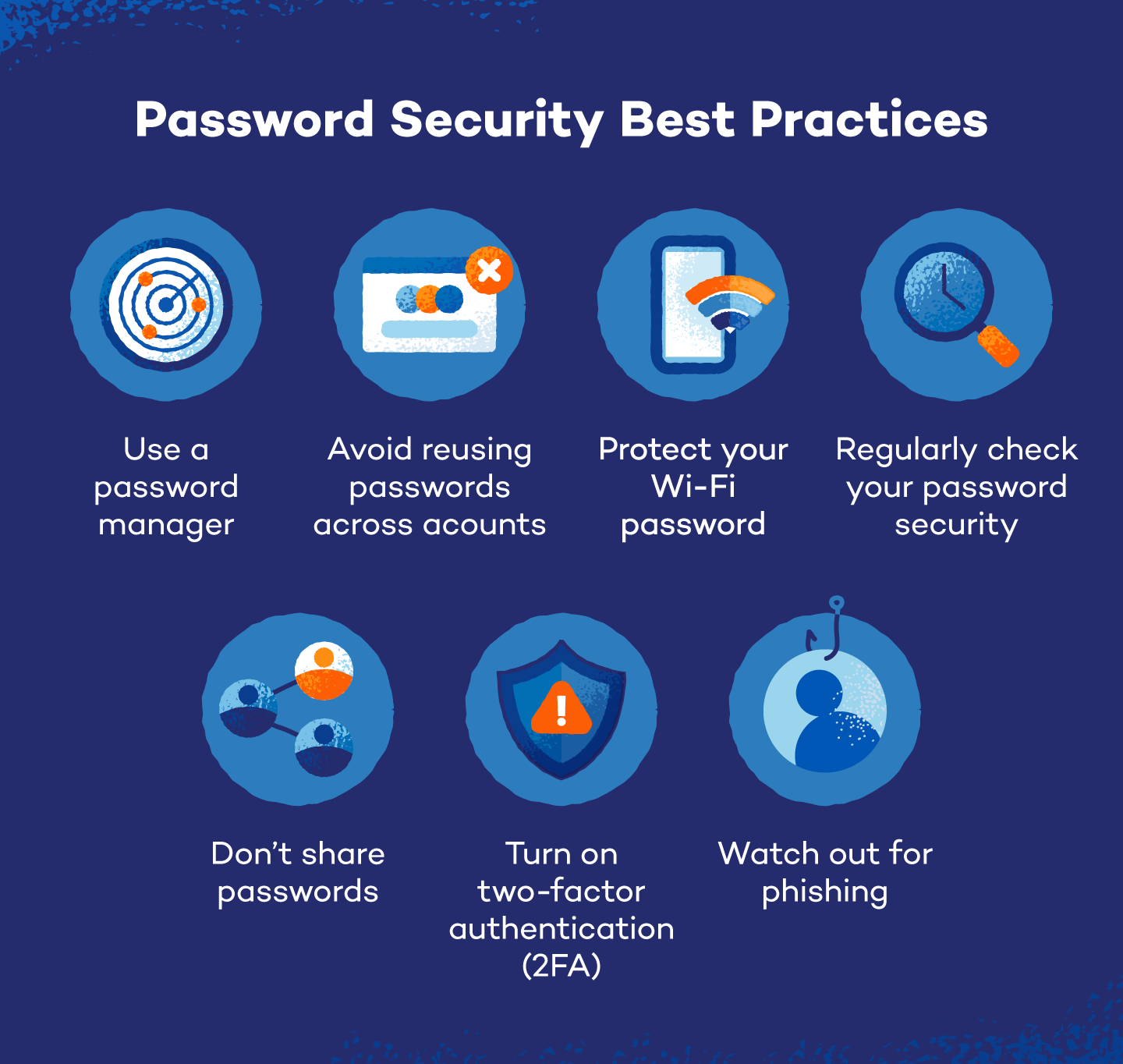
Strong passwords work best when paired with smart habits. A few small changes can protect your accounts and make remembering strong passwords much easier in the long run.
Here’s what you can do to keep your passwords safe:
- Use a password manager: These tools store and generate strong passwords, so you don’t have to memorize dozens of them.
- Avoid reusing passwords across accounts: Reusing passwords means one breach can unlock several accounts at once.
- Turn on 2FA: It adds another layer of protection, even if someone guesses your password.
- Regularly check your password security: Use trusted tools or breach alerts to track your password security and see if your credentials have been exposed.
- Protect your Wi-Fi password: Your network security key, i.e., Wi-Fi password, should be long and unique to prevent strangers from accessing your home network.
- Don’t share passwords casually: If you must share one temporarily, change it afterward.
- Watch out for phishing: Fake login pages often try to trick people into revealing passwords.
Secure All Your Accounts With Panda
Strong passwords help, but keeping track of them is the tricky part. Panda Dome Password Manager stores all your logins in a secure, encrypted vault and fills them in automatically when you need them. This means you don’t have to worry about memorizing your passwords and can save on sticky notes.
It can also generate strong passwords for new accounts and alert you if any of your saved credentials appear in a known data breach. That leads to fewer weak spots and far less stress when managing dozens of accounts.
Explore more features and protect your passwords with Panda Dome Password Manager.
Easy Passwords to Remember FAQ
Strong passwords don’t have to feel like random keyboard smashing. A few simple rules can help you create passwords that are secure and still easy to recall. Here are quick answers to common questions about how to remember passwords without making them weak.
Is It Safe to Use Dictionary Words in a Passphrase?
A single dictionary word is easy to crack. Attackers use tools that can test millions of common words in seconds. Passphrases work because of length and randomness. Combine four or more unrelated words, and the number of possible combinations becomes way higher. That extra randomness makes it much harder for brute force tools to break.
How Often Should I Update Passwords?
Experts suggest changing a password only if there’s a reason, since constant password changes often lead people to reuse weak variations or forget them. But say if your account got compromised in a data breach or you shared the password with someone, change it immediately.
What Makes a Password Secure?
A secure password is long, unpredictable and unique to each account. Passphrases, mixed characters and password generators all help increase strength. When thinking about how to come up with a password that’s hard to guess, aim for at least 12-16 characters and avoid personal details that others could guess.