Special Offer: Renew with a 60% discount
Forgot your customer ID? Click here
-60%
Hello!
You’re about to visit our web page in English
Would you like to continue?
If this is not what you’re looking for,

Panda Security, a WatchGuard Technologies brand, offers the most advanced protection for your family and business. Its Panda Dome range provides maximum security against viruses, ransomware and computer espionage, and is compatible with Windows, Mac, Android and iOS.








Recommended product with 60% off!


Unlimited security and total protection for your digital life
Panda Dome Premium offers you total protection against viruses, ransomware and online threats. Thanks to its unlimited VPN, it is ideal for those looking for complete security and private browsing.
Compatible with:
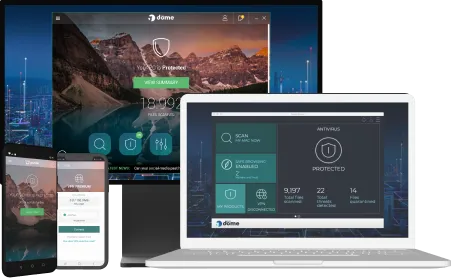

Panda Security makes your day-to-day life easier and safer.
Our range of Panda Dome cybersecurity products offers the best protection tailored to your specific needs. Protect your computers, smartphones and tablets with our advanced antivirus and antimalware. Choose the Panda Dome plan that best suits you and, for even more protection, add one of our add-ons to further strengthen your security.
The Panda Dome range includes the following plans:




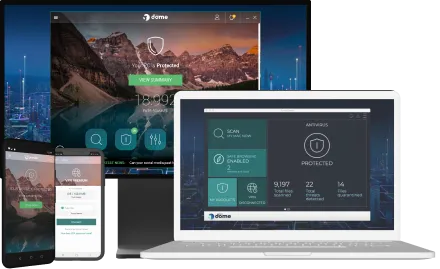
Antivirus and antimalware solutions to protect all your devices. And thanks to our parental control solution, Panda Dome Family, you can restrict your children’s access to inappropriate content and control the time they spend on mobile devices.
We protect your data and privacy wherever you are, thanks to Panda Dome VPN. What’s more, with our password manager, Panda Dome Passwords, your personal data will be safe and you can securely and simply manage all your passwords.
Thanks to Panda Cleanup you can improve the speed and performance of your device. What’s more, Panda Total Care - our 24/7 remote tech support service - is always on hand to sort out any technical problem on your devices.



The best of Panda for you! It includes state-of-the-art antivirus wi-fi protection, online banking and secure browsing , protección anti-ransomware, data protection, password manager, performance cleaning and optimization, privacy protection, unlimited VPN Premium and 24/7 technical assistance to solve all your home IT problems.


Internet with no borders. With our unlimited VPN, your browsing and identity will always be anonymous. Choose your virtual location and access any content without restrictions. Learn more
Included in:




Can’t think of new ones to use? Our password manager does it all for you. Manage your passwords with one master password and generate new ones with military-grade encryption. Learn more
Included in:


Keep your family safe from Internet dangers. With our parental control feature, take control of the time children spend on their devices and restrict the apps and content that they use. Get alerts in case of device theft or when your kids leave a safe area. Learn more




Speed up your computer! Our CleanUp tool cleans, optimizes, and improves the performance of your PC. Get a longer useful life out of your device and have it run as though it were new. Learn more
Included in:


Are you overwhelmed by technological inconveniences? No reason to worry. With Panda Total Care 24/7, our team of specialists is just one call away, ready to solve all your technical problems. Learn more
Included in:


Panda Security, a WatchGuard Technologies brand, offers the most advanced protection for your family and business. Its Panda Dome range provides maximum security against viruses, ransomware and computer espionage, and is compatible with Windows, Mac, Android and iOS.