Passwords keep everything from our bank accounts and medical records to social media and online shopping accounts safe, yet 34% of users still repeat variations of the same password across different accounts.
If a hacker cracks one password, they may be able to access most of your other accounts, too. To protect yourself from this, it’s important to learn how to make strong passwords that can guard your digital life. A good password is long, random and unique to every account you use.
Below, we break down 10 practical tips for creating passwords that are actually hard to crack, plus common mistakes to avoid and how to keep your passwords safe once you’ve made them.
Examples of Good vs. Bad Passwords
Sometimes it helps to see strong password examples side by side with weak ones. A quick way to spot a weak password is to check whether it uses a name, a date or a common word that a bad actor could easily guess. A strong password relies on length and randomness instead.
| Weak Password | Strong Alternative |
|---|---|
| password123 | Kv7!bramble-Tug42 |
| birthday (e.g., 03151990) | Otter*Fence19-Mail |
| sunshine | paddle_windowsill#88 |
| qwerty123 | 7Grove&Lantern_52 |
If you don’t want to come up with or remember passwords like this, a password manager can generate and store them for you. These examples of good passwords to use are also a solid template if you’d rather build your own.
10 Tips for Creating a Strong Password
Passwords are a common part of everyday life, and they should be taken seriously. Many sites or organizations will include password rules for users creating an account, but there is more to password creation than these guidelines.
Using different types of characters and avoiding obvious patterns is a good start, but there’s more to creating a secure password. Here are 10 practical tips to help you create a strong password that’s harder to crack.
1. Avoid Simple Passwords
It main seem like an obvious tip, but creating complex passwords is an important step in securing your information. Stay away from simple passwords like:
- password
- abc123
- 0000
- aaaa
- 123456789
Good example: Tr0mbone-Ladder72!
Any of these passwords could easily be guessed or cracked by a hacker, and many of them fall victim to classic password mistakes. If you’re going to create a password, stay away from simple, ordinary phrases.
2. Don’t Recycle Passwords
Don’t reuse passwords you’ve used in the past, even if you haven’t used them in years. This is especially important if your password has previously been hacked or any of your accounts have been compromised.
3. Utilize a Password Generator
If you’re not comfortable creating a strong password, use a password generator! These security tools are usually free, and they can quickly produce multiple password options. However, these passwords as usually more difficult to remember because their character placements are random.
This is the quickest option if you’d rather let a tool handle the randomness for you.
4. Choose a Passphrase
If you want to make strong passwords, string multiple words together to create a complex passphrase. Because password-cracking software can guess related words, it’s best if the words in your passphrase aren’t obviously connected. You can even increase your passphrase’s strength by including numbers and special characters.
- Bad: password987
- Good: bicycle_shirt-phone!74
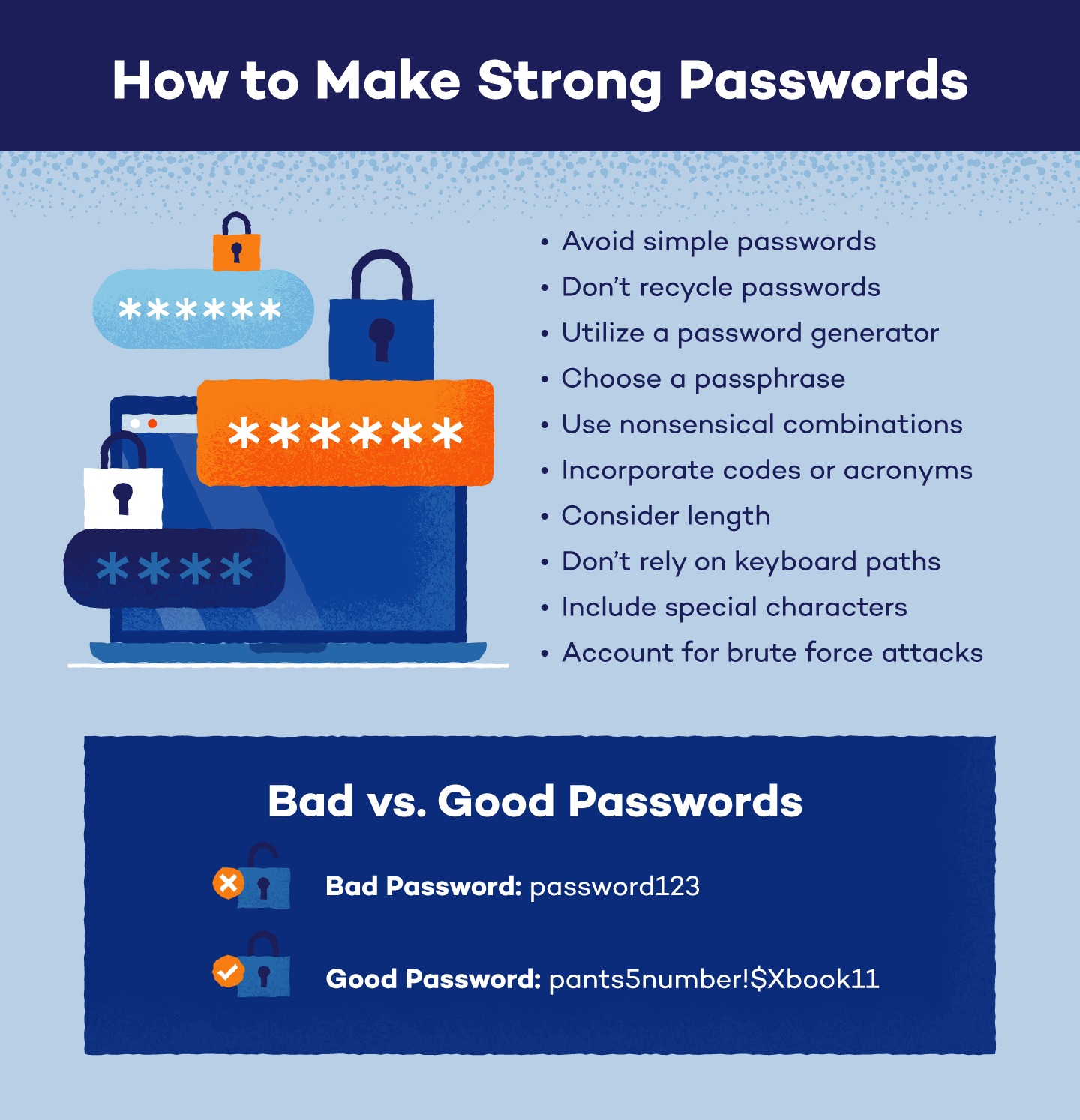
5. Use Nonsensical Combinations
Have you ever had a site or account recommend a password that looked something like “LTy56nM3!Uf4rB”? These passwords are frequently suggested because their nonsensical arrangement makes them incredibly difficult to guess.
This is what a strong, nonsensical password looks like, even if you build it yourself, rather than using a generator.
If you’re looking for a strong password, consider storing those with nonsensical combinations in a password manager so you aren’t forced to memorize random letters and digits.
6. Incorporate Codes or Acronyms
Character substitutions, texting acronyms and number codes can all help strengthen your passwords. For example, you can use:
- “3” in place of the letter “E”
- Text acronyms like OMW, TTYL and TMI
- State acronyms like NY, CA and TX
- Personal acronyms for organizations — Amazon could be AZ or Target could be TG
- Digit codes like the number of pages in your favorite book
If you choose to include acronyms or codes, use unique options that aren’t tied to your personal information or a company’s official branding.
Note: Cracking tools are increasingly guessing simple character substitutions (like “3” to “E”). Rather than relying on this trick alone, pair this trick with a longer and more randomized password.
7. Consider Length
While shorter passwords may be easier to remember, they are weaker than their longer counterparts. As a good rule of thumb, create passwords that are at least 8 characters long. As a good rule of thumb, create passwords that are at least 12 characters long; 16 or more is even stronger.
8. Don’t Rely on Keyboard Paths
Passwords created using sequential keyboard paths are some of the most easily crackable. While passwords — like QWERTY — may be easy to type and remember, they are created using common, almost universally known keyboard paths.
9. Include Special Characters
Numbers and letters are easily used to create memorable passwords, and including special characters can be an additional way to ensure password security. Not all sites or systems will let you use any symbol you want, but some commonly accepted symbols include:
- Exclamation points (!)
- Dollar signs ($)
- Brackets ([])
- Question marks (?)
- Colons (:)
- Ampersands (&)
Good example: Harbor&Kite91!
10. Account for Brute Force Attacks
Hackers may use brute force attacks to attempt to crack passwords, so creating a brute force-proof password can help protect your information. To do this, your password should:
- Be more than 15 characters long
- Use multiple character types, including upper and lower case letters
- Avoid guessable character substitutions or keyboard paths
- Include nonsensical character arrangements
Common Password Mistakes
When creating different accounts, it can be difficult to come up with unique passwords every time. However, you can still keep your information secure by staying away from these common password mistakes.
- Default passwords
- Personal information, like birthdates, names or birthplaces
- Single dictionary words that hackers and password programs can quickly guess
- Short passwords with fewer than 12 characters
- Predictable phrases or connectable words
- Losing track of a strong password and falling back on a weaker, easier-to-remember one
- Password reuse across your phone, laptop and work accounts that leaves them all vulnerable to a single breach
If you’re afraid your password may contain a common mistake, there are plenty of free, online password checkers you can use to test a password’s strength.
How to Keep Passwords Safe
Even if you’ve learned how to make strong passwords and you’ve secured your accounts well, it’s important to keep them safe. In order to keep your passwords protected and avoid getting hacked:
Best Practices
- Utilize a password manager. If you create long, nonsensical passwords but can’t memorize them, don’t worry! With a password manager, you’ll only need to memorize your manager’s password.
- Authorize two-factor authentication (2FA). Two-factor authentication (2FA) is a standard security practice that requires verification through SMS codes, facial recognition or other measures before granting account access.
- Change them when needed. Change your passwords immediately if an account is compromised or if you’re notified of a data breach, rather than on a fixed schedule.
- For extra layers of protection, consider a VPN on public Wi-Fi and antivirus software to catch malware before it can steal your passwords.
What to Avoid
Additionally, you can better guard your passwords if you don’t:
- Write them down. Nowhere is safe, including in your mobile device or your address book. You mustn’t have passwords written next to your computer.
- Share them. Even if you trust someone, it’s best to keep your passwords private. If you accidentally slip or need to share them, change your password to something new in the future.
- Store them in your browser. Even though it’s more of a hassle, it’s better to enter your password manually whenever you visit a site to restrict others from accessing your accounts.
A strong password is just one part of the picture, since securing your online accounts properly means layering in two-factor authentication and tightening privacy settings alongside it.
Secure Your Digital Life with Panda Dome
Passwords are usually the only barrier between your information and a hacker, so knowing how to make strong passwords can keep you safe while saving you time and money. If you’re interested in additional password protection, Panda Dome is designed to protect your devices, your privacy and the people most important to you.
FAQ
How long should a good password be?
Aim for at least 12 characters, with 16 or more considered even stronger. Length is one of the biggest factors in how long a password takes to crack; a few extra characters can make a password thousands of times harder to guess.
Are passphrases better than passwords?
Passphrases, strings of unrelated words like “bicycle_shirt-phone!74,” can be just as strong as randomly generated passwords, and they’re often easier to remember. The key is to make sure the words aren’t obviously connected and to add numbers or symbols for extra strength.
Is it safe to write passwords down?
Writing passwords down on paper or in a note on your device leaves them vulnerable if that paper or device is lost, stolen or seen by someone else. A password manager is a safer way to store passwords you can’t memorize, since it keeps them encrypted and accessible only to you.
Are passkeys a better option than passwords?
Some sites now offer passkeys, a passwordless way to sign in using your device’s fingerprint, face scan or PIN instead. They’re harder to phish since there’s no password to steal, but until every site supports them, a strong password backed by a password manager is still the best everyday protection.