

 Panda Security
The FBI reported that Americans lost $16.6 billion to online scams in 2024 — a 33% increase from the year before. Fake websites play a major role in online scams. Many look real at first glance, because they copy trusted brands and twist familiar logos.
The purpose of a fake website is to get you to share sensitive information or make a payment. Some act like banks or package-tracking portals. Others pretend to be online stores with prices that feel like a lucky break.
Discover how these fake sites work, the most common types to watch for and what you can do to stay safe. We will also share tips on how to know if a website is credible, so they can’t catch you off guard.
What Are Fake Websites?
Fake websites are illegitimate sites created by scammers to look like real businesses or to pose as brand-new ones. They often copy logos, layouts and writing styles from trusted companies to trick you into engaging with them.
Scammers use these sites for one reason: profit. If the scam works, they can grab your personal information, steal your money or push you into risky traps like cryptocurrency scams. A single successful hit can give them access to your info, leaving you to deal with the fallout.
Types of Fake Websites
Fake websites show up in many shapes and styles. Some go after your logins. Others chase your money. And a few try to grab both. Here are the most common ones you’ll run into online.
1. Phishing Sites
Phishing websites are fake pages designed to steal your login details, including passwords and PINs. They often look almost identical to real login portals. A bank page. An email provider. A delivery-tracking page. Everything seems familiar until you look closely at the URL.
These sites work because they blend in. A single letter changed in the web address can fool even careful users. In the fourth quarter of 2024 alone, security researchers detected almost 1 million unique phishing sites worldwide, showing just how common they’ve become.
Example:
Imagine a fake Microsoft login page that pops up after you click a link in a security alert email. The page loads the usual logo, the same blue buttons and even the spinning loading icon.
But the web address is odd — maybe micros0ft-verify.com. Once you type in your email and password, the scammers grab it instantly.
2. Scam Shopping Sites
Scam shopping sites pretend to be real online stores. They promote popular products, big brands or trendy items at unbelievable prices. They aim to take your money and disappear. Some sites also try to steal your credit card details during checkout.
These stores often use slick designs and big sales banners to pull you in. And with online payment fraud hitting $44 billion in losses in 2024, it’s clear these fake stores are everywhere. So if you’re trying to figure out how to identify fake shopping websites, watch for list prices that are too good to be true and stores that feel rushed or thrown together.
Example:
You might see high-end sneakers selling for 90% off or the latest phone at a price that feels like a mistake.
You place an order, receive a thank-you email and then … nothing. No shipping updates. No customer support. Just silence. In the end, the scammers walk away with your money and your payment details.
3. Scareware or Malware Distribution Sites
Scareware and malware distribution sites are malicious websites that pressure you into downloading harmful software or paying for fake repairs. They often use fear to push you into quick action.
The goal is to infect your device, steal information or charge you for tools that don’t actually fix anything. And while most malware attacks in 2024 (about 68%) arrived through email, these traps still catch plenty of users who land on them after clicking a risky link.
Example:
A classic example is a site that suddenly triggers loud warnings like:
“Your computer is infected! Download this antivirus tool now!”
The page flashes red, pretends to scan your system and shows a list of fake threats. Many people panic and click before thinking. And once they do, the scammers either install malware on their device or charge them for a fix that doesn’t fix anything at all.
4. Lookalike Domains
Lookalike domains (also called clone websites) are fake sites built on web addresses that seem almost right.
Scammers swap letters, add tiny symbols or use common typing mistakes to trick you into thinking you’re on the real page. They want to catch you off guard, gather your information and move on.
Example:
You might type too fast and end up on amaz0n.com (with a zero) or faceb00k.com instead of the real sites.
Everything on the page looks familiar — the logo, colors and layout — but the site quietly captures any details you enter. Some of these clones even run fake customer support chats to make the experience feel authentic.
5. Fake News and Misinformation Sites
Fake news and misinformation sites publish sensational or misleading stories to push an agenda, stir emotions or earn ad revenue. They look like real news outlets, which makes it easy for people to trust them without checking the source.
Many readers share these articles before verifying anything, because only 19% of Americans feel very confident in spotting fake news. This shows how easy it is to fall for these sites when the headlines are dramatic enough.
Example:
Think of a site that imitates the look of outlets like CNN or BBC, using similar colors, fonts and headline layouts. But the articles push stories such as a miracle weight-loss pill, a celebrity endorsing a product they’ve never mentioned or a shocking political leak with no sources.
The design feels trustworthy, which makes it easier for readers to share the content without realizing it’s completely made up. And the scammers profit through ad revenue, product sales or pushing false narratives.
8 Ways to Spot a Fake Website
Knowing if a website is credible starts with a few quick checks. Fake sites leave clues, and once you know the signs, they get much easier to spot. Here’s how to verify if a website is legit.
1. Examine the URL
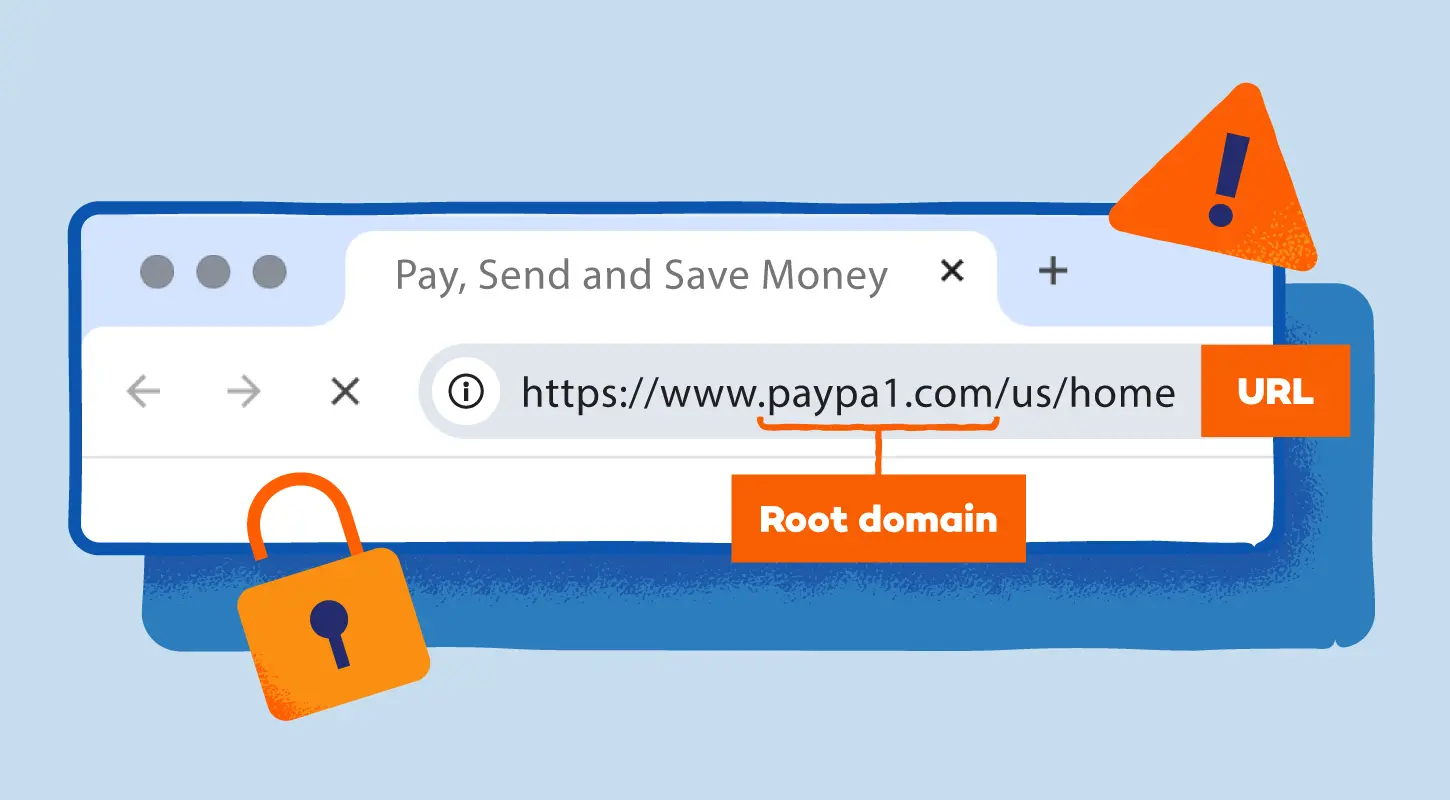
Scammers rely on tiny changes in a web address to fool people. A fake URL may add extra words, swap letters or use strange endings. Reading it slowly can help you catch the altered parts.
Watch for things like:
- Typos or swapped letters, like paypaI.com with a capital “i” instead of an “l”. These tricks work because the letters look alike at a glance.
- Added words meant to sound trustworthy, like paypal-secure-login.net. Real brands rarely add extra phrases like this.
- Odd domain extensions, such as .xyz, .top or .shop, for a supposed bank or well-known service.
Expert advice:
Always check the root domain (the part right before .com or .org). Scammers often hide the fake part at the beginning of the URL, hoping you won’t look closely at the end.
2. Check the Site Security
The padlock icon is helpful, but it’s not enough. Even task scam websites, fake e-stores and phishing pages use free SSL certificates that confirm the legitimacy of a website.
Here are a couple of things to check:
- Padlock and HTTPS: It’s good to see both, but treat it as step one. A fake site can still have both.
- Certificate details: Click the padlock to view the certificate. A real certificate often lists the verified company name. If you only see the domain listed — or no company at all — that’s a warning.
Expert advice:
If the site asks for payment or login details but only uses a cheap, basic certificate, pause. Real companies usually invest in trusted certificates because they protect their customers and boost credibility.
3. Look for Contact and Policy Information
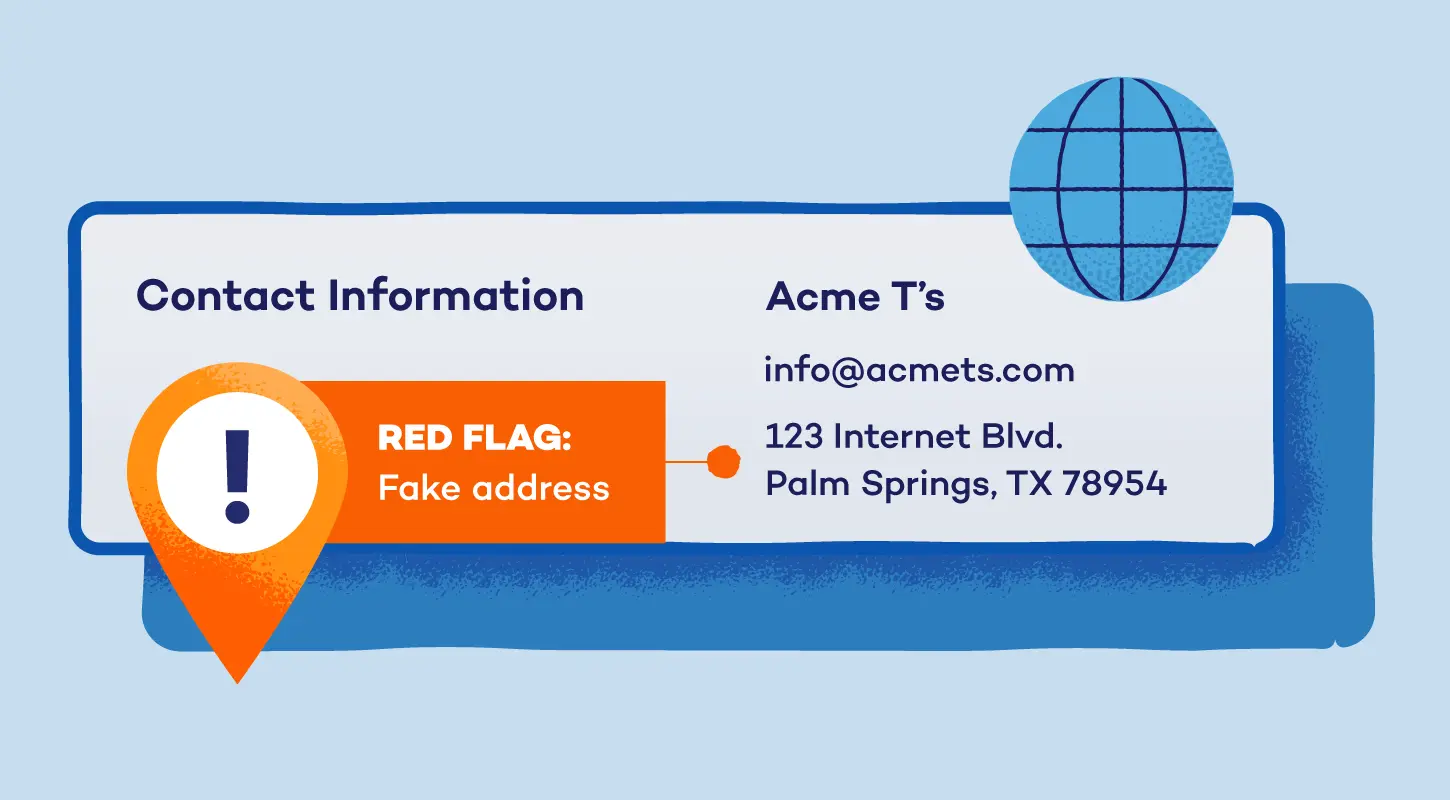
Legitimate sites want to be reachable. Fake sites hide behind vague or incomplete information because they don’t want you contacting them after you get scammed.
Legitimate pages often show:
- A real physical address you can look up on Google Maps
- A working phone number with proper business hours
- A business email that matches the domain (not a free Gmail or Yahoo address)
- Clear privacy, shipping and refund policies written in normal, readable language
Expert advice:
Only a generic contact form or a private email is a big indicator of something fishy. Scammers use these because they disappear easily. If the return, shipping or refund policy feels rushed or copy-pasted, you should walk away.
4. Evaluate the Content Quality
Many fake sites don’t spend time polishing their writing. You’ll see strange grammar, stiff phrasing or pasted text from a real brand. These errors often show up across many types of phishing and scam pages.
Keep an eye on:
- Spelling and grammar mistakes that a professional business wouldn’t overlook
- Awkward language that feels like it was translated quickly or written by someone in a rush
- Repeated product descriptions across multiple pages with no unique details
Expert advice:
If the writing sounds robotic, AI-generated, inconsistent or out of character for the brand, trust your instincts. Big companies have editors to quality assure content. Scammers usually don’t.
5. Look for Independent Reviews
Fake websites often fill their own pages with glowing testimonials — external reviews are your lighthouse. Real customers leave a trail, and a quick search can reveal patterns you won’t see on the site itself.
Look for these red flags:
- Searches like “[brand name] scam”, “[brand name] reviews” or “[brand name] complaints” that show repeated warnings
- Negative threads on Reddit or social media from people who were scammed
- Review platforms, such as Google and Trustpilot, showing low ratings or the same complaint appearing over and over
Expert advice:
Be careful if all reviews look perfect or really sparse. Authentic businesses have a mix of positive and negative feedback. Neither silence nor perfection is a good sign.
6. Verify Payment Methods
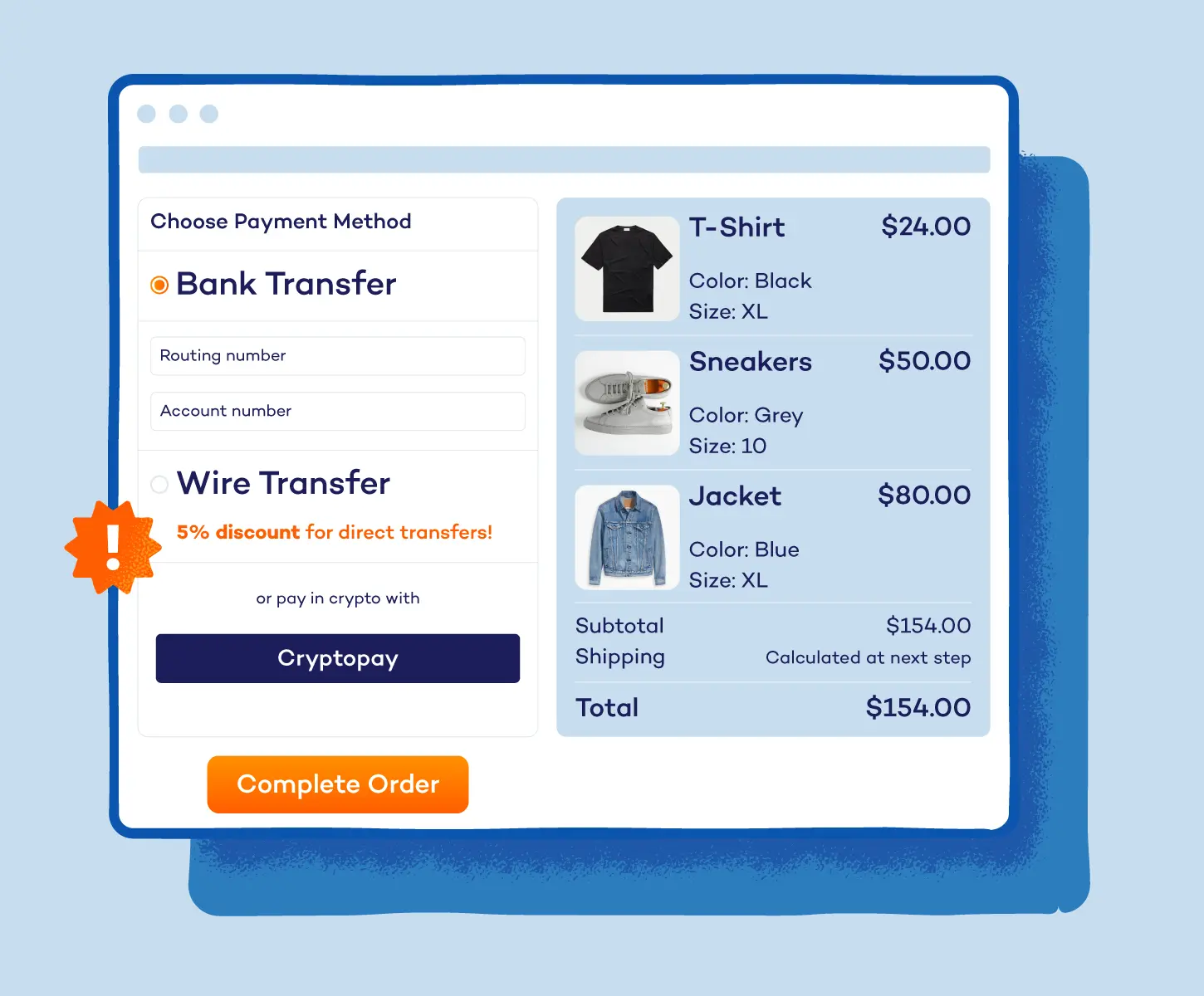
Scam sites prefer payment methods that aren’t reversible. When a site avoids normal options, it’s usually because the scammer doesn’t want the charge disputed later.
Here are some signs to look for:
- Only accepting wire transfers or bank deposits
- Requests to pay with gift cards
- Pressure to use P2P apps like Cash App or Venmo for retail purchases
Expert advice:
A credible store accepts major credit cards and PayPal because these services protect buyers. If a seller pushes untraceable payments, close the tab.
7. Assess the Deals and Prices
Scammers know irresistible prices make people act fast. If a product costs far less than anywhere else online, that deal is likely bait.
Be cautious of:
- Prices that are dramatically lower than those of every other retailer
- Endless flash sales that never seem to expire
- Luxury goods at clearance-level prices with no explanation
Expert advice:
Compare the price with at least two trusted stores. If the discount feels unreal, it’s usually because the product doesn’t exist — or won’t arrive.
8. Check the Website’s Age and History
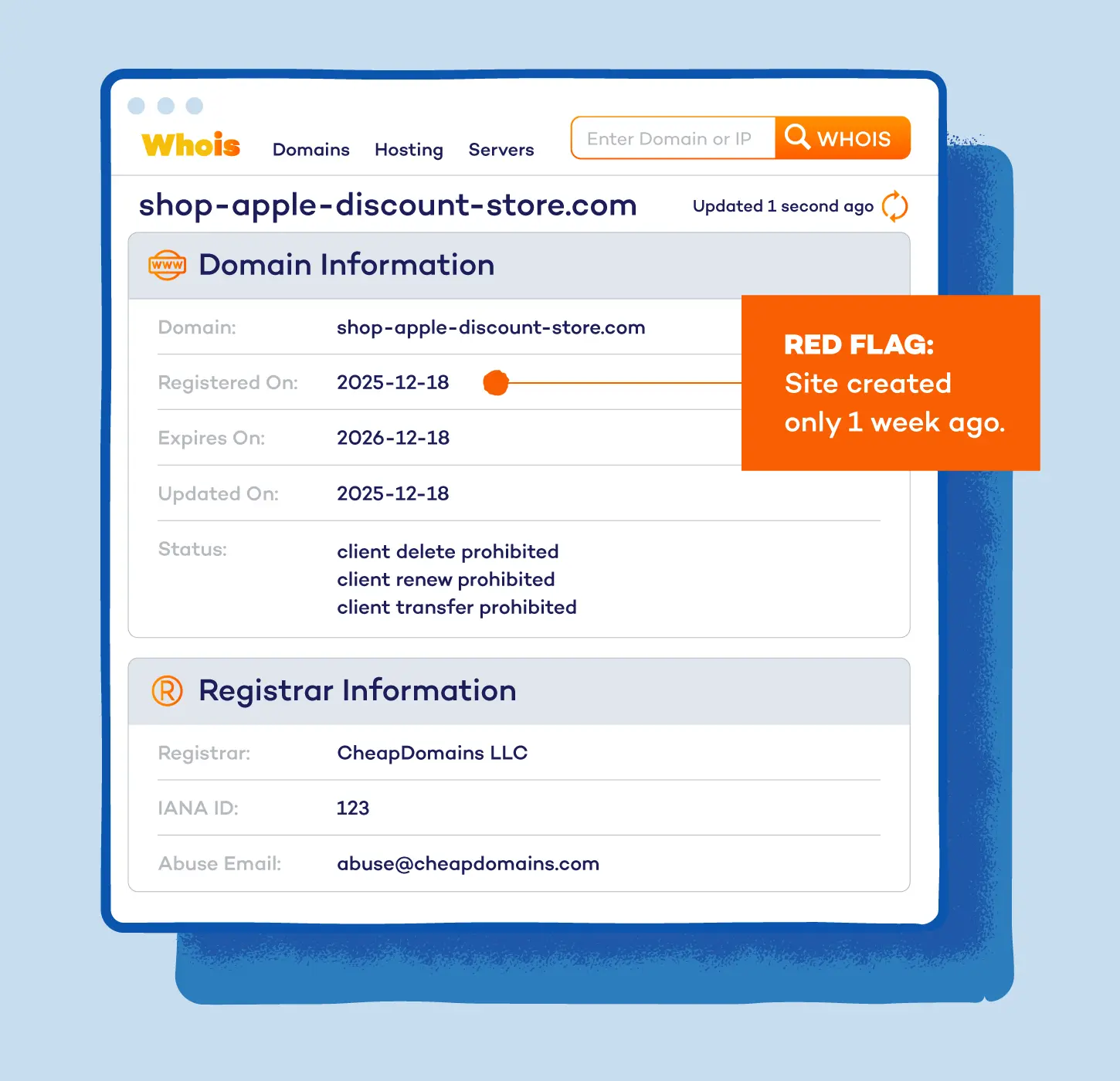
Fresh domains aren’t always scams, but scammers rely on new websites because they haven’t been flagged yet. A quick background check can help you see how long the site has been around.
Your red flags include:
- A domain created only days or weeks ago
- No history or older versions in the Wayback Machine
- Security tools, such as URLVoid and Whois, showing poor reputation or warnings
Expert advice:
If a site claims to be a long-running brand but the domain was registered recently, treat it as a major red flag. Scammers cycle through new domains to stay ahead of detection.
What to Do if You’re on a Fake Website
If you realize you’ve landed on a fake site — whether from a spoofed email or website or newer cybercrime tricks like vishing and quishing — moving quickly can limit the damage.
Here’s what you should do right away:
- Close the tab immediately: Leaving the page open gives it more time to load pop-ups or attempt shady downloads. Shutting it down stops the scam in its tracks.
- Don’t enter any personal details: Even a small piece of info, like your email, can help scammers. Back out before typing anything.
- Change your passwords: If you entered a login on the fake site, update that password right away. Use a strong, unique one so scammers can’t reuse it anywhere else.
- Check your bank and email accounts for unusual activity: Look for new purchases, login alerts or messages you didn’t send. If something feels off, contact your bank or provider immediately.
- Report the site: Use your browser’s report unsafe site option or notify a cybersecurity service. Reports help block the site for others and strengthen tools that spot these scams.
You can also report fake sites to the Federal Trade Commission (FTC) or the FBI’s Internet Crime Complaint Center (IC3). These reports help block the scam for others and strengthen tools that detect fake websites.
Stay Ahead of Scams With Panda’s Advanced Protections
With cybercrime as a service and AI-powered threats, cybercrime in 2025 moved fast. It will continue to evolve in the years ahead, such as fake websites that appear and disappear in hours. To keep up with these threats, you need strong real-time protection.
Panda Dome gives you that protection by scanning every program on your device. It flags anything that starts acting strangely and also watches the websites you visit, blocking known fake pages. And if a site looks unsafe, it warns you before you click and helps you avoid it.
Explore more Panda Dome features to stay protected from fake websites, phishing scams and the newest online threats.
Fake Websites FAQ
Here are quick answers to the questions people ask most about fake websites.
How Do I Know a Website Is Safe?
To know if a website is safe, check the URL carefully, look for real contact details and search for independent reviews. A safe site should feel consistent, transparent and easy to verify. When in doubt, leave the page and look up the business on your own.
What Do I Do if I Entered Information on a Fake Website?
If you entered personal information on a fake site, you should change your passwords right away and enable two-factor authentication if possible. Then, check your bank, email and social accounts for any unusual activity. If you shared financial details, contact your bank immediately.
Does HTTPS Mean a Website Is Legit?
No, HTTPS only means the connection is encrypted, not that the site itself is trustworthy. Scammers use HTTPS, too, so treat it as a safety signal — don’t rely on it completely.