
IoT security is the practice of protecting the internet-connected devices in your home, like smart cameras, speakers, TVs and thermostats, from hackers. It covers strong passwords, regular updates and a secure home network so no single device becomes an entry point for an intruder.
IoT security isn’t something on your radar until 2a.m., when you hear a stranger’s voice coming through your baby monitor. It sounds like a horror movie, but it’s happened to real families.
In 2023, the FTC charged Ring with failing to adequately protect customers’ privacy and security, alleging that hackers took over Ring cameras and used them to harass and threaten people, including children and teens. Ring agreed to a $5.8 million settlement without admitting wrongdoing. The alleged attacks didn’t require any sophisticated tools.
Many got in using stolen or reused passwords on accounts without second-factor authentication. Every camera, doorbell, lock and speaker you connect is another way into your home network.
This guide explains what IoT security means, how smart devices typically get compromised and the specific steps you can take to secure them.
What Is IoT Security?
The Internet of Things (IoT) refers to everyday objects that connect to the internet. If a device in your home can be controlled via an app or communicate with the cloud, it’s part of the IoT.
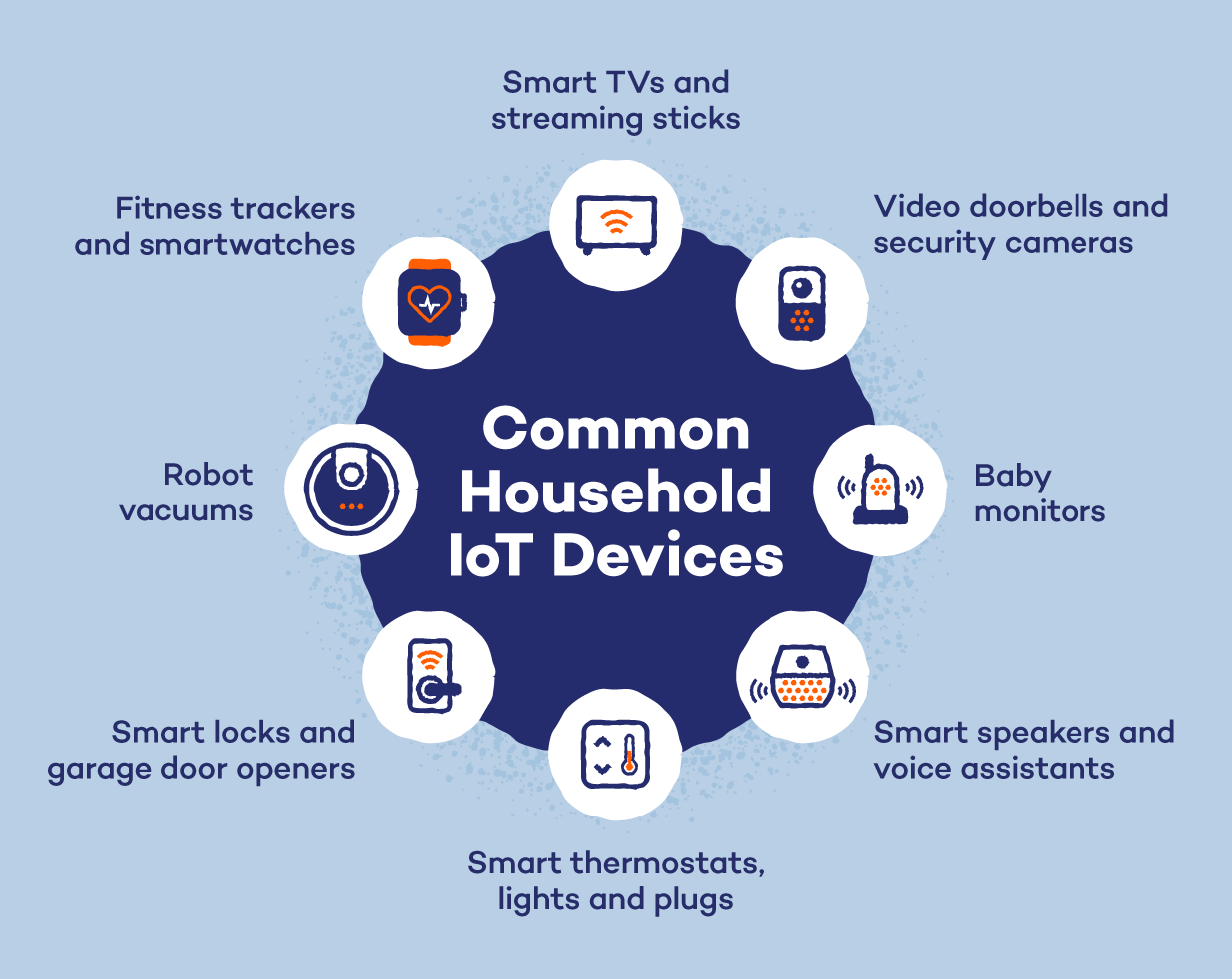
Common household IoT devices include:
- Smart TVs and streaming sticks
- Video doorbells and security cameras
- Baby monitors
- Smart speakers and voice assistants
- Smart thermostats, lights and plugs
- Robot vacuums
- Smart locks and garage door openers
- Fitness trackers and smartwatches
IoT device security means protecting each of these gadgets and the network they share, from people who shouldn’t have access. That includes securing how you log in, how the device gets updates, what data it collects and how it connects to your Wi-Fi.
Unlike laptops and phones, most smart devices don’t have built-in antivirus software or obvious security settings. That’s why they’re often the weakest link in a home network.
Why IoT Security Matters for Your Home
Smart devices sit in the most private parts of your life. Your doorbell camera knows when you leave and come home. Your indoor cameras and baby monitor see your living room and your child’s bedroom.
Similarly, your smart speaker hears conversations, and your phone apps tie it all to your location. When one of these devices is exposed, the damage isn’t abstract. It’s your family’s routines, faces and voices in a stranger’s hands.
That exposure doesn’t always require a hacker, either. In February 2024, a service outage at camera maker Wyze was followed by a security incident in which about 13,000 users received thumbnails from other customers’ cameras.
Of those, 1,504 tapped on the thumbnails, and in some cases, users were able to view recorded event videos. Wyze attributed the incident to an issue with a third-party caching library and later added an extra verification layer to restrict access to event videos.
What Attackers Get Out of It
When someone does break in on purpose, a compromised smart device can pay off in several ways:
- Personal data. Camera footage, voice recordings, account credentials, Wi-Fi passwords and location history can be stolen, sold, or used for identity theft and extortion.
- Spying and harassment. As the Ring cases showed, attackers can watch live feeds and use two-way audio to talk to, threaten, or frighten people in their own homes.
- Botnet recruitment. Attackers don’t care about you at all. They want your device’s processing power and internet connection. In June 2025, the FBI warned that the BADBOX 2.0 botnet consists of millions of infected devices, and that criminals sell or give away access to the compromised home networks for use in criminal activity. The FBI’s alert covers streaming boxes, projectors and infotainment systems. Some devices were configured with malicious software before purchase, while others were infected when they downloaded apps containing backdoors, usually during setup. To the owner, everything can look normal, while their home internet connection is rented out to criminals. Botnets built from hijacked gadgets like these can also be pointed at a single target to knock it offline in a DDoS attack.
- A path to everything else. Your smart TV, your laptop and your phone usually share the same Wi-Fi network. A cheap, poorly secured gadget can give an attacker a foothold inside that network, where they can probe more valuable devices that would be much harder to attack from the outside.
Common IoT Security Risks
Most IoT security challenges come down to the same problem: smart devices are built for low cost and easy setup, with security as an afterthought. Here are the IoT security risks that most often show up in homes:
1. Weak or Default Passwords
Many devices ship with factory login credentials like “admin” and “password.” These defaults are often listed online, so attackers don’t need to hack anything. They simply log in.
Reused passwords create the same problem. If you use the same password for your camera app as an account that was leaked in a data breach, criminals can try it on your device.
2. Outdated Firmware and Unpatched Software
Firmware is the built-in software that runs a device. Manufacturers release updates to fix security flaws, but many people never install them.
Worse, some companies stop supporting older devices after just a few years. Once updates end, known vulnerabilities remain open indefinitely and attackers know exactly where to look.
3. Unencrypted Data and Insecure Connections
Your smart devices constantly send data to their apps and to the company’s cloud servers. If that data isn’t encrypted, anyone who intercepts it can read it.
This can expose video clips, voice commands, login details and information about your daily routine.
When shopping, look for devices that encrypt data by default and let you store camera footage locally instead of only in the cloud.
4. Unsecured Home Wi-Fi and Router Settings
Your router connects every device in your home, so a weak router puts them all at risk. Common problems include:
- A default or easy-to-guess router password
- Old encryption standards like WEP or WPA
- Remote management is left switched on
- Router firmware that’s never been updated
If someone gets into your router, they can see and reach every connected device.
5. Excessive Permissions and Data Collection
Many smart devices collect far more data than they need. Always-on cameras and microphones, location tracking and usage logs can build a detailed picture of your life.
That data is stored on company servers, where it can be exposed in a breach or shared with advertisers. It’s the same reason privacy-minded people switch to private search engines. The less data collected about you, the less there is to lose.
6. Insecure Companion Apps and Cloud Accounts
Most smart devices are controlled through an app and an online account. If that account is poorly protected, an attacker can sign in from anywhere in the world and take control without ever getting near the device.
Some companion apps also have their own weak spots, like requesting more phone permissions than necessary or storing login details without proper protection. Download apps only from official app stores, and delete apps for devices you no longer own.
Signs Your Smart Device May Be Compromised
Hacked smart devices rarely announce themselves, which is how infections like BADBOX 2.0 go unnoticed for months. But they do leave clues. One sign alone doesn’t prove a hack, since glitches can look similar, but if you spot any of these, investigate.
- Settings change, or devices activate on their own. Motion alerts switch off, thermostats reset, speakers light up, or cameras move without input. Unfamiliar voices or sounds coming through a speaker are an especially strong warning sign.
- Unknown devices appear on your Wi-Fi. Check your router’s connected-device list for unfamiliar devices. They could belong to a neighbor, an attacker, or a misbehaving gadget.
- The Internet slows down, or data usage spikes. Malware-infected devices may send constant traffic as part of a botnet. Watch for unexplained lag, buffering, or overnight data spikes.
- Unfamiliar login alerts or password failures appear. Unexpected sign-in alerts, password reset emails, or rejected passwords may signal a compromised account. Check active sessions and shared users in the companion app, and remove unfamiliar access.
- Devices overheat, drain batteries, or restart frequently. Background malware, including botnet code and cryptominers, can strain a device. Unusual heat, rapid battery drain, or random restarts may signal hidden activity, though aging hardware can cause similar symptoms.
What to Do If a Device Is Hacked
If you think a smart device has been compromised, act quickly:
- Disconnect the device from Wi-Fi or unplug it.
- Change your router password and the password for the device’s app account.
- Reset the device to factory settings and set it up again with a new, unique password.
- Install any available firmware updates before reconnecting it.
- Check your router’s connected devices list and your other smart gadgets for anything unusual.
If problems continue, contact the manufacturer’s support team. A device that can’t be secured or no longer gets updates is often best replaced.
How to Secure Your IoT Devices
The best IoT security solutions for a home are within anyone’s reach. Most come down to a few settings and habits you can set up in an afternoon.
1. Change Default Passwords and Use a Password Manager
Change the default password on every smart device and its app as soon as you set it up. Give each device its own unique password, so one leak doesn’t unlock everything else.
It can be hard to keep track of dozens of passwords, and that is where a password manager comes in handy. Panda Dome Complete includes a password manager that creates and stores strong passwords for every device and account.
2. Turn On Two-Factor Authentication
Two-factor authentication (2FA) adds a second step to the login process, usually a code sent to your phone. Even if someone steals your password, they can’t get in without that code.
Turn on 2FA in your device companion apps and the accounts connected to them, like your Amazon, Google or Apple account. That same step also blocks account takeovers, one of the most common social media threats.
Where you can, use an authenticator app instead of text message codes. Codes sent by text can be intercepted if someone takes over your phone number.
3. Keep Firmware and Apps Updated
Turn on automatic updates for every device and companion app that offers them. For devices that don’t, check the app or manufacturer’s website every few months.
Before buying a new device, look up how long the manufacturer promises security updates. If a device no longer gets updates, consider replacing it.
4. Secure Your Router and Use a Guest Network
Strong IoT network security starts with your router. A few changes make a big difference:
- Change the router’s default admin password
- Use WPA3 encryption, or WPA2 if your router doesn’t support WPA3
- Rename your network (SSID) to something that doesn’t reveal your name or address
- Turn off WPS (Wi-Fi Protected Setup), a push-button pairing feature that’s easy to exploit
- Update the router’s firmware
Then put your smart devices on a separate guest network. If one gets hacked, the attacker can’t easily reach the phones and laptops on your main network.
Most modern routers let you set up a guest network in a few minutes from the router’s app. Give it its own strong password, separate from your main Wi-Fi.
5. Turn Off Features You Don’t Use
Every feature you leave on is another possible way in. Review each device’s settings and switch off:
- Remote access, if you don’t control the device from outside your home
- Microphones and cameras you don’t use
- Voice purchasing on smart speakers, so no one can place orders just by talking to them
- Universal Plug and Play (UPnP) is a router feature that lets devices open connections to the internet automatically
The fewer features running, the fewer gaps an attacker can use.
6. Use a VPN on Your Phones and Laptops
When you use those apps on public Wi-Fi, a VPN encrypts your connection so others on the same network can’t snoop on your traffic. A VPN included with Panda Dome runs on your phone and laptop with one tap.
This matters most when you check your cameras or unlock your smart door from a café, airport or hotel, where staying connected safely while traveling starts with keeping your traffic private.
Protect Your Smart Home With Panda Dome
IoT security doesn’t have to be complicated. Strong passwords and regular updates go a long way, and putting your smart gadgets on a separate network closes most of the remaining gaps attackers exploit. That separation is one of the simplest ways to secure your home network without replacing any of your devices.
Your phones and laptops are the control center for your smart home, so they need protection too. Panda Dome’s safe browsing blocks malicious websites and phishing pages before they load, while its antivirus and password manager keep the devices running your smart home secure.
IoT Security FAQ
What Is IoT Security in Simple Terms?
IoT security means keeping your smart home devices safe from hackers. It involves using strong passwords, keeping devices updated and protecting the Wi-Fi network they connect to.
Can Smart Home Devices Be Hacked?
Yes. Cameras, baby monitors, smart speakers, TVs and even thermostats can be hacked, usually through default passwords, outdated firmware or a poorly secured router.
What Is the Biggest Security Risk With IoT Devices?
Weak or default passwords are the most common risk. They let attackers log in to a device without needing any real hacking skills.
Should Smart Devices Be on a Separate Wi-Fi Network?
Yes. Putting smart devices on a guest network keeps them apart from your phones and laptops. If one device is hacked, the attacker can’t easily reach the rest of your home network.
Do Smart TVs Need Antivirus Protection?
Most smart TVs can’t run traditional antivirus apps, though some Android and Google TV models can. The best protection is keeping the TV’s software updated, turning off features you don’t use and connecting it to a secure network.