
Windows 11 updates have long frustrated users with untimely restarts, interrupted work, and little control over when patches land. Microsoft is now giving users more flexibility to pause updates in 35-day increments and re-pause them repeatedly. But permanently delaying updates is still a dangerous habit.
Few things feel more annoying than a Windows update interrupting a meeting, a deadline, or a gaming session. For years, Windows 11 users have dealt with unexpected restarts and update prompts that seem to appear at the worst possible moment.
The latest changes to Windows Update aim to reduce that friction by letting users pause updates for up to 35 days at a time and extend that pause as often as needed. That may sound convenient, but the safest approach is not to avoid updates entirely – it is to manage them in a way that keeps devices protected without constant disruption.
Key takeaways
- Windows updates have been a recurring source of frustration because they can interrupt work and force reboots at inconvenient times.
- Microsoft’s new update experience lets users pause updates for up to 35 days. And then re-pause them indefinitely in 35-day blocks.
- Leaving updates off for too long increases exposure to cyberattacks, malware, and known vulnerabilities.
- A managed update process is safer because it gives users more control over timing without sacrificing security.
- Panda Update Manager helps keep Windows and applications current while reducing the disruption caused by the standard Windows Update flow.
Why Windows updates frustrate users
Microsoft says user feedback consistently highlighted “disruption caused by untimely updates” and “not enough control over when updates happen”. That complaint is easy to understand. A computer that suddenly restarts can interrupt video calls, unsaved documents, software installs, or anything else that depends on a stable session. Even when updates are necessary, the timing often feels like the problem.
Microsoft designed the new Windows 11 changes to address that pain point. The company now lets users choose a pause date on a calendar, then extend the pause as many times as needed in 35-day blocks. It also separates normal power actions from update actions, so users can shut down or restart without automatically triggering an install. In short, the experience is becoming more flexible – but not more secure if updates are simply ignored.
How the new pause system works
The update pause system is straightforward. Users can pause Windows updates for up to 35 days, and when that period ends they can reset the pause and start another 35-day cycle. Microsoft says there are no limits on how many times the pause can be extended, which means users can theoretically keep updates on hold for an indefinite period.
That extra control can be useful for travel, exams, major projects, or other busy periods where a forced reboot and extended software installation would be especially disruptive. It is still a temporary deferral, though, not a security strategy. Microsoft continues to recommend installing updates shortly after release to keep devices and data secure.
Why pausing forever is a bad idea
Pausing updates forever leaves a machine exposed to known security flaws that attackers already understand and actively exploit. Panda Security notes that one of the main entry points for malware is through vulnerability exploits in operating systems and other installed programs. In other words, every uninstalled patch can become an open door.
This is why patching is a core part of modern cybersecurity. Microsoft and other security organizations consistently emphasize that many attacks target flaws that already have available fixes but remain unpatched. Delaying updates too long increases the risk of ransomware, credential theft, and remote code execution. A convenient pause is fine; an unpatched device is not.
A safer way to manage updates
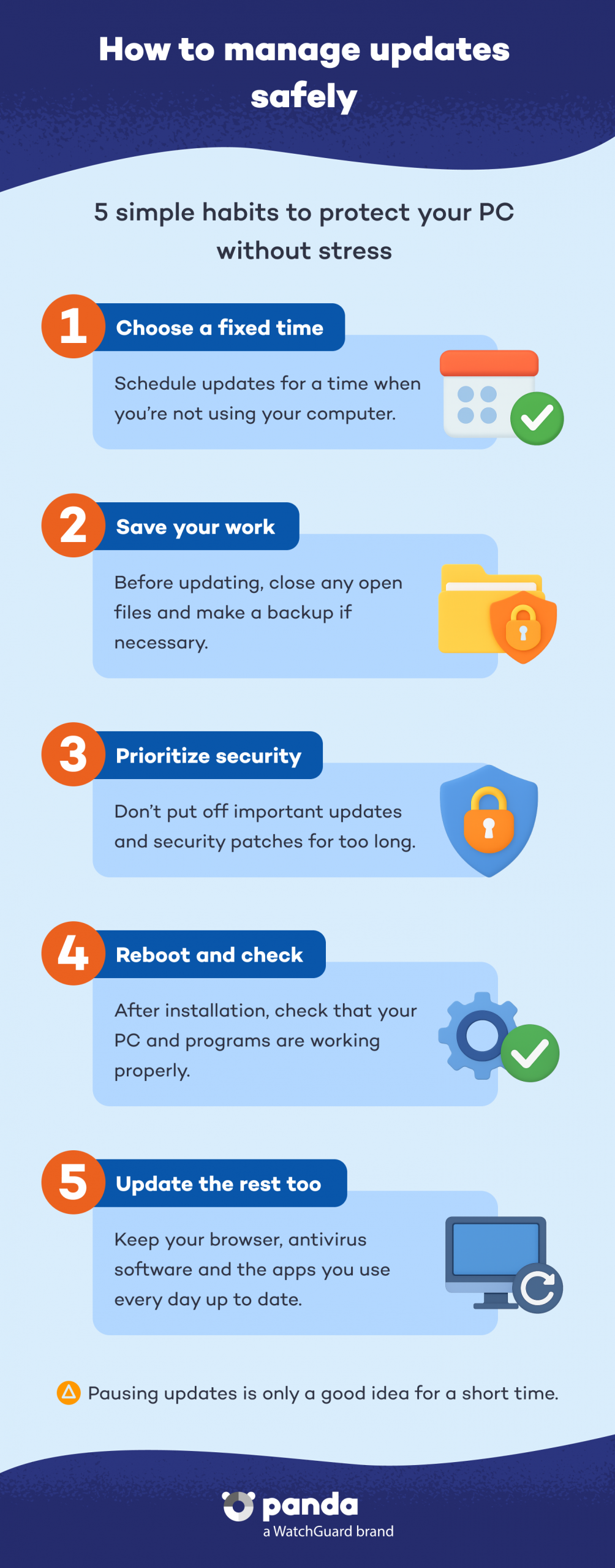
A managed update process gives you the best of both worlds. You still avoid random interruptions while ensuring that security fixes install on a predictable schedule. For most users, that means choosing a regular maintenance window, auto-installing outside work hours, and keeping both Windows and third-party apps up-to-date.
This approach matters because threats do not only target the operating system. Outdated applications are also common attack paths, and update management needs to cover both system and app patches. When updates are planned, they become part of routine device maintenance instead of an unpredictable nuisance.
Panda Update Manager
Panda Update Manager is designed to simplify that process. It is part of Panda Dome and works in the background to keep systems up to date automatically, checking for available updates such as new features, security patches, and updated virus signatures. The feature helps minimize exposure to threats by keeping applications on devices updated with the latest available patches.
The feature is included in Panda Dome Premium (and above), which also adds antivirus, anti-ransomware protection, VPN, file encryption, and password management. For users who want stronger control over updates without relying on Windows’ built-in update behavior, Panda Update Manager offers a more security-focused alternative.
Conclusion
Windows is making updates less disruptive, but the newest pause controls are not a reason to stop patching. The real goal should be to stay protected while choosing when updates happen. Panda Update Manager helps make that possible by keeping devices current, reducing interruptions, and lowering the risk of leaving known vulnerabilities unpatched. Learn more about Panda Update Manager.