



Seeing the location not available message can be stressful, especially when you’re trying to check if someone got home safely or find a friend in a crowded place. Instead of a map, you get, well, a message, saying that the location you’re trying to see is not available. And that’s not helpful.
But why does this happen, and how can you fix it? Well, for one, your digital footprint and privacy settings can sometimes affect how location sharing works, which adds to the confusion. Find out the other most common causes and ways to get location sharing working again.
What Does “Location Not Available” Mean?
“Location Not Available” means a device is connected but not sharing its location, often due to privacy settings, signal issues or temporary glitches.
You usually see the location not available message in apps like Find My, Google Maps or messaging apps like WhatsApp when someone’s device is online, but their location is not being shared.
You can choose when to share your location as part of managing your digital trail. Doing this helps protect your privacy and secure your mobile devices.
No Location Found vs. Location Not Available
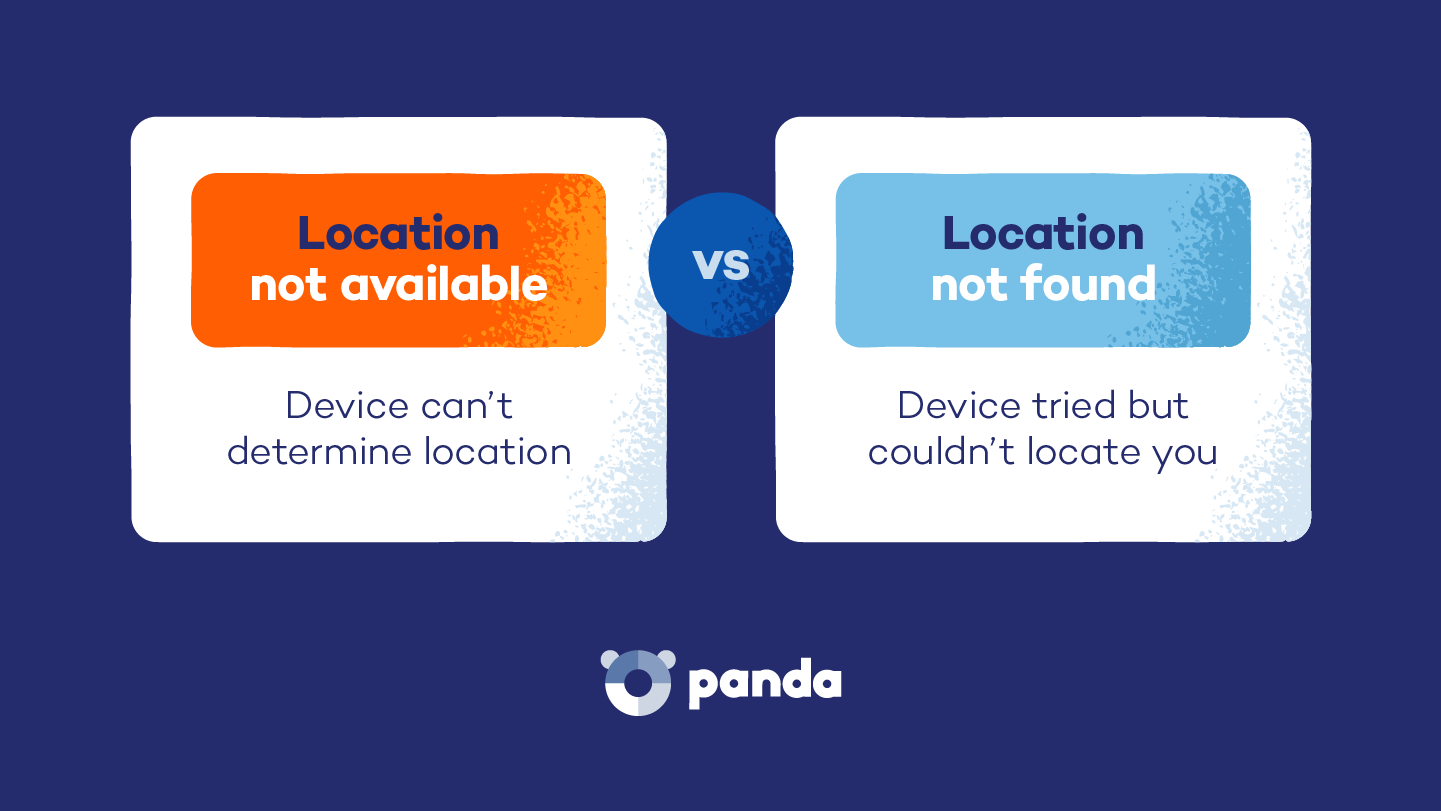
The location not available message means the device is online, but location sharing is turned off or blocked by settings.
The location not found message usually means the device cannot be reached at all. You may see this error due to no signal, your phone being off or certain settings, such as disabling your location, that make your phone impossible to track.
Both messages help protect your privacy by limiting when you can share your location with people.

Why Does “Location Not Available” Appear?
Location unavailable means the app cannot access location data right now. This can happen because of data privacy settings, device limits or temporary tech issues — some are intentional, while others aren’t. Here are the key reasons in detail.
Software Glitches or Outdated OS
Temporary bugs, failed syncs or an outdated operating system can cause the message to appear even when nothing is wrong. If your device’s location services are not working, a quick update or restart can often solve it. This is one of the most common cases where you can fix the issue yourself.
The Person Stopped Sharing Their Location With You
People can stop sharing their location at any time in apps like Find My or Google Maps. When this happens, you will simply see “Location Not Available,” with no alert explaining the change. Sorry, but this is intentional and cannot be fixed from your side.
Location Services Are Turned Off on Their Device
If location services are disabled, apps can’t access or share location data. This can happen when location access is turned off for the whole device or for specific apps.
Privacy Settings or Security Restrictions
Privacy controls allow you to decide how precisely your location is shared, or whether it’s shared at all. Some settings limit access to approximate location, restrict apps or use tools like VPNs that may block location sharing. These choices help protect your privacy, so they’re not always something that needs to be changed.
Poor GPS, Network or Device Connectivity
Weak GPS signals, no internet connection or unstable Wi-Fi can prevent location updates. This often happens indoors, underground or while trying to get internet access when you’re traveling in areas with limited coverage. Airplane mode or low signal can also interrupt sharing, but the issue usually resolves once the device reconnects.
How to Find Location Services on Your Device
In many cases, this issue is fixable with a few quick setting changes. The exact steps may look slightly different depending on your device, but the process is usually very similar. Below, we have details on how to fix the “location unavailable” error on iPhone and Android devices and browsers.
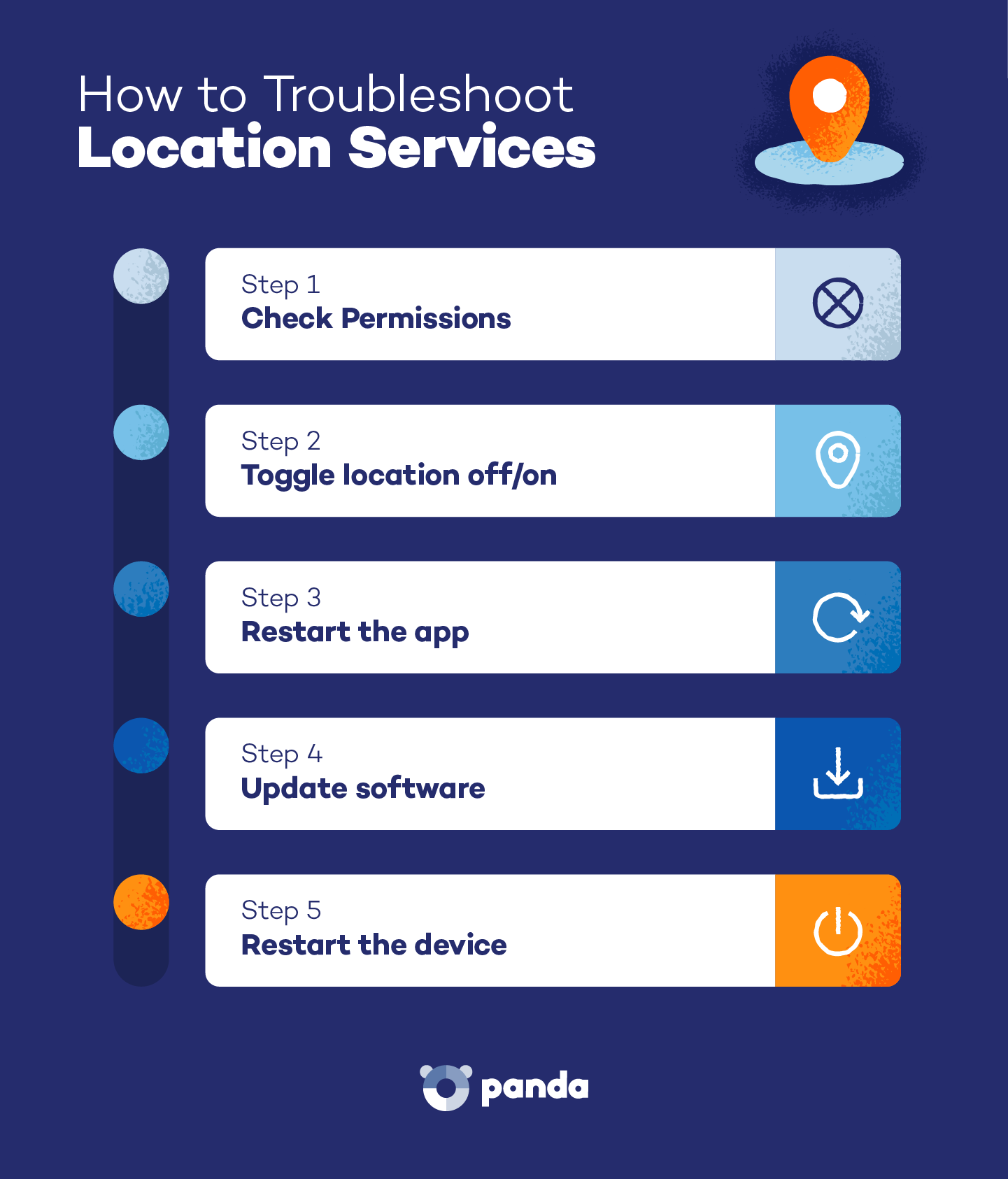

Follow these steps to make sure location access is turned on for your apps:
- Open Settings.
- Tap Privacy & Security.
- Tap Location Services.
- Make sure Location Services is turned on.
- Scroll down and select the app (for example, Find My or Google Maps).
- Choose While Using the App or Always.
- Turn on Precise Location if available.
- Restart the app and check again.
How to Troubleshoot Location Services on Android
Use these steps to confirm your device and apps can access your location:
- Open Settings.
- Tap Location.
- Turn Use Location on.
- Tap App Location Permissions.
- Select the app (for example, Google Maps).
- Choose Allow all the time or Allow only while using the app.
- Restart the app and check again.
How to Troubleshoot Location Services in Browsers
Follow these steps to check your browser (Google Chrome) settings to ensure websites are allowed to use location data:
- Open your browser settings
- Go to Privacy and security > Site settings > Location.
- Make sure location access is set to Sites can ask for your location.
- Refresh the webpage or restart the browser.
- Check if the location now appears.
Protect Your Devices With Panda Security
If you keep seeing the location not available message, your device settings may be restricting how apps access location data. Privacy controls, app permissions or security tools can sometimes block location sharing to protect your personal information. While these protections are helpful, they may also prevent trusted apps from working properly.
Panda Dome helps you manage app permissions, detect suspicious activity and protect your data from malware or unsafe apps that could interfere with normal device behavior. It also includes features like real-time antivirus protection and a VPN that helps keep your online activity private and secure across devices.
Pick a plan that meets your needs and control when and how your location is shared.
Location Not Available Error FAQ
Below are answers to common questions about the location not available message, including what it means, when it may appear and how privacy or security settings can affect location sharing.
Does “Location Not Available” Mean Someone Blocked Me?
No, someone’s location being unavailable means the app can’t access location data, usually due to settings or connection issues. It doesn’t confirm anything about calls or messages. Identifying if someone has blocked your number involves different signals, so this message alone is not proof of a block.
Are There Security Risks to Sharing Locations?
Sharing location can be helpful, but it also reveals parts of your daily routine. If shared with the wrong app or person, location data may be misused in scams like phishing. It’s important to know how to share location properly with trusted contacts and review permissions regularly to secure your portable devices against cyberthreats.
Does Using “Do Not Disturb” Affect Location Sharing?
Focus modes like “Do Not Disturb: do not directly turn off location sharing, but they may pause background activity or limit app updates. This can temporarily delay location refreshes, especially if the app is not actively running.
Can Security Apps Interfere With Location Sharing?
Some antivirus, firewall or privacy tools may restrict how apps access device data. These protections help block suspicious tracking or unsafe connections, but they can also prevent location updates in certain apps.
Can Using a VPN Cause “Location Not Available” Alerts?
Yes, a VPN changes your visible IP address to protect your privacy online. Some apps compare GPS data with network location data, and this mismatch can occasionally trigger a location not available message until the connection stabilizes.