What is a phishing attack?
Phishing is a type of cyberattack in which cybercriminals use deceptive tactics to trick individuals into divulging sensitive information.
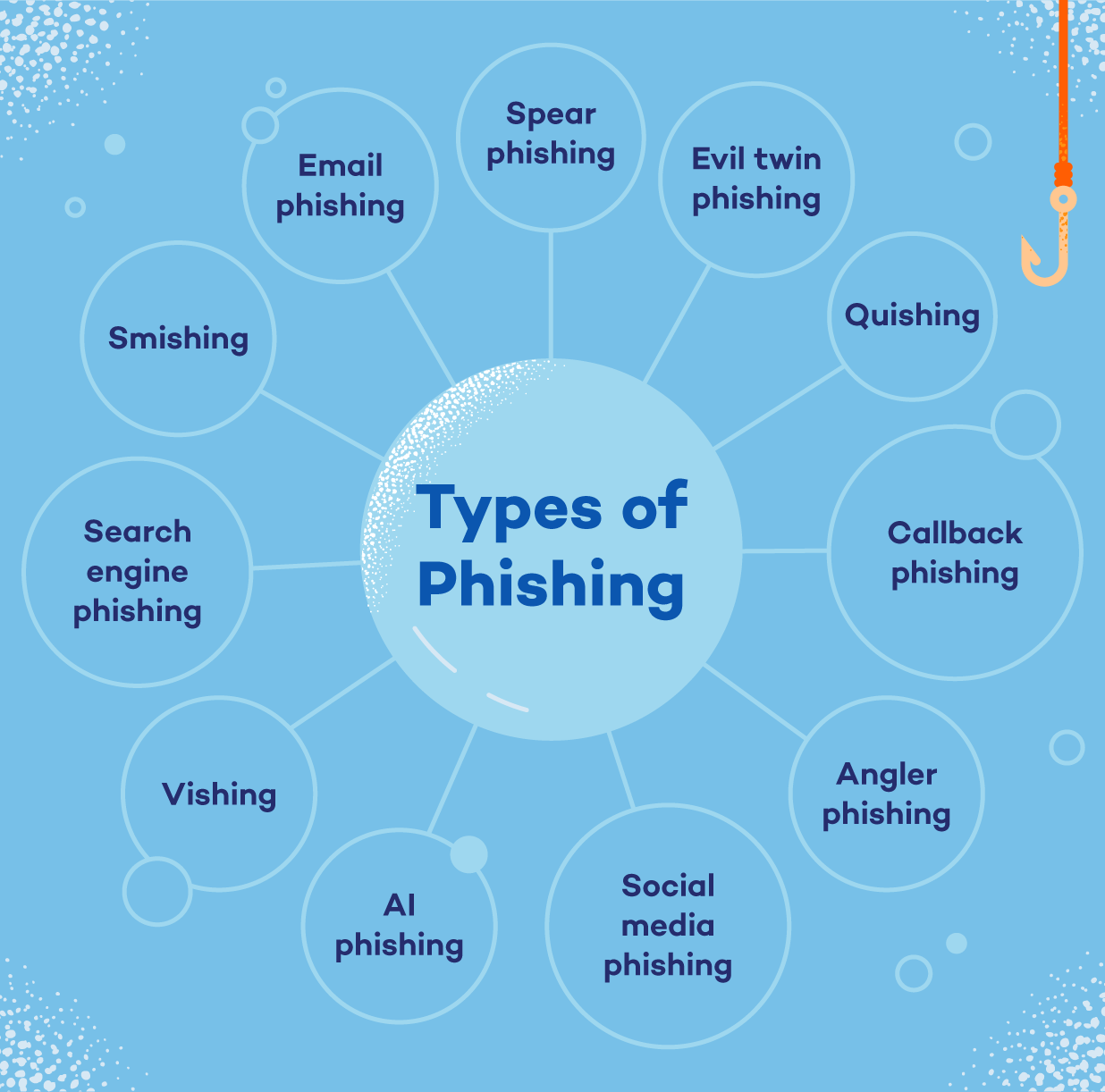
Some common types of phishing include:
- Smishing
- Email phishing
- Quishing
- Spear phishing
- Vishing
- AI phishing attacks
From deceptive emails and fake websites to social engineering tactics, there are numerous types of phishing attacks you can fall prey to.
By familiarizing yourself with the types of phishing attacks, you can better recognize and avoid falling victim to these scams, protecting your personal and sensitive information from getting into the wrong hands.
In this post, we’ll cover the different types of phishing attacks with examples, look at real phishing scams from 2026 and share tips to prevent phishing attacks, plus what to do if you fall for one.
What Is a Phishing Scam?
Phishing is a scam in which criminals pretend to be someone you trust. Scammers could pretend to be your bank, a delivery company, a government agency or even a family member, anyone who could get you to click a link and share personal information or send money. The name is a play on “fishing”: Scammers cast out bait and wait for someone to bite.
Most phishing attacks follow the same playbook. They create a sense of urgency (“Your account will be closed in 24 hours”), impersonate a familiar name and push you toward one quick action before you have time to think. What changes is the delivery method: email, text, phone calls, QR codes, social media and even AI-generated voices.
Phishing is also the most reported cybercrime in the U.S. According to the FBI’s 2025 Internet Crime Report, the FBI received 191,561 phishing and spoofing complaints. In total, Americans filed more than 1 million complaints that year, reporting nearly $21 billion in losses.
Types of Phishing at a Glance
Here’s a quick look at how each type of phishing reaches you and what to watch for.
| Type of Phishing | How It Reaches You | Common Lure | Red Flag |
|---|---|---|---|
| Email phishing | “Your account has been locked” | Sender’s address doesn’t match the company | |
| Spear phishing | Email or social media messages | A message that mentions your name, job or a recent purchase | Personal details paired with an unusual request |
| Quishing | QR codes in emails, on flyers or on parking meters | “Scan to pay” or “Scan to verify your account” | A code you weren’t expecting or a sticker covering the original |
| Smishing | Text message | Unpaid toll or missed delivery | Unknown number, tight deadline and a strange link |
| Vishing | Phone call | Bank fraud alert or government threat | Caller pressures you to pay or share codes right away |
| Callback phishing | Email or text, then a phone call | Fake invoice or subscription renewal | Asks you to call a number instead of logging in |
| AI phishing and deepfakes | Email, phone or video | A familiar voice or face asking for urgent help | Emotional pressure, plus a demand for money or secrecy |
| Evil twin phishing | Public Wi-Fi | Free network with a familiar name | Wi-Fi login page asks for personal or account details |
| Social media phishing | Direct messages and posts | A friend sharing a video or an “Is this you?” link | Link leads to a login page |
| Angler phishing | Replies to your social media posts | “Customer support” offering to fix your complaint | Unverified account asks you to DM your details |
| Search engine phishing | Search results and ads | Deals that seem too good to be true | Misspelled web address or a sponsored result |
1. Email Phishing
Email phishing is a malicious technique cybercriminals use to trick individuals into revealing sensitive information or clicking on malicious links by impersonating legitimate entities via email. These deceptive emails often appear to be from trusted sources, such as government agencies or reputable companies.
These emails are often written with a sense of urgency, informing the recipient that a personal account has been compromised and they must respond immediately.
Their objective is to elicit a certain action from the victim, such as clicking a malicious link that leads to a fake login page. After entering their credentials, victims unfortunately hand their personal information directly to the scammer.
A variation called clone phishing copies a real email you’ve already received, like a shipping notice or an invoice, and resends it with the original links or attachments swapped for malicious ones. Because the message looks familiar, it’s easy to trust.
Example of Email Phishing
You receive an email appearing to be from Gmail customer care that ends with “@Gm@il.com” requesting urgent action to update your account information due to a security breach. The email contains a link that redirects you to a fake website resembling the legitimate Gmail login page. Upon entering your credentials, the scammers capture your sensitive information for fraudulent purposes.
2. Spear Phishing
Spear phishing involves sending malicious emails to specific individuals within an organization. Rather than sending out mass emails to thousands of recipients, this method targets certain employees at specifically chosen companies. These types of emails are often more personalized in order to make the victim believe they have a relationship with the sender.
When attackers aim spear phishing at a CEO or another high-ranking executive, it’s called whaling. When they break into a company email account and use it to request payments or send fake invoices, it’s known as business email compromise (BEC). For home users, spear phishing often looks like a message that mentions your name, your employer or a recent purchase — details scammers can pull from social media profiles or past data breaches.
Example of Spear Phishing
A group called Star Blizzard, linked to the Russian FSB, is using spear-phishing attacks to target specific individuals and organizations, including government agencies and defense companies in the U.S. and the U.K. They trick people into revealing sensitive information by sending deceptive emails.
The U.S. National Security Agency and the U.K.’s NCSC have issued a warning to raise awareness and provide guidelines on how to protect against these attacks. Some of the recommended measures include using strong passwords, enabling multi-factor authentication, updating network and device security, being cautious of suspicious emails and links and using email scanning features to detect phishing attempts.
3. Quishing (QR Code Phishing)
Quishing, which is short for “QR code phishing,” hides a malicious link inside a QR code. When you scan the code with your phone’s camera, it either takes you to a fake website designed to steal your login credentials or payment information, or it prompts you to download a malicious app.
QR codes work well for scammers because you can’t tell where a code leads just by looking at it. They also move the attack from your computer to your phone, which may have fewer security protections. Scammers hide malicious QR codes in emails and on flyers, fake delivery notices and stickers placed over legitimate codes on parking meters or restaurant tables.
Before you scan, ask yourself whether you were expecting the code and whether it looks like it’s been tampered with. A security tool like Panda Dome’s Secure QR Scanner can check where a code leads before you open it.
Example of Quishing
In January 2026, the FBI warned that North Korean state-sponsored hackers known as Kimsuky were sending spear-phishing emails with malicious QR codes to think tanks, universities and government organizations. Scanning a code sent targets to fake login pages on their phones, where the attackers collected their credentials. The FBI noted that hiding links in QR codes helps attackers bypass email security filters.
4. Smishing
SMS phishing, or smishing, leverages text messages rather than email to carry out a phishing attack. They operate much in the same way as email-based phishing attacks: Attackers send texts from what seem to be legitimate sources (like trusted businesses) that contain malicious links. Links might be disguised as a coupon code (20% off your next order!) or an offer for a chance to win something like concert tickets.
Example of Smishing
Researchers discovered a new phishing tool called SNS Sender, which uses Amazon Web Services to send scam texts pretending to be from USPS about failed deliveries. The suspected author of SNS Sender is known by the alias “ARDUINO_DAS.”
The SNS Sender tool inserts links to fake USPS websites that collect victims’ personal information, like names, addresses, phone numbers, emails and credit card numbers. This technique of using cloud services for phishing attacks is a new and previously unseen method.
5. Vishing
Vishing, short for “voice phishing,” is a type of phishing attack in which fraudsters use phone calls to deceive individuals into providing sensitive information or taking specific actions.
In a vishing attack, scammers pretend to contact on behalf of a bank, government agencies or tech support, using social engineering tactics to manipulate victims into disclosing personal or financial information, such as account numbers, passwords or verification codes. These attacks often exploit fear or urgency to pressure victims into compliance and can result in identity theft, financial loss or unauthorized access to sensitive accounts.
Example of Vishing
You receive a phone call from a person claiming to be a representative from your bank’s fraud department. They inform you of suspicious activity on your account and advise you to provide your account details to verify your identity and prevent any fraudulent transactions.
Believing it to be a legitimate call, you comply and provide the requested information. However, the call was a vishing attack, and the caller was a cybercriminal who now has access to your sensitive financial data.
6. Callback Phishing
Callback phishing flips the usual script: Instead of getting you to click a link, scammers get you to pick up the phone and call them. It usually starts with an email or text that looks like a receipt, invoice or subscription renewal, often for a few hundred dollars.
It appears to come from a company like PayPal, Amazon or a tech support service. The message says that if you didn’t authorize the charge, you should call the number listed to cancel it.
These messages often contain no links or attachments, so they’re more likely to slip past spam filters. Once you call, a friendly “support agent” walks you through a “refund” that’s really a scam. They may ask you to install remote-access software, log in to your bank account or share payment details. Security researchers also call this telephone-oriented attack delivery (TOAD).
Example of Callback Phishing
You get an email that looks like a PayPal receipt for a $499 computer repair plan you never bought. Worried, you call the “billing department” number in the email. The agent asks you to install a remote-access app so they can process your refund.
Once connected, they claim they “accidentally” refunded $4,999 instead of $499 and pressure you to send back the difference by wire transfer or gift cards. In reality, no refund ever happened; they simply moved money between your own accounts to make it look real.
7. AI Phishing and Deepfakes
AI phishing attacks use artificial intelligence to make scams more convincing and easier to run at scale. AI tools can write polished, typo-free phishing emails in any language, which makes poor grammar — one of the classic warning signs — less reliable. They can also clone someone’s voice from just a few seconds of audio pulled from social media videos or create deepfake videos of real people.
That means a call that sounds exactly like your grandchild, or a video of a trusted official, isn’t proof that the person is real.
To protect yourself, slow down when a message triggers strong emotions, verify requests by calling the person back on a number you already know and agree on a family code word for emergencies.
Example of AI Phishing
In July 2026, the FBI warned that scammers were posing as staff at its Internet Crime Complaint Center (IC3) to target people who had already lost money to fraud. Along with fake FBI profiles on Facebook Messenger and Telegram, the scammers used AI-generated deepfake videos of FBI officials to promote fake IC3 websites that collected victims’ personal information. The real IC3 doesn’t have any social media accounts.
8. Evil Twin Phishing
Evil twin phishing involves setting up what appears to be a legitimate Wi-Fi network that lures victims to a phishing site when they connect to it. Once they land on the site, they’re typically prompted to enter their personal data, such as login credentials, which then goes straight to the hacker. Once the hacker has these details, they can log into the network, take control of it, monitor unencrypted traffic and find ways to steal sensitive information and data.
Example of Evil Twin Phishing
You connect to what you believe is a cafe’s free Wi-Fi network, but it’s a rogue hotspot set up by cybercriminals, known as an “evil twin.” They intercept your online activity, including logging into your email account. Later, you receive a phishing email pretending to be from your email provider, prompting you to log in to verify your identity. Unknowingly, you enter your credentials on a fake website created by cybercriminals, giving them access to your email account.
9. Social Media Phishing
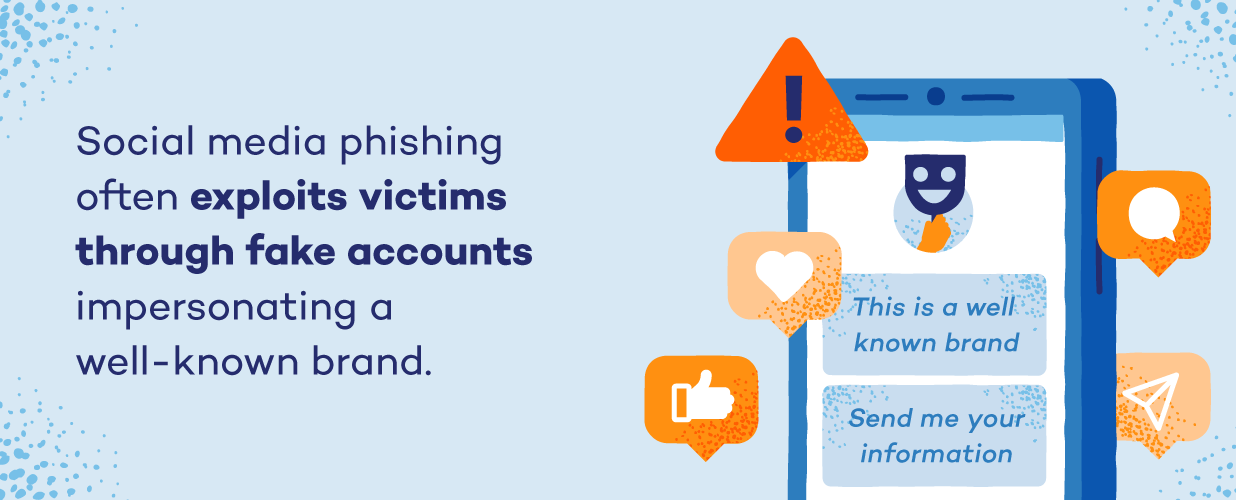
Social media phishing is when attackers use social networking sites like Facebook, Twitter and Instagram to obtain victims’ sensitive data or lure them into clicking on malicious links. Hackers may create fake accounts impersonating someone the victim knows to lead them into their trap, or they may even impersonate a well-known brand’s customer service account to prey on victims who reach out to the brand for support.
Example of Social Media Phishing
You receive a direct message on social media from a fake account that appears to be a friend or acquaintance asking you to click on a link to watch a video or view a photo. Without suspicion, you click the link, which leads you to a fake login page designed to steal your social media credentials. You enter your username and password, handing them over to cybercriminals who can now access your account and potentially exploit it for malicious purposes.
10. Angler Phishing
Angler phishing targets people who reach out to companies on social media. When you post a complaint about a late package, a lost bag or a billing problem and tag a brand, scammers watching those conversations jump in first with a fake customer support account. These accounts often copy the brand’s logo and use handles like @BrandName_Help or @BrandSupportTeam.
The fake agent apologizes, asks you to move the conversation to direct messages and then sends a link to a “verification” or “refund” form. That form asks for your login credentials, card details or other personal information.
Example of Angler Phishing
Your flight is canceled, so you post a frustrated message tagging the airline. Within minutes, an account called “@SkyJet_CustomerCare” with the airline’s logo replies, apologizes and asks you to DM your booking details so it can rebook you. It then sends a link to a “compensation form” that asks for your name, booking reference and credit card number.
11. Pharming
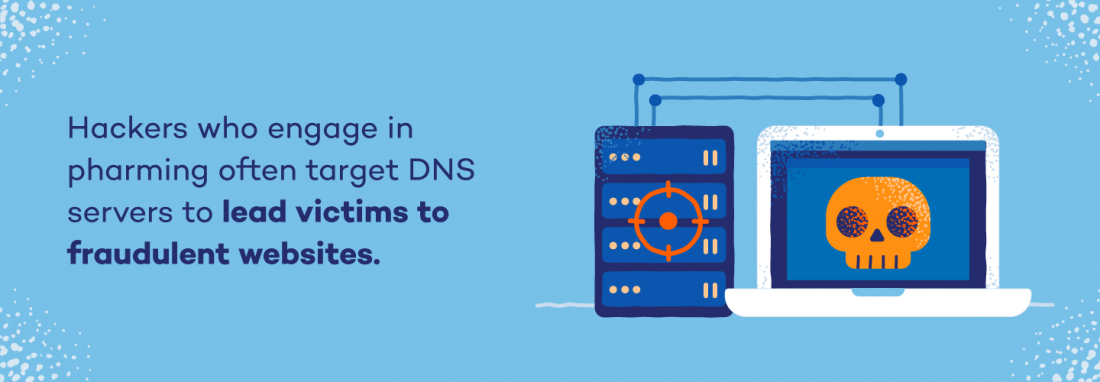
Pharming — a combination of the words “phishing” and “farming” — involves hackers exploiting the mechanics of internet browsing to redirect users to malicious websites, often by targeting Domain Name System (DNS) servers. DNS servers exist to direct website requests to the correct IP address.
Hackers who engage in pharming often target DNS servers to redirect victims to fraudulent websites with fake IP addresses. Victims’ personal data becomes vulnerable to theft by the hacker when they land on the website with a corrupted DNS server.
Example of Pharming
You type in the URL of your bank’s website into your web browser and hit enter. However, instead of being directed to the legitimate bank website, you’re redirected to a fake website that looks identical to the real one.
Unbeknownst to you, your computer has been compromised by malware or your DNS settings have been tampered with, redirecting you to a fraudulent website controlled by cybercriminals. Thinking it’s the real site, you proceed to enter your login credentials and other sensitive information, unknowingly handing them over to the attackers.
Real-World Phishing Examples From 2026
Phishing tactics change fast. These scams from 2026 show how attacks play out in real life.
Fake FIFA World Cup Ticket Sites (Search Engine Phishing)
Before the 2026 World Cup, the FBI warned about fake FIFA websites with addresses like fifa[.]pink, fifa-ticket[.]live and fifaworldcup26[.]sale. They collected names, addresses and banking details from fans looking for tickets and fake “hiring” pages targeted job seekers. Takeaway: Type the official address yourself and skip sponsored search results.
Source: FBI IC3, May 27, 2026
“Unpaid Toll” Texts (Smishing)
In March 2026, the Pennsylvania Turnpike warned drivers about texts demanding payment for unpaid tolls. The texts come from unknown 11-digit numbers and use links that look almost like the real site. But the Turnpike only sends overdue notices by mail.
Sources: PA Turnpike, March 2026, The Record, Nov. 12, 2025
AI-Cloned Voices in Fake Kidnapping Calls (Vishing)
In May 2026, a California mother lost $5,400 after scammers played an AI-generated recording of her daughter’s voice and claimed she’d been kidnapped. A month later, a couple in Poway, California, handed $18,000 in cash to a courier after a fake police officer called and posed as a “daughter” using a cloned voice. Takeaway: Agree on a family code word.
Sources: ABC7 News, May 26, 2026, Hoodline, June 28, 2026
Tips to Spot and Prevent Phishing Attacks
One of the best ways you can protect yourself from falling victim to a phishing attack is by studying examples of phishing in action. This guide by the Federal Trade Commission (FTC) is useful for understanding what to look for when trying to spot a phishing attack, as well as steps you can take to report an attack to the FTC and mitigate future data breaches. In general, keep these warning signs in mind to uncover a potential phishing attack:
- An email asks you to confirm personal information: If you get an email that seems authentic but seems out of the blue, it’s a strong sign that it’s an untrustworthy source.
- Poor grammar: Misspelled words, poor grammar or a strange turn of phrase is an immediate red flag of a phishing attempt.
- Messages about a high-pressure situation: If a message seems like it was designed to make you panic and take action immediately, tread carefully — this is a common maneuver among cybercriminals.
- Suspicious links or attachments: If you received an unexpected message asking you to open an unknown attachment, never do so unless you’re fully certain the sender is a legitimate contact.
- Too-good-to-be-true offers: If you’re contacted about what appears to be a once-in-a-lifetime deal, it’s probably fake.
Tips to Prevent Phishing Attacks
Let’s look at some tips to help you protect yourself from deceptive phishing attempts.
- Be skeptical of unsolicited emails: Avoid clicking on links or downloading attachments in emails from unknown or unexpected sources. Verify the legitimacy of the email by contacting the sender through a trusted and official communication channel.
- Check URLs carefully: Hover over links to preview the actual URL before clicking. Ensure the website’s address matches the expected domain, especially when prompted to enter sensitive information.
- Use multi-factor authentication (MFA): Enable MFA whenever possible, as it boosts account security even if your credentials are compromised.
- Keep software and systems updated: Update your system applications and antivirus software to patch vulnerabilities that attackers may exploit.
- Educate and train: Make sure you and your family follow cybersecurity best practices. Encourage open communication with kids and make them aware of data privacy best practices.
The next best line of defense against all types of phishing attacks and cyberattacks in general is to make sure you’re equipped with a reliable antivirus. At the very least, take advantage of free antivirus software to better protect yourself from online criminals and keep your personal data secure.
What to Do If You Fall for a Phishing Scam
Even careful people get caught by phishing. These scams are designed to work. If you clicked, shared or paid something you shouldn’t have, acting quickly can limit the damage. Here’s what to do based on what happened.
If You Clicked a Link
- Close the page without entering anything. If you didn’t type in any information or download a file, the risk is usually low.
- Disconnect from the internet if you downloaded somethng. This can stop malware from communicating with the attacker while you clean up your device.
- Run a full antivirus scan. A scan can find and remove malware that may have been installed in the background.
- Update your software. Install the latest updates for your browser, operating system and apps to patch known security holes.
- Watch your accounts. Keep an eye out for unusual activity over the next few weeks.
If You Shared a Password
- Change the password right away. Type the real website’s address into your browser yourself and don’t use any link from the phishing message.
- Update any account that uses the same password. A password manager makes it easier to create and store a unique password for every account.
- Turn on MFA. That way, a stolen password alone isn’t enough to get into your account.
- Check your account settings. Look for changes you didn’t make, such as a new recovery email, phone number or email forwarding rule and sign out of all other active sessions.
- Monitor for future leaks. Panda Dome’s Dark Web Monitor can alert you if your email address shows up in a data breach.
If You Sent Money
- Call your bank or card issuer immediately. Use the number on the back of your card, ask them to stop or reverse the payment and dispute any unauthorized charges.
- Contact the gift card company if you paid with gift cards. Keep the card and receipt, since you’ll need them to report the fraud.
- Act fast on wire transfers and cryptocurrency. These payments are hard to recover, so contact the bank or exchange you used as soon as possible.
- Protect your identity if you shared personal details. If you gave out your Social Security number or similar information, visit IdentityTheft.gov for a recovery plan and consider freezing your credit with Equifax, Experian and TransUnion.
- Watch out for recovery scams. Scammers often contact past victims, offering to get their money back for a fee. The FBI has even warned about criminals posing as its own staff to run this scam.
How to Report Phishing
Reporting phishing helps authorities track scams and warn others. Here’s where to send reports in the U.S.:
- Phishing texts: Forward the message to 7726 (SPAM), which alerts your wireless carrier.
- Phishing emails: Forward the email to the Anti-Phishing Working Group at reportphishing@apwg.org.
- Any phishing attempt or scam: Report it to the FTC at ReportFraud.ftc.gov.
- Money lost to an online scam: File a complaint with the FBI’s Internet Crime Complaint Center at ic3.gov.
- The company being impersonated: Most banks, retailers and delivery services have a page or email address for reporting phishing.
Stay One Step Ahead of Phishing With Panda Dome
Phishing scams keep changing, but most of them rely on the same trick: getting you to act before you think. Learning the different types of phishing can help you spot the warning signs and pause before you click, scan or call back. Plus, phishing is only one of the ways criminals reach people online, so it’s also worth reading up on common social media scams.
No security tool can stop every scam, so staying alert is still your best habit. Security software can add another layer of protection. Panda Dome Premium includes anti-phishing protection while you browse, an unlimited VPN for public Wi-Fi and a Dark Web Monitor that emails you if your email address appears in a known data breach. It also comes with 24/7 support if you need help.