



In 2017, the EternalBlue exploit suddenly put a quiet Windows flaw under a global spotlight. The tool was originally developed by the U.S. National Security Agency (NSA) for intelligence operations and counterterrorism work. But when it leaked online, hackers began using it to break into vulnerable computers.
Nearly a decade later, the EternalBlue exploit is still relevant. Many older systems never received the right updates, and some organizations still run outdated equipment that relies on the same technology. That leaves an opportunity for hackers who scan the internet for machines that remain vulnerable.
Learn more about the EternalBlue exploit, how it works and how you can keep your devices protected from prying eyes.
What Is EternalBlue?

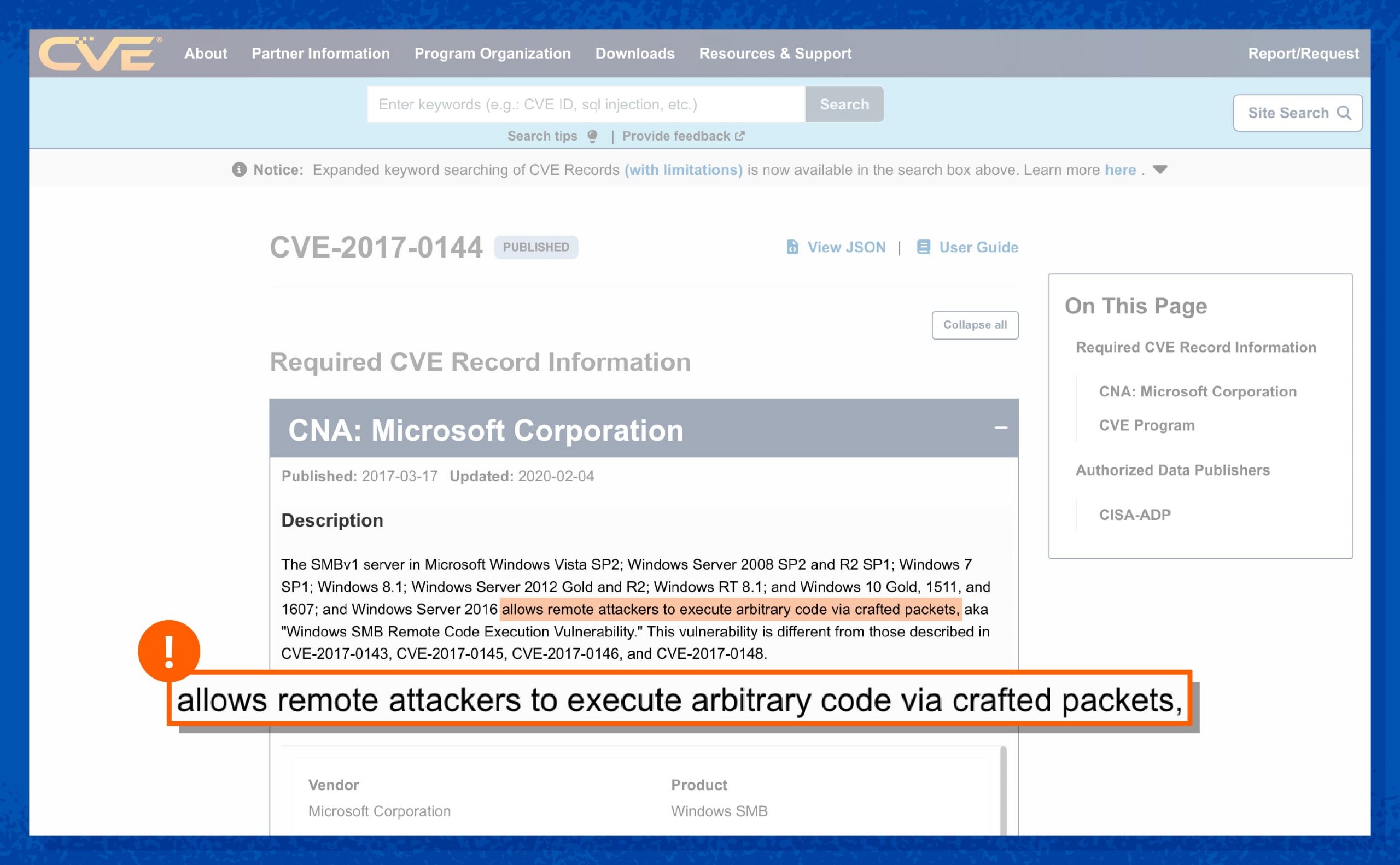
EternalBlue is an exploit — a piece of code designed to take advantage of a flaw in Microsoft Windows. It targets the EternalBlue vulnerability, officially tracked as CVE-2017-0144, in the Windows file-sharing protocol called Server Message Block version 1 (SMBv1).
The flaw affects older versions of Windows, including Windows XP, Windows 7 and several Windows Server editions that relied on SMBv1 for network file sharing. The exploit was originally developed by the NSA for intelligence operations, which is why you’ll often see people refer to it as “EternalBlue NSA.”
The EternalBlue exploit itself is not malware and isn’t a cyberattack on its own. It’s an exploit — a piece of code that uses a vulnerability to break into systems. Once attackers gain access, they can install ransomware, infostealers or other malicious programs on your device.
The vulnerability remained hidden for years until a mysterious hacking group called the Shadow Brokers stole and leaked several NSA cyber tools in 2017. Once the exploit became public, cybercriminals quickly began using it in large-scale attacks.
Is EternalBlue Still Dangerous Today?
Yes, the EternalBlue exploit is dangerous even today, but mainly for those who still rely on legacy systems. Many industries use specialized devices that run old versions of Windows and are difficult to update. Medical equipment is a common example. Some operate on outdated systems because replacing or upgrading them is expensive.
Microsoft released the MS17-010 security update as the official EternalBlue exploit fix, and modern systems like Windows 11 are not affected. Windows 10 can also be protected with proper software updates, but unpatched machines with SMB exposed on port 445 remain vulnerable.
Installing the latest Windows updates and disabling SMBv1 closes the door on this vulnerability.
How Does EternalBlue Work?
The EternalBlue exploit works by targeting the SMB, a Windows protocol used for sharing files and printers across a network. When a vulnerable computer receives specially crafted data, a series of bugs in the SMBv1 system can cause it to mishandle that data.
Attackers take advantage of that mistake. The EternalBlue exploit sends malicious network traffic that tricks the system into running attacker-controlled code. Once inside, hackers can install different types of malware, move through the network or deploy ransomware.
Here’s how the attack happens:
- A malicious packet is sent to a Windows machine using the SMB protocol.
- The system processes the packet incorrectly because of a bug in SMBv1.
- Memory errors occur, allowing the attacker to gain control of part of the system.
- The attacker executes malicious code remotely without logging in.
- Malware is installed, which can spread to other vulnerable machines on the network.
Major Cyberattacks That Used EternalBlue
After the EternalBlue exploit leaked in 2017, cybercriminals quickly began using it in real-world attacks. Some of them caused billions of dollars in damage and disrupted hospitals, companies and government agencies around the world. Here are some major attacks.
WannaCry
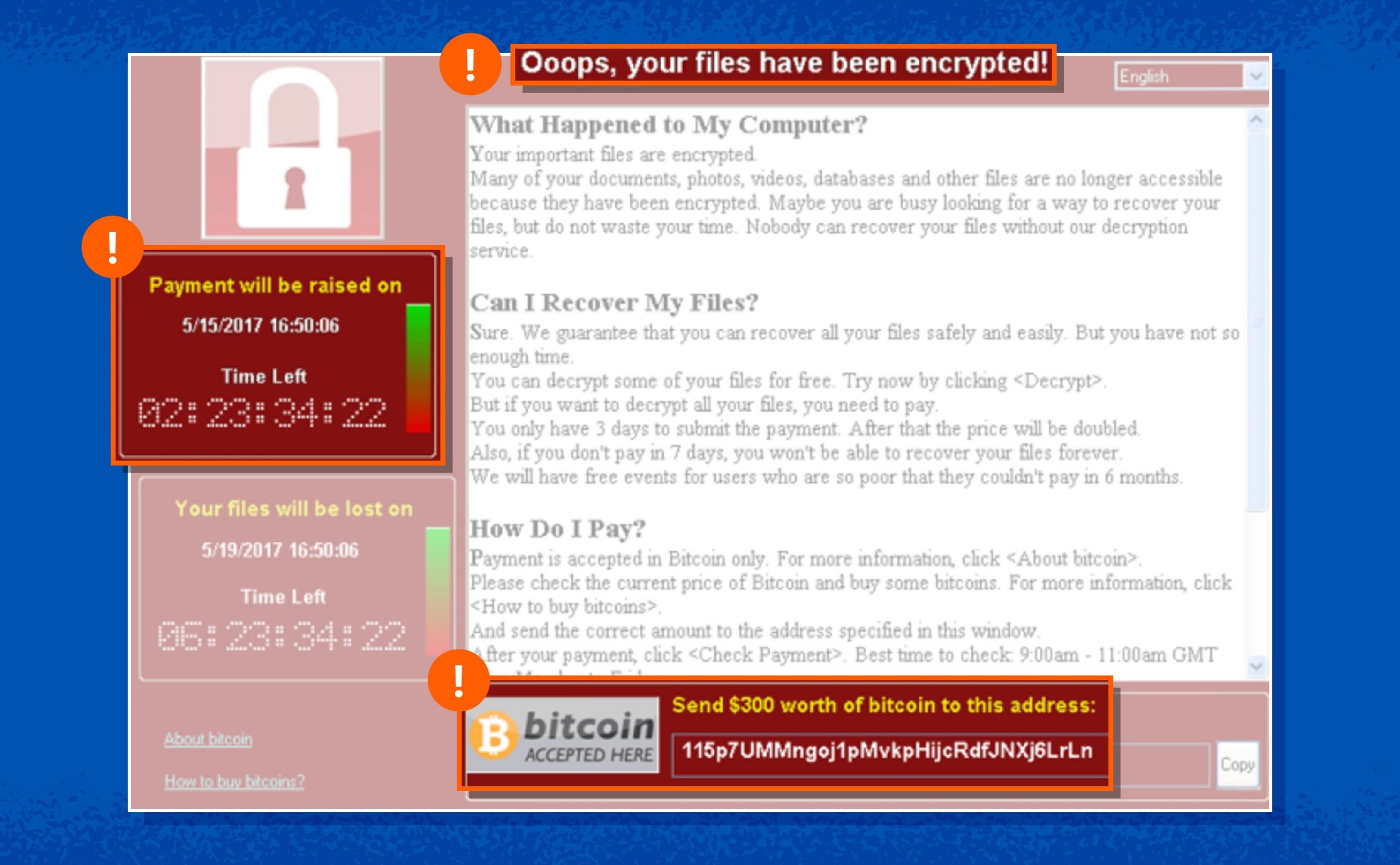
The WannaCry EternalBlue attack was one of the largest ransomware outbreaks in history. In May 2017, the malware used the EternalBlue exploit to spread automatically between vulnerable Windows machines, encrypting files and demanding payment in Bitcoin.
Within days, the attack infected 200,000+ computers in 150+ countries and caused an estimated $4 billion in global damages.
NotPetya
NotPetya appeared just weeks after WannaCry in June 2017. It looked like ransomware but was actually designed to destroy data permanently. The malware used the EternalBlue exploit to move across networks and cripple large organizations, especially in Ukraine, before spreading worldwide.
The attack disrupted shipping companies, banks and manufacturers and caused around $10 billion in global damages, making it one of the costliest cyberattacks ever.
EternalRocks
EternalRocks was a worm discovered shortly after the WannaCry outbreak. Instead of using a single exploit, it combined seven different NSA hacking tools, including the EternalBlue exploit, to infect vulnerable Windows systems. Researchers warned that the malware could spread quietly across networks and build large botnets before launching other attacks.
LemonDuck
LemonDuck is a long-running malware campaign that targets both Windows and Linux systems. In many cases, it uses the EternalBlue vulnerability to compromise unpatched Windows machines and then installs cryptocurrency mining malware.
The campaign has infected thousands of systems worldwide, often targeting businesses and cloud environments to hijack computing power.
Smominru
Smominru is a large botnet that spreads using the EternalBlue vulnerability to infect outdated Windows systems. Once inside, it installs cryptocurrency mining malware that secretly uses your computer to generate digital currency.
At its peak, researchers observed the botnet infecting about 4,700 computers per day, eventually compromising hundreds of thousands of machines worldwide.
How to Protect Yourself From EternalBlue
Modern systems running on Windows 11 are largely safe, but older systems need more attention. Many attacks today still scan networks for unpatched machines, and tools such as EternalBlue Metasploit modules allow security researchers — and attackers — to quickly test whether a system is exposed.
Here are some ways to reduce the risk:
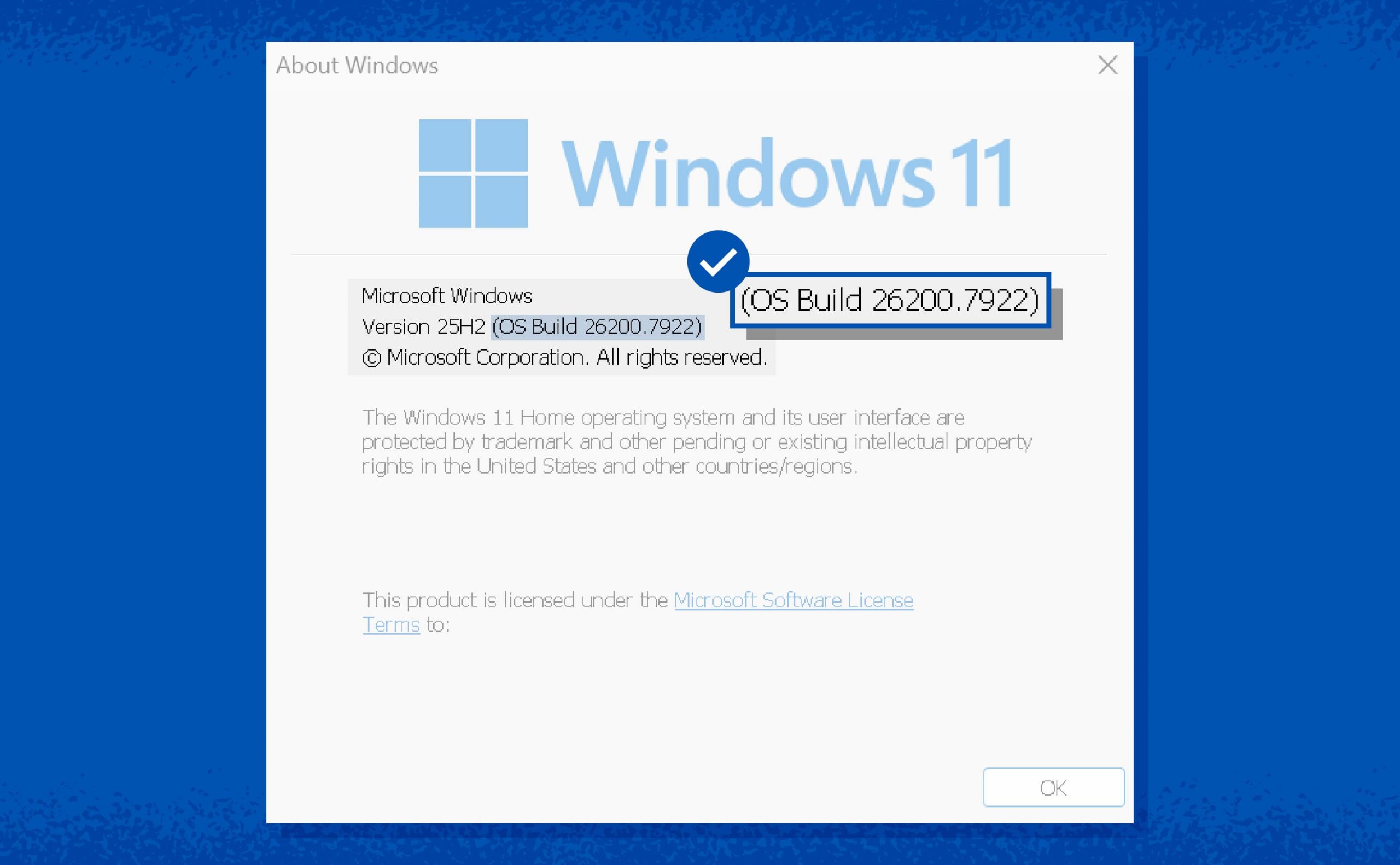
- Replace the device (upgrade to Windows 11): Systems running Windows 11 are not vulnerable to the EternalBlue flaw. If you still rely on Windows 7 or other outdated versions, upgrading removes the risk and brings modern security protections.
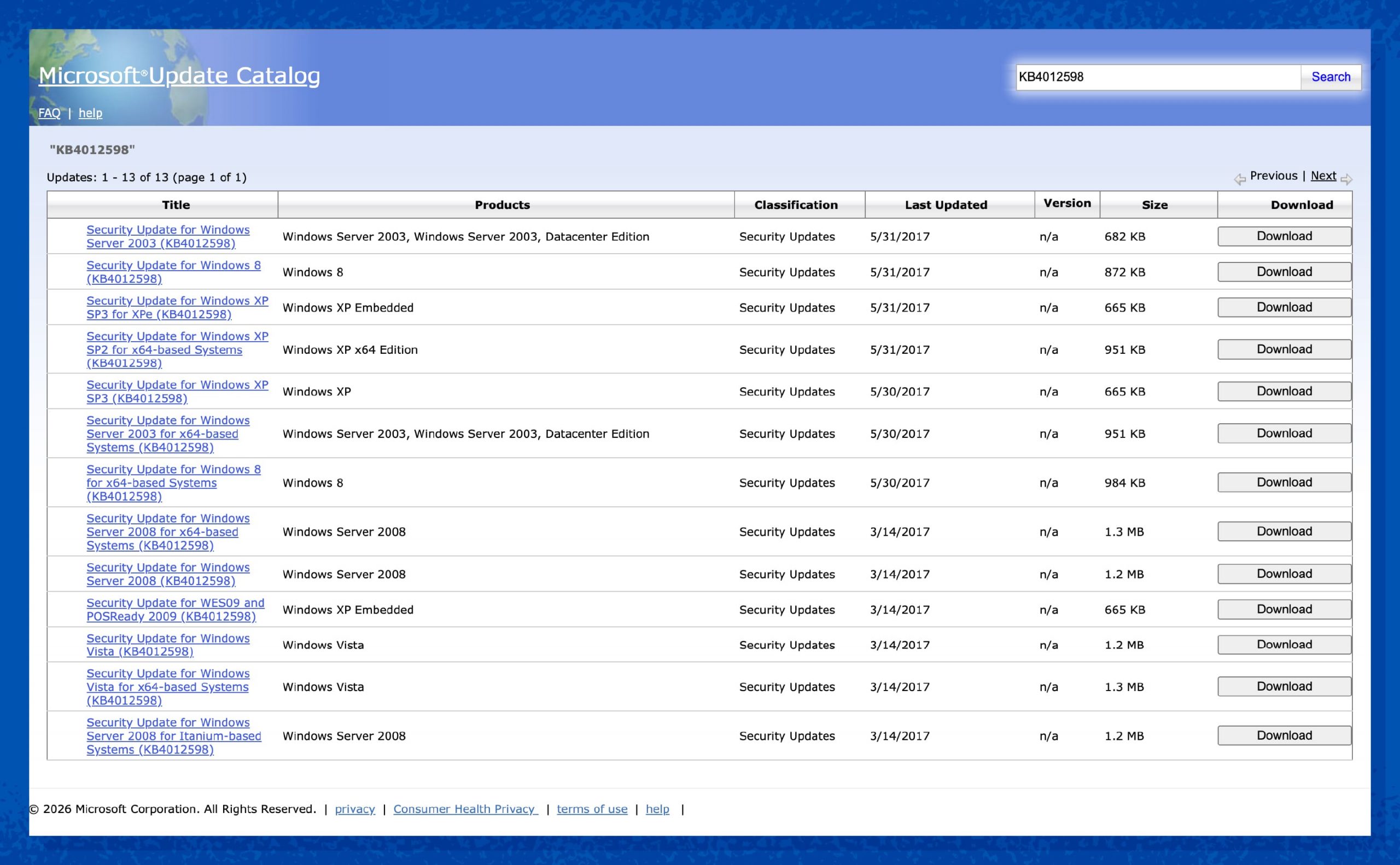
- Patch legacy systems: If older systems must stay online, install Microsoft’s MS17-010 security update. This patch closes the vulnerability that EternalBlue exploits.
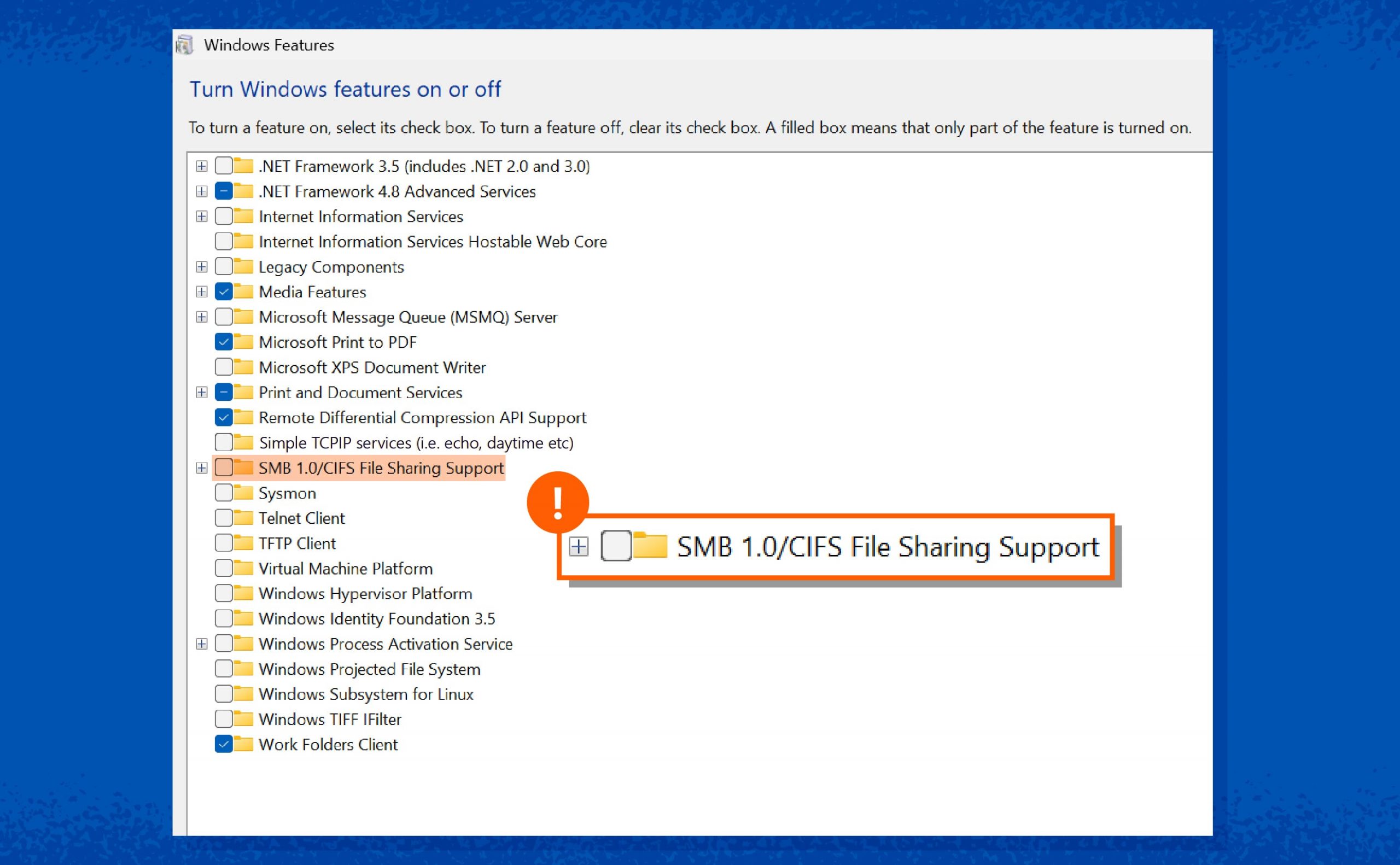
- Disable SMBv1 protocol: The EternalBlue exploit targets the SMBv1 file-sharing protocol. Disabling SMBv1 on Windows systems removes the weak component that attackers rely on.
- Open the “Turn Windows features on or off” dialog: Scroll down and expand “SMB 1.0/CIFS File Sharing Support”. Ensure the main checkbox is unchecked. Take a clear, cropped shot of just this window.
- Block port 445 (Windows 10): The EternalBlue exploit attacks typically travel through port 445, which handles SMB traffic. Blocking port 445 at the network perimeter can prevent external attackers from reaching vulnerable systems.
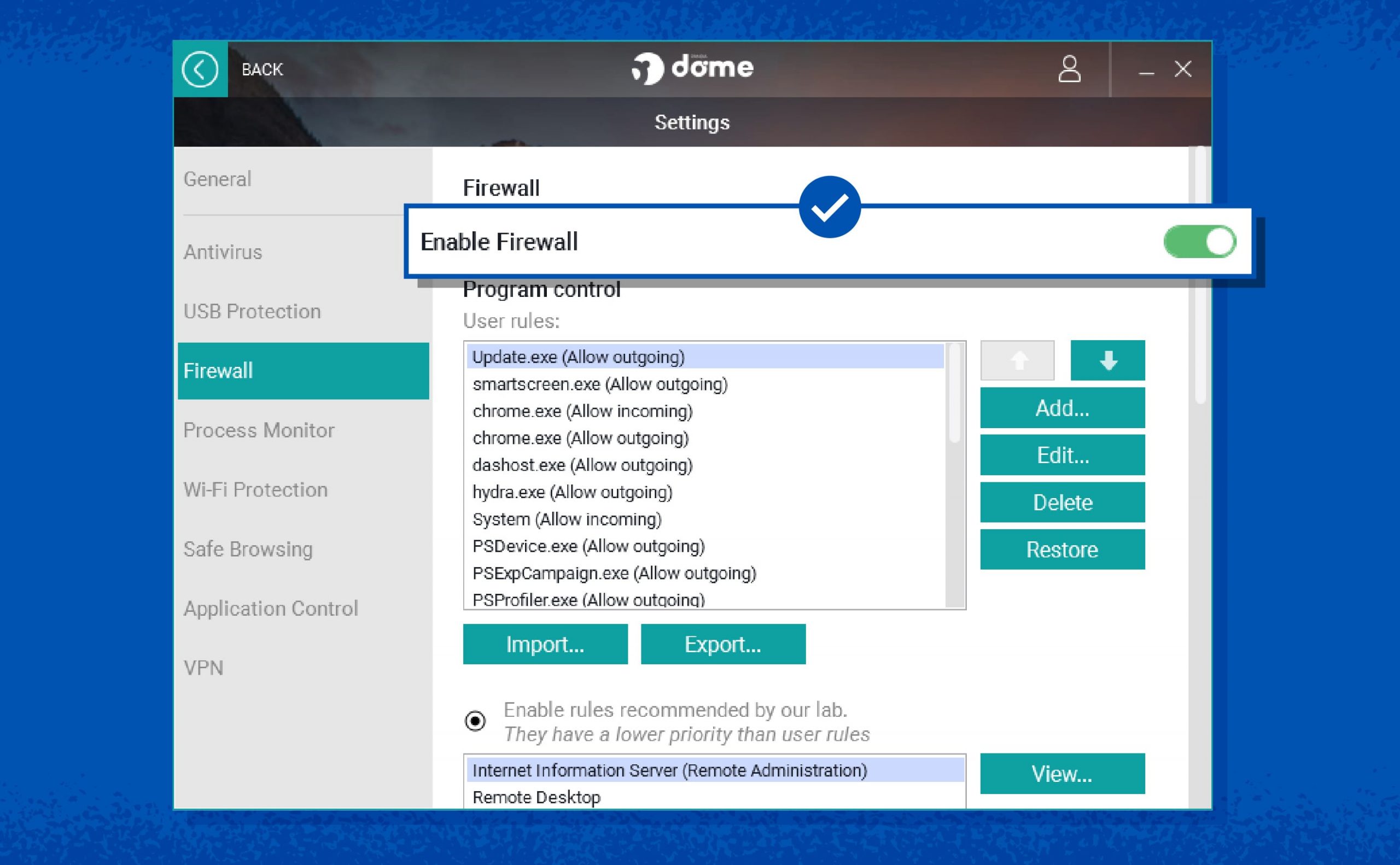
- Enable firewall protection: A properly configured firewall can stop suspicious network traffic before it reaches vulnerable services. This adds another barrier between attackers and your system.
- Segment networks: Network segmentation limits how far malware can spread. If one machine becomes infected, separating systems into smaller network zones helps contain the damage.
The stakes are high. Ransomware statistics reveal that the median ransom demand in 2025 was over $1.3 million. Keeping systems updated and limiting network exposure goes a long way toward closing this door.
Block the Next Windows Exploit With Panda Security
The EternalBlue vulnerability may not affect most modern systems today, but it’s a reminder of how quickly a hidden flaw can turn into a global cyberattack. When vulnerabilities go unnoticed, attackers move fast, using them to spread ransomware and other threats across networks before you have time to react.
Panda Dome helps close that gap. It uses behavioral analysis to spot suspicious activity, which helps detect zero-day threats before traditional signatures exist. Our software also monitors network traffic and blocks attacks that attempt to exploit Windows vulnerabilities, stopping threats before they can spread across your devices.
Protect your devices today with Panda Dome and stay ahead of the next Windows exploit.