


The idea that a VPN significantly drains your battery is largely a myth. Modern VPN protocols use minimal extra power under normal conditions, and any small drain is easy to manage with a few quick adjustments.
You turn on your VPN, and within an hour, your phone’s battery percentage looks worse than usual. It’s easy to assume the VPN is to blame, and that assumption has become one of the most common myths: that VPNs quietly drain your battery. But does using a VPN actually drain your battery noticeably? Not really, at least not for most people using one normally.
A VPN works by encrypting your data and routing it through a remote server before it reaches its destination. That extra step is exactly why the myth took hold. Any process running in the background feels like it should cost you something, and encryption sounds technical enough to seem like a battery hog.
This guide explains why VPNs use slightly more power, what factors influence this, and how to minimize it while maintaining your privacy.
Does a VPN Drain Battery?
The short answer is no, not in any way most people would notice. The idea that a VPN causes serious battery drain doesn’t hold up under normal, everyday use. There’s a small increase in power draw, but it’s rarely something you’d actually feel over the course of a day.
That small increase comes from two processes: information sent or received gets encrypted and decrypted in real time, and your device must stay connected to that server the entire time the VPN is active.
Sustained processor activity is one of the fastest ways to run down a battery. Still, the drain isn’t the same for everyone. It varies based on:
- Your device
- Which VPN protocol you’re using
- How far away the server is
- How strong your network connection is
Rather than a reason to skip a VPN, think of it as a small, manageable trade-off for the privacy you get in return.
How Much Battery Does a VPN Use?
Most sources put the extra battery drain at roughly 5% to 15% under typical conditions, though heavy use or a weak signal can push it higher. Even at the high end, that’s a small dent in a full day’s battery life, not the dramatic drop people expect. It’s more evidence that the “VPNs kill your battery” myth is overstated.
A few things shape where you land in that range:
- What “typical” VPN use means. Browsing, streaming and messaging sit at the lower end. Downloading large files or gaming increases the drain, since both already tax the processor before the VPN adds its share.
- Background connections still count. Even with the screen off, a VPN that stays connected in the background keeps drawing some power, just less than when it’s actively in use.
- Device matters. A VPN running on a mid-range Android phone will typically have a greater impact on battery life than the same VPN on an iPhone, since Apple’s tighter hardware-software integration handles the encryption workload more efficiently.

What Does VPN Drain Battery?
A few specific technical factors are behind the extra power draw, and understanding them helps you make smarter choices about your settings. None of this requires a technical background to follow. The goal is simply to know what’s happening under the hood so you can adjust the things that matter most.
Encryption and Decryption
Every piece of data sent or received through a VPN is encrypted before it leaves your device and decrypted upon arrival. This happens continuously, for as long as the VPN stays connected.
Stronger encryption, like AES-256, requires more processing power than weaker encryption, which directly translates into more battery use. Modern chips have improved significantly at handling AES-256 efficiently, so the gap between strong and weak encryption is smaller than it used to be. It hasn’t disappeared, though.
VPN Protocol
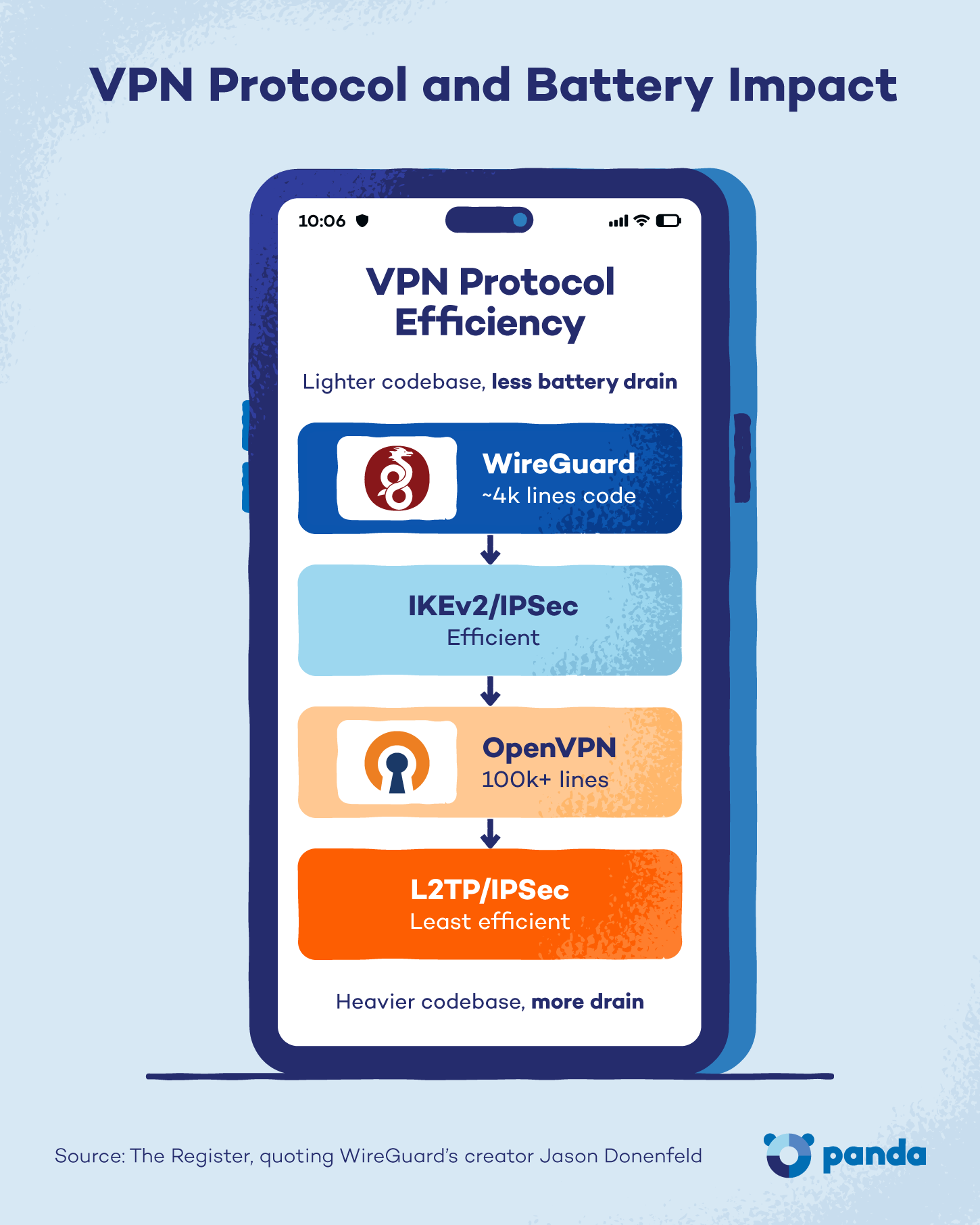
The protocol your VPN uses has a big effect on battery life. Here are the four most common ones you’ll run into:
- OpenVPN: Reliable and widely supported, but relatively heavy on processor use.
- IKEv2/IPSec: Faster handshakes and better at reconnecting after signal drops, generally more battery-efficient.
- WireGuard: The most battery-efficient modern protocol, thanks to a leaner codebase, faster encryption and lower processor overhead.
- L2TP/IPSec: Older, slower and less efficient than the alternatives above.
If battery life is a priority, look for a VPN that offers WireGuard or IKEv2.
Server Distance
Connecting to a VPN server far from your physical location forces your data to travel a longer route, which increases latency (the time delay between your action and the server’s response) and the time your processor spends maintaining the connection.
A user in Chicago may have a choice between a server in Dallas and one in Tokyo. The Tokyo connection keeps the device’s radio and processor working harder for longer on every request.
Unless you have a specific reason to connect to a distant server, like accessing geo-restricted content, choosing the nearest available one is the better call for battery life. This matters even more when you’re connecting safely while traveling, since hopping between countries often means picking servers farther from home.
Network Conditions
A weak or unstable Wi-Fi or cellular signal forces your device to work harder to maintain the VPN connection. In other words, the radio module draws more power to keep up.
VPNs will drain the battery faster on 4G/LTE or 5G cellular data than on a stable home Wi-Fi connection. On top of that, frequent reconnections due to signal drops spike processor and radio usage each time they occur. If you’re on Wi-Fi, it’s often worth taking steps to boost a weak Wi-Fi signal before blaming your VPN for the drain.
Always-On VPN Settings
“Always-on VPN” means the connection stays active even when your screen is off or the app is running in the background. This setting is common on Android and is sometimes turned on by default in certain VPN apps.
While always-on protection keeps you covered around the clock, it also adds to your battery drain throughout the day. If you’re relying on always-on protection, it’s worth knowing how to confirm your VPN is actually working rather than assuming it’s silently running in the background (and draining your battery).
Does a VPN Drain Battery More on Some Devices Than Others?
The same VPN app can have a noticeably different impact on your battery depending on the device it’s running on. Hardware, chip design and how aggressively the operating system manages background processes all play a role. Here’s how that breaks down across the three device types most home users ask about.
VPN Battery Drain on iPhone
iOS manages background processes tightly, which limits how much a VPN can drain the battery once the screen goes dark. iPhones with Apple Silicon chips, meaning the A15 and later, handle encryption more efficiently than older models.
IKEv2 is the default protocol for many iOS VPN apps, and it’s well-suited to the platform.
VPN Battery Drain on Android
Android’s more open approach to background-process management means a VPN can stay more active while the phone is idle, which adds to baseline drain compared with iOS.
Battery performance also varies more across Android devices, simply because of hardware differences between manufacturers. On the upside, Android users typically have more control over protocol selection in their VPN apps, leaving more room to optimize for battery life.
VPN Battery Drain on Laptops
Laptops generally handle VPN encryption with less relative battery impact than phones, thanks to larger batteries and more powerful processors. The drain becomes more noticeable on older laptops, or when the machine is already under load from video calls or large file transfers.
Both Windows and macOS support WireGuard and IKEv2, which remain the better choices for battery-conscious laptop users.

How to Reduce VPN Battery Drain
The myth may be mostly false, but there’s still a small, real impact worth managing. The good news is that a few simple changes can make that impact effectively unnoticeable. Here’s where to start.
1. Switch to a Battery-Efficient Protocol
Switching to WireGuard is the single most impactful change you can make. Look for the protocol setting in your VPN app, usually tucked under Settings or Connection options.
Not every provider offers WireGuard yet. If yours doesn’t, IKEv2 is the next best choice.
2. Connect to the Nearest Server
Always choose the server closest to your physical location, unless you need access to content in a specific country. Most VPN apps include a “fastest server” or “auto-select” option that automatically selects the best server for you. Turning that on is an easy way to save battery without having to think about it.
3. Use Split Tunneling
Split tunneling lets you choose which apps route through the VPN and which don’t, cutting down the overall encryption workload.
Say you’re running a banking app through the VPN while streaming video outside the tunnel. The streaming traffic skips the encryption process entirely, since it doesn’t need that extra layer of protection. Split tunneling is available in most major VPN apps and is one of the most effective ways to cut battery drain without sacrificing protection where it counts.
4. Turn Off the VPN When You Don’t Need It
Disconnect from the VPN on trusted networks, such as your home Wi-Fi, and reconnect on public Wi-Fi or cellular data. This takes a bit of a habit change, but it’s the simplest way to reduce drain.
Some VPN apps support automatic rules that connect on public networks and disconnect on saved home networks, so you don’t have to remember to do it yourself.
5. Keep the VPN App Updated
VPN providers regularly release updates that improve protocol efficiency and reduce processor overhead. Running an outdated app can mean missing out on performance improvements that directly affect battery life.
6. Reduce Screen-On Time While the VPN Is Active
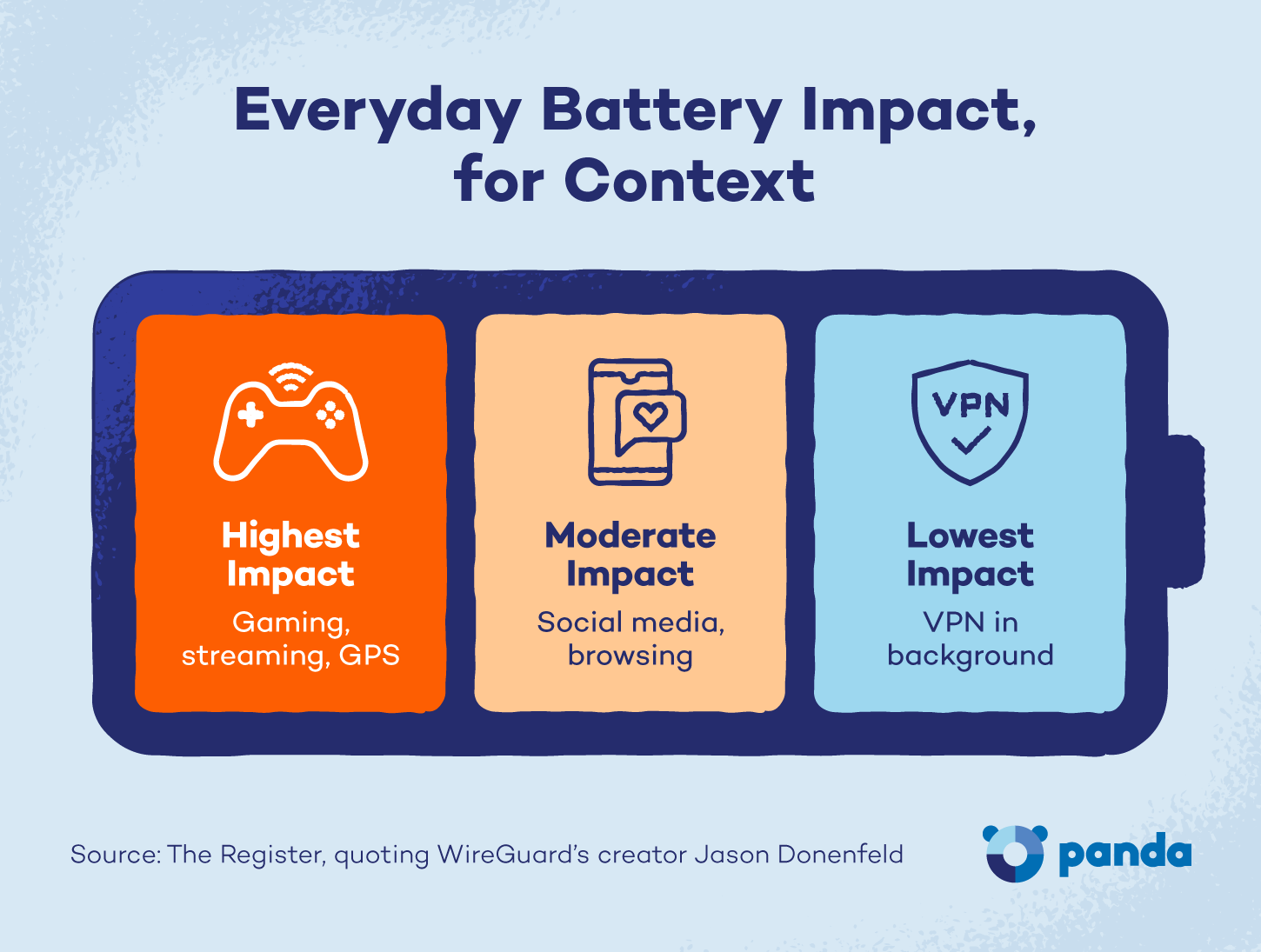
VPN drain compounds with other battery-heavy activities, including screen brightness, video streaming and GPS use. If your battery is already running low, lowering screen brightness and closing unused apps while the VPN is active helps stretch what you have left.
Is It Worth Running a VPN Despite the Battery Drain?
Some scenarios, like public Wi-Fi at airports, hotels, coffee shops and other shared networks, make running a VPN clearly worth it. They carry a real risk of interception by others on that network, since anyone else on that network could snoop on unencrypted data.
Browsing at home on a private, password-protected router is a different story. The risk is much lower, so the trade-off matters less there.
For users who may not spend much time thinking about network security, the risk of public Wi-Fi is worth taking seriously. Unencrypted connections on those networks can expose login credentials and other personal data to anyone with the right tools nearby.
Battery drain is not a good reason to skip a VPN. The myth doesn’t hold up, and the real-world cost is too small to outweigh the privacy benefit, especially anytime you’re on public Wi-Fi.
Protect Your Privacy Without Sacrificing Battery Life
Ultimately, does a VPN drain your battery? Only a little, and rarely enough to notice during a normal day. The real question is how to use it wisely, whether that means picking a leaner protocol, connecting to a nearby server, or simply turning it off when your phone starts running warm for other reasons.
If you’d rather not think about protocols and settings, Panda Dome Premium‘s unlimited VPN is built into a suite that also covers antivirus, dark web monitoring and 24/7 support, so privacy doesn’t cost you battery life or peace of mind.
FAQ
Does leaving a VPN on all day drain the battery faster?
Leaving a VPN on all day only modestly drains the battery faster. Continuous use draws slightly more power than connecting on demand, but not enough for most people to notice.
Which VPN protocol uses the least battery?
WireGuard uses the least battery of the widely available VPN protocols, followed by IKEv2. Its smaller codebase and faster cryptographic operations mean less processor time is needed per data packet.
Does a VPN drain battery faster on mobile than on a laptop?
Generally, yes, a VPN on a phone will drain the battery faster than on a laptop. Phones have smaller batteries and less powerful chips than the encryption workloads they handle. That said, the gap narrows on newer flagship phones with dedicated security chips.
Can a VPN cause my phone to overheat?
A VPN alone is unlikely to cause a phone to overheat, but it can increase the workload on your processor. If your phone is already running hot from gaming or video streaming, the VPN can further raise its temperature. Switching to WireGuard and closing background apps can help if your phone gets warm while using a VPN.
Does a VPN use more battery on cellular data than on Wi-Fi?
Yes, a VPN uses more battery on cell data than Wi-Fi. Cellular connections, especially in areas with weak signal strength, force the radio module to work harder, further exacerbating the VPN’s processor drain. Connecting to Wi-Fi when possible is the simpler fix if battery life is a concern.
Is it safe to turn off my VPN at home?
On a private, password-protected home network, the risk is lower than on public Wi-Fi, so turning off the VPN at home is a reasonable way to save battery. Users who want continuous protection, for example, to prevent ISP tracking, may prefer to keep it on, but should use an efficient protocol to minimize the drain.