


Passwords have been the default way to log in to online accounts for decades. But developers never created them to handle the threats people face today. Passkeys offer a newer, more secure way to sign in that reduces the risks of phishing, credential theft, and password reuse. And security experts now encourage people to use them whenever companies make them available.
For consumers, the appeal is simple. Passkeys are easier to use and harder for attackers to steal. Instead of remembering another password or trusting a note saved in your browser, you use the device you already carry. And unlock it the same way you normally do, such as with a fingerprint, face scan, or PIN.
What is a passkey?
A passkey is a passwordless way to sign in that uses cryptographic keys instead of a typed secret. One key stays on your device while the service stores the other key, which means your device never shares your private credential with the website itself.
That is a major difference from passwords, which you must create, remember, and type into a login form. Attackers can guess, reuse, steal, or phishing passwords, which makes them one of the weakest links in consumer security.
How passkeys are different
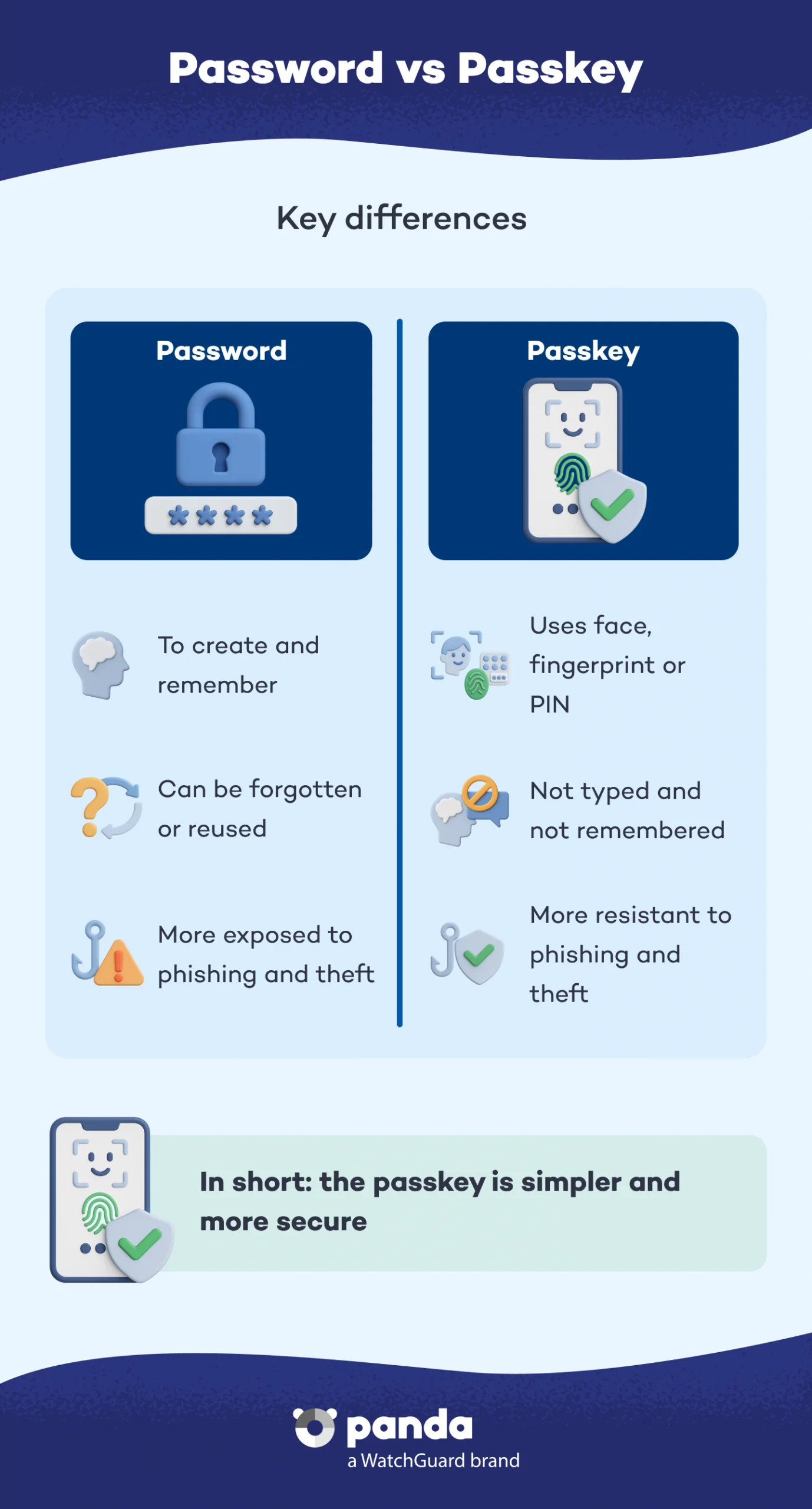

Passkeys work differently from passwords in a few important ways. First, they connect directly to the specific website or app that created them, so users cannot accidentally enter them on a fake login page. Second, the private part of the passkey never leaves your device, which helps protect your account even if attackers breach a website.
People often reuse passwords across multiple accounts, which can create a chain reaction when attackers compromise one service. Passkeys give each account a unique credential and reduce phishing risks because scammers cannot trick users into typing a password that does not exist.
Why passkeys are more secure
The security advantage comes from the way passkeys verify you. Instead of asking you to type a secret, the service sends a challenge that your device signs locally, then checks that response against the public key it has on file. Usually, you verify the passkey with a simple FaceID or fingerprint scan (biometric verification) on your smartphone. This process makes stolen database records much less useful to attackers, because the server does not hold your actual private credential.
Passkeys also reduce the damage caused by human error, which is a major reason that passwords fail in real life. People choose weak passwords, reuse them, or fall for fake login pages – and attackers know it. The FIDO Alliance says 77% of hacking-related breaches involve stolen credentials, which is exactly the problem passkeys are built to reduce.
When to use them
If a service offers passkey sign-in, it is usually the better choice. That is why the safest habit is to choose passkeys first, then fall back to another method only when you have to.
You may see passkeys offered by large tech platforms and other modern services (like Apple, Google and Facebook). But adoption is still uneven. The BBC recently reported that UK cyber chiefs are encouraging people to ditch passwords for passkeys where available, while noting that older systems will still need traditional login methods for now.
What to do with older accounts
Not every website or app supports passkeys yet, so passwords are not disappearing overnight. For those older accounts, the next-best step is to create a unique, strong password for every login rather than reusing the same one everywhere.
That is where Panda Dome Password Manager can help. It lets you generate strong passwords automatically, store them securely, and keep each account protected with a different credential, which is much safer than reusing the same password across services.
A safer way forward
Passkeys are not just a trend – they are the direction online security is moving. They offer stronger protection against phishing, make account takeover harder. And are simpler for most people to use once set up. The practical approach is straightforward. Use passkeys whenever they are offered and use Panda Dome Password Manager to handle the older accounts that still depend on passwords. That gives you a more secure setup today while helping you transition to a passwordless future.